Operating the Equipment Locally
Instruction Manual: evolution 5000 E5710 and E5720 Encoder Page 4-45
ST.TM.E10074.1
4.8.4 Vertical Blanking Interval (VBI) Menu
Overview
The VBI Menu is selected from the Video Menu by pressing the VBI
softkey. This menu permits the selection of VBI parameters.
The VBI lines vary, according to whether the video source is 525 lines,
29.97 Hz or 625 lines, 25 Hz. If 525, the options are VBI Lines 10-22 and
272-285; if 625, the options are VBI Lines 7-24 and 319-336.
Teletext (All lines) Option
NOTE…
This option is only available when Frame Rate is 25 Hz.
To access the Teletext (All lines) option, press the Teletext (All lines)
softkey in the VBI Menu. This option can be turned On or Off. When on, it
enables extraction of Teletext System B (WST) data from lines 7 to 22 and
320 to 335 of the video input.
Teletext Data Out Option
This option indicates whether or not the Encoder is actually outputting
Teletext data at that instant It is for status only and cannot be changed.
Teletext PID Option
NOTE…
This option is only available when Frame Rate is 25 Hz.
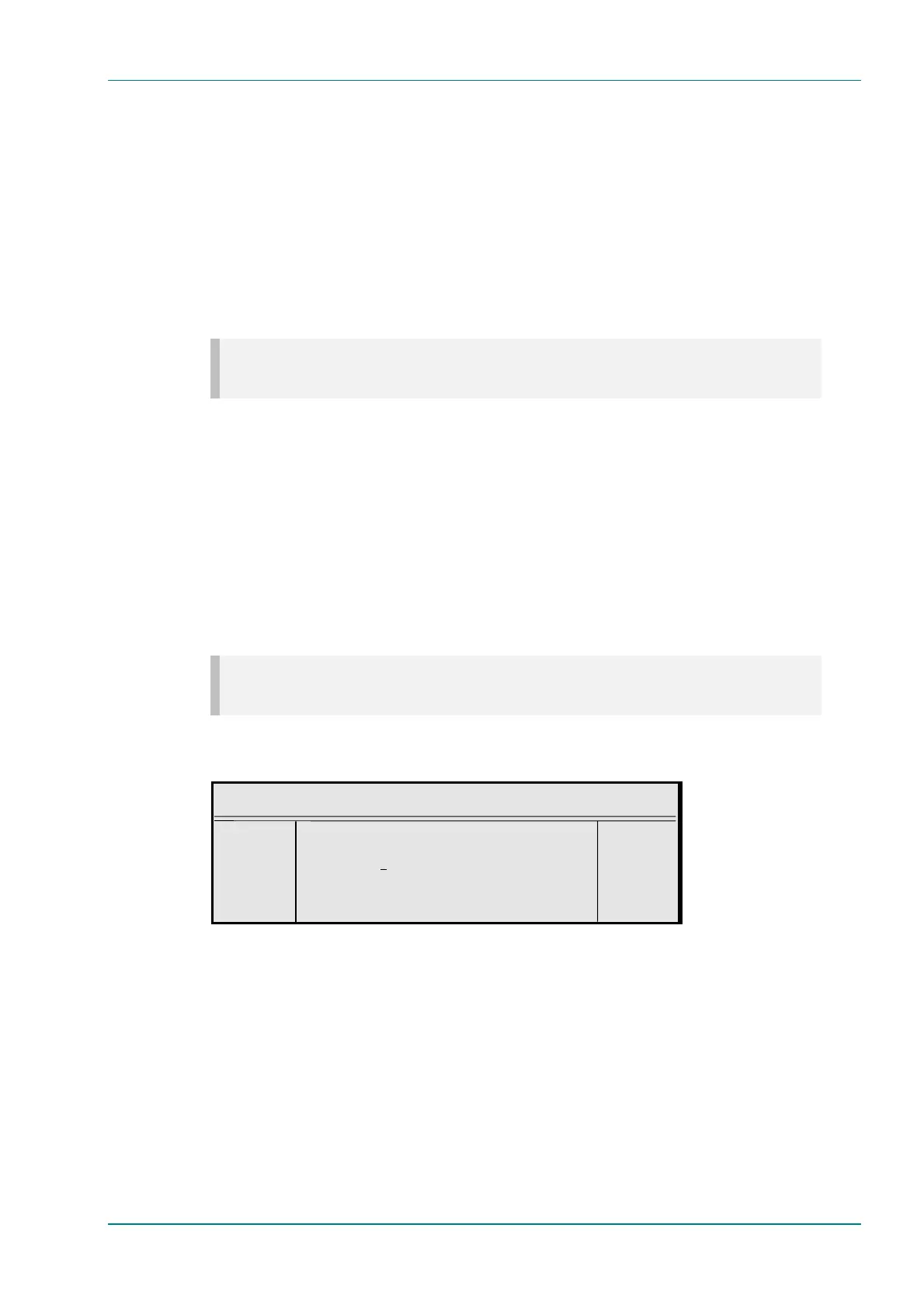
To access the Teletext PID option, press the Teletext PID softkey in the
VBI Menu. This enables the Teletext PID to be changed.
Teletext PID
¬ Left Teletext PID : +
® Right `33 (0021h)’ —
l Ins Enter l
l Del Update using softkeys Quit l
VBI on PID Option
To access the VBI on PID option, press the VBI on PID softkey in the VBI
Menu. This enables the VBI on a separate PID to be turned On or Off.
VBI PID Option
The VBI PID option is selected from the VBI Menu by pressing the VBI
PID softkey. The option is used for entering or updating the VBI PID.
Enter a PID using the softkeys then press the Enter softkey to accept it.



 To Next Page