Introduction to the Basic Encoder
Page 1-16 Instruction Manual: evolution 5000 E5710 and E5720 Encoder
ST.TM.E10074.1
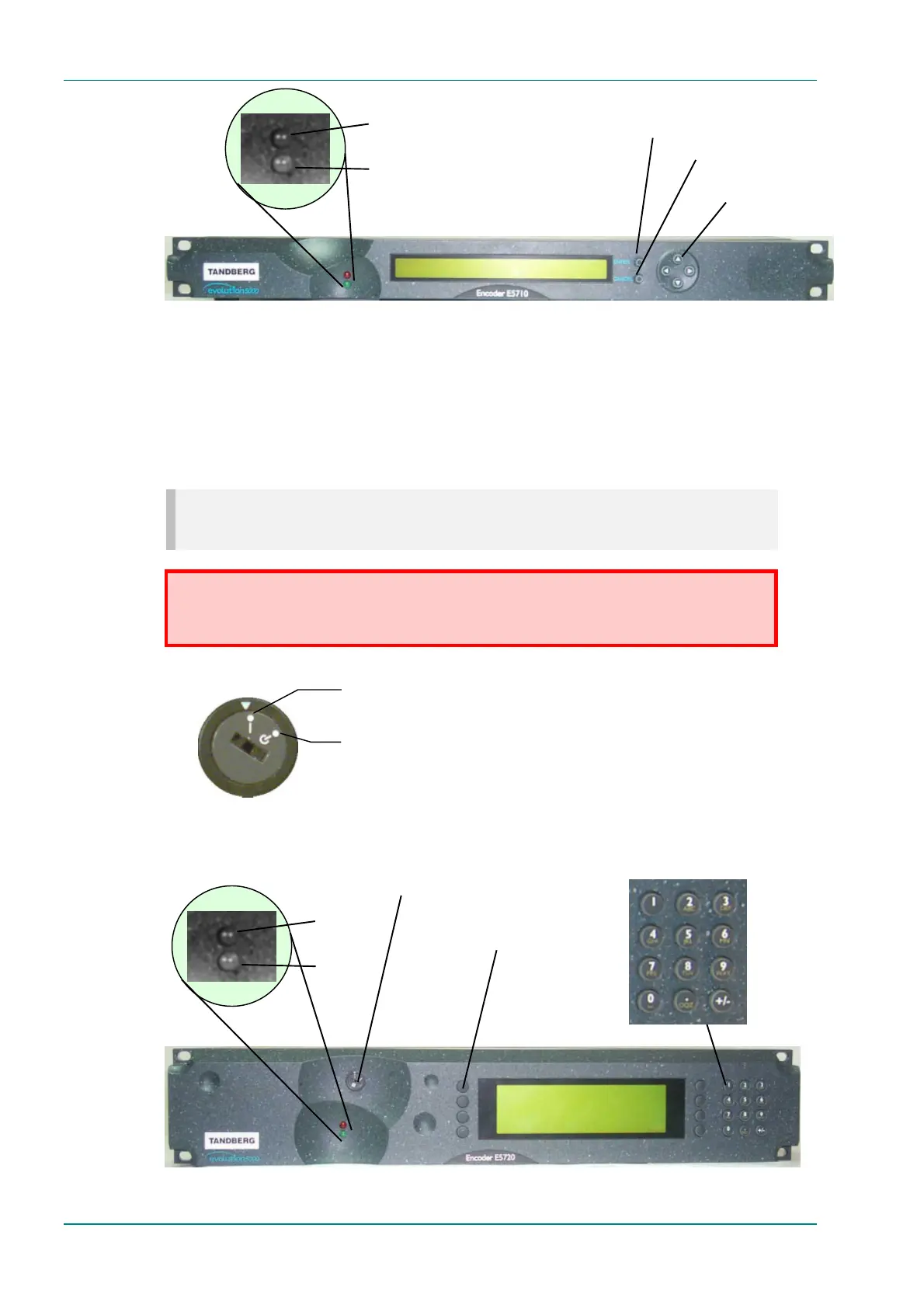
Figure 1.7: E5710 Front Panel Indicators
Power Supply Stand-by Switch (E5720 Only)
The use of this switch puts the Encoder into stand-by mode. It powers
down the supply rails of the display and internal circuits within the unit.
The switch type avoids accidental powering-down of the Encoder. For
normal use ensure that the I is always at the top (see Figure 1.8).
NOTE…
Later versions of the E5710 (1U) Encoder may have this switch fitted.
WARNING…
THIS IS NOT A MAINS SWITCH AND WILL NOT ISOLATE THE ENCODER FROM THE POWER
SUPPLY.
Figure 1.8: Stand-by Switch (E5720 Only)
Figure 1.9: E5720 Front Panel Indicators
Alarm
Power
Softkeys, to
select options
Power Supply
Stand-by Switch
Navigation
keys, to select
options
Alarm
Power
Enter
Cancel
On position
Stand-by position



 To Next Page