Operating the Equipment Locally
Page 4-88 Instruction Manual: evolution 5000 E5710 and E5720 Encoder
ST.TM.E10074.1
4.14 Diagnostics Menu
See Chapter 6, Preventive Maintenance and Fault-finding for information
about the Diagnostics Menu.
4.15 Configs Menu
4.15.1 Overview
The Configs Menu can be selected from the Advanced Menu by pressing
the Configs softkey.
The Encoder has different user configurations for DVB and for ATSC. These
configurations provide a quick and easy way to configure all the Encoder
operating parameters for common set-ups without having to enter the
parameters individually.
There are 16 predefined user configurations and also 525/625 factory
default set-ups. The 16 predefined user configurations can be edited and
overwritten, but not the 525/625 factory default set-ups.
NOTE…
The predefined configurations differ according to whether the syntax is set to ATSC or DVB and which
option is fitted.
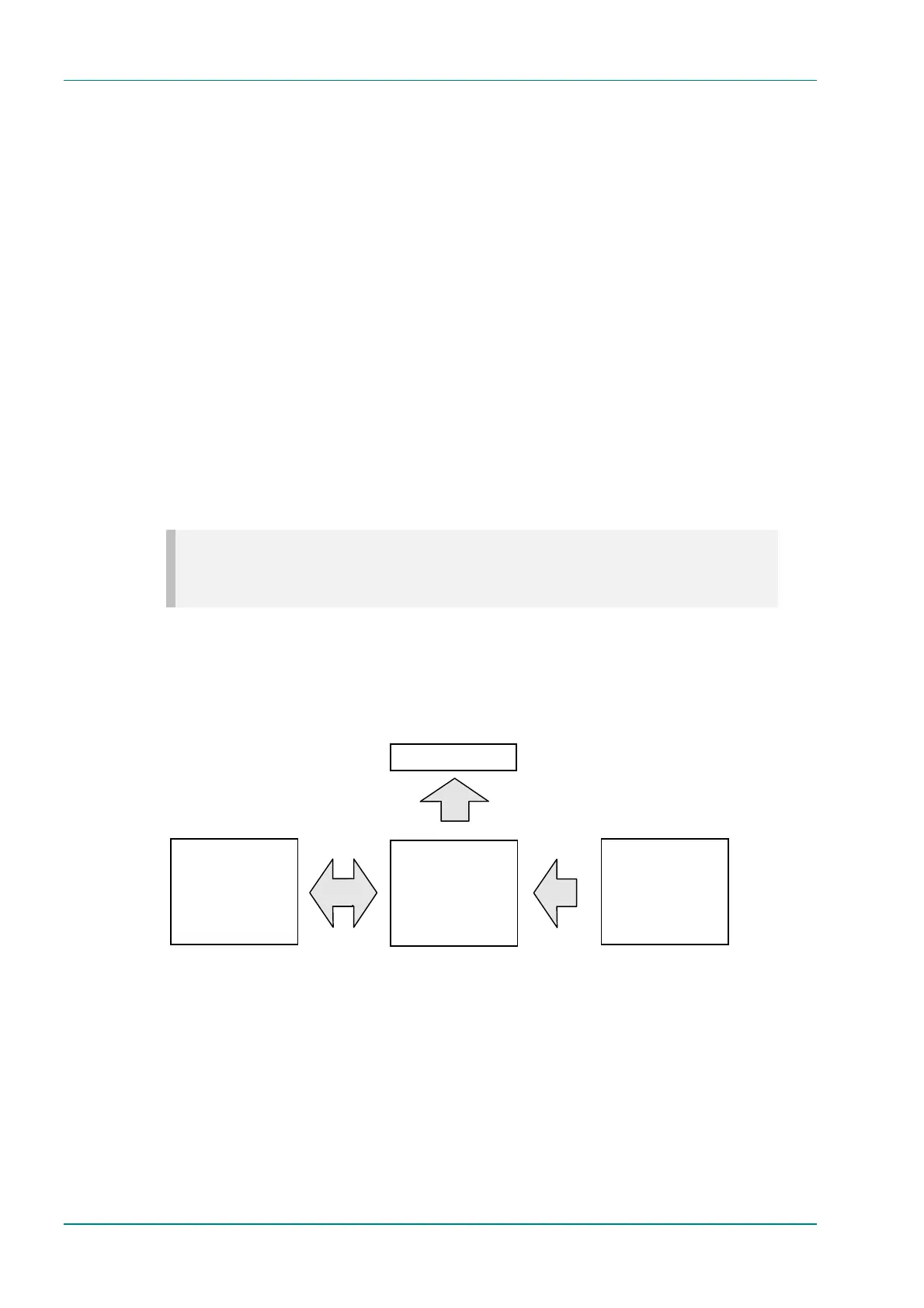
The predefined user configurations can be copied to a backup. If the user
configurations are then inadvertently modified, the backup configurations
can be restored to return the user configurations to a known state. The
configurations can also be returned to the 525/625 factory default
settings.
Figure 4.20: Configuration Loading and Storage
4.15.2 Quick Configuration From the Summary Screen
The sixteen predefined user configurations are a quick and easy way to
configure the Encoder without having to enter individual parameters. The
Config Menu can be accessed directly from the summary screen (see
Section 4.4.2, Summary Screen) by pressing the Cfgs softkey. Press the
Load Active Config softkey (see Load Active Config Option on page 4-89)
and a list of configurations is shown (refer to Annex C, Predefined User
Configurations for details of individual configurations).
Backup Configurations
16 Predefined and/or
Customer Specific
Configurations
Editable Configurations
Useable /
Editable Configurations
(16 Predefined
Configurations)
Original Configurations
525/625 Factory
Default Configurations
and 16 Predefined
Configurations
Current Configurations
Load
Restore defaults
load into Flash



 To Next Page