Preventive Maintenance and Fault-finding
Instruction Manual: evolution 5000 E5710 and E5720 Encoder Page 6-9
ST.TM.E10074.1
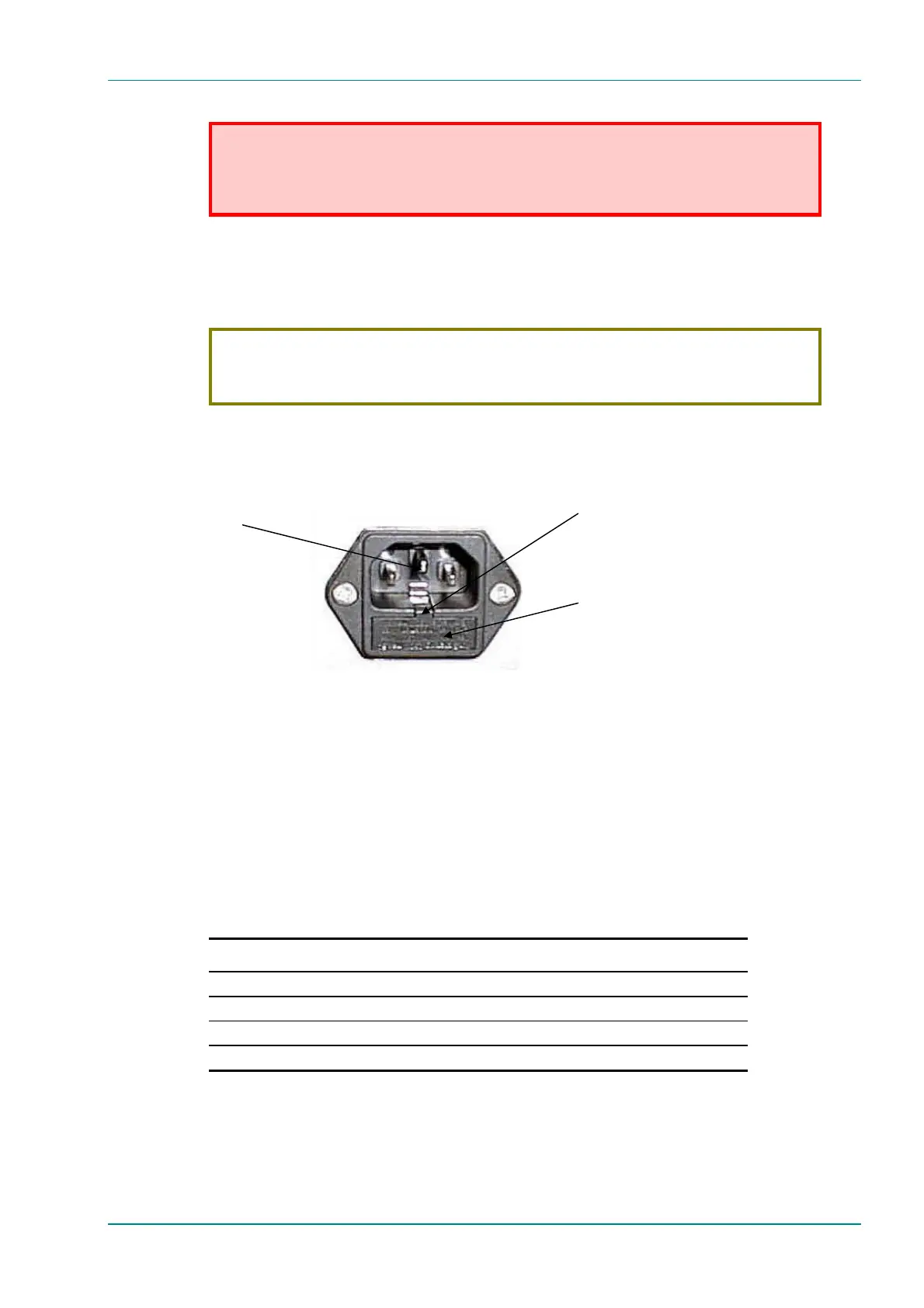
To replace the ac power fuse:
WARNING…
BEFORE REPLACING THE REAR PANEL FUSE, DISCONNECT THE UNIT FROM THE SUPPLY.
FAILURE TO DO THIS MAY EXPOSE HAZARDOUS VOLTAGES. UNPLUG THE UNIT FROM THE
LOCAL SUPPLY SOCKET.
1. Ensure that power is turned off and the power cable is disconnected
from the ac power inlet.
2. Ease out the fuse carrier by placing a small, flat-bladed screwdriver in
the notch at the top of the carrier.
CAUTION...
When replacing the power input fuse, always ensure that a fuse of the correct type and rating, is fitted.
Failure to do so results in inadequate protection.
3. Replace the fuse in the carrier.
4. Insert the fuse carrier back in the ac power inlet.
Figure 6.3: Orientation of Fuse Carrier
If the replacement fuse also blows, do not continue. Disconnect the
equipment and contact Customer Services for advice.
6.5.4 Video Fault-finding
Fault Symptoms
Table 6.2: Video Fault-finding
Problem What to do
Video input lock error Check video input.
Video - wrong line standard Check which video format is selected.
VCM stopped Reboot.
Bad parameters Check set-up.
AC Power Inlet
If required, use a small flat-bladed
screwdriver in the notch at the top
of the carrier to ease it out.
Fuse Carrier



 To Next Page