Introduction to the Basic Encoder
Page 1-4 Instruction Manual: evolution 5000 E5710 and E5720 Encoder
ST.TM.E10074.1
1.1.3 What Equipment is Covered by This Manual
Equipment Models
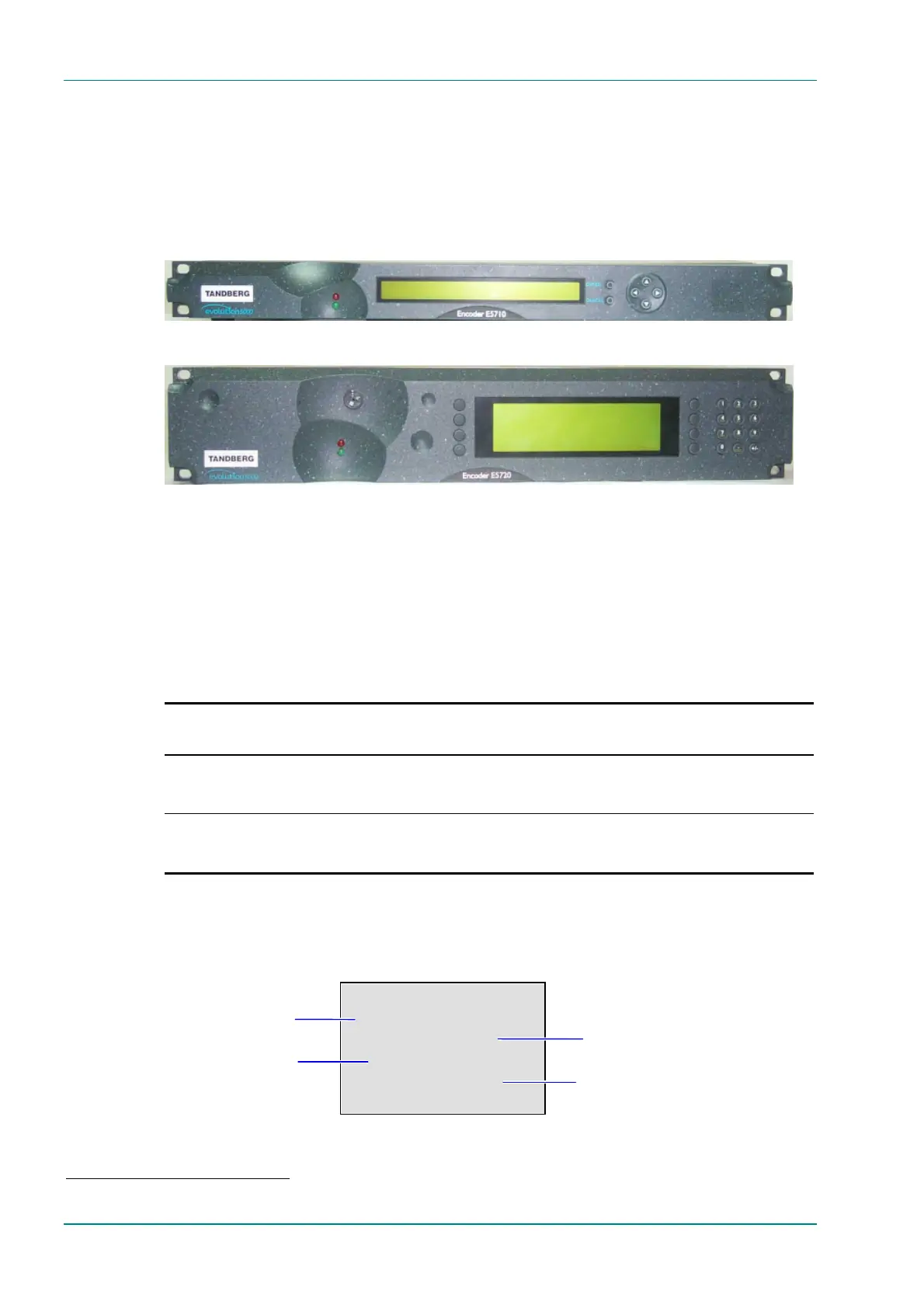
Each model of Encoder comprises an enclosure with one board fitted as
standard. There are vacant slots for option modules; two on the E5710
and up to six on the E5720. These slots can be occupied by any of the
combinations of modules shown in Chapter 3, Options and Upgrades.
Figure 1.1: E5710 Encoder Front View
Figure 1.2: E5720 Encoder Front View
No options need be fitted but any slot not occupied by an option module
must have a blank module or blanking plate fitted (see Chapter 3, Options
and Upgrades).
The marketing codes, part numbers and model numbers of the basic units
are shown in Table 1.2, those of the option modules in Chapter 3, Options
and Upgrades.
Table 1.2: Equipment Model Descriptions
Model
Number
Part
Number
Marketing
Code
Description
E5710 Encoder E10074
M2/ENC/E5710
1U MPEG-2 Encoder with 4:2:0/4:2:2
1
video encoding mode
and fully exhaustive motion estimation. Available with the
Reflex
2
option.
E5720 Encoder E10075
M2/ENC/E5720
2U MPEG-2 Encoder with 4:2:0/4:2:2
1
video encoding mode
and fully exhaustive motion estimation. Available with the
Reflex
2
option.
Information Label
There are two information labels which identify the configuration of the
unit. Figure 1.3 and Figure 1.4 are typical examples.
Figure 1.3: Information Label 1
1
4:2:2 is only available when software option M2/ESO2/422 is purchased.
2
Reflex is only available when software option M2/ESO2/VBR is purchased.
Encoder
Serial No. NNN
E10075_XX _XX _XX _XX_XX_XX
Bld rev X_XX
M2/ENC/E5720
Serial Number
A unique number for unit identification
Build Revision
A reference which identifies the build
revision of the unit
Hardware Configuration
A reference which identifies each
piece of hardware in the equipment
Marketing Code
A code which identifies the product
for marketing purposes



 To Next Page