Operating the Equipment Locally
Instruction Manual: evolution 5000 E5710 and E5720 Encoder Page 4-5
ST.TM.E10074.1
4.1 Introduction
The front panel display and keypad may be used to configure, control and
monitor the Encoder when an evolution 5000 Multiplex Element Manager
(MEM) is not used.
4.2 Establishing Local Control (E5710)
At switch-on the Encoder runs through a boot sequence (boot time without
any option modules is approximately 45 seconds). The Summary Screen is
displayed.
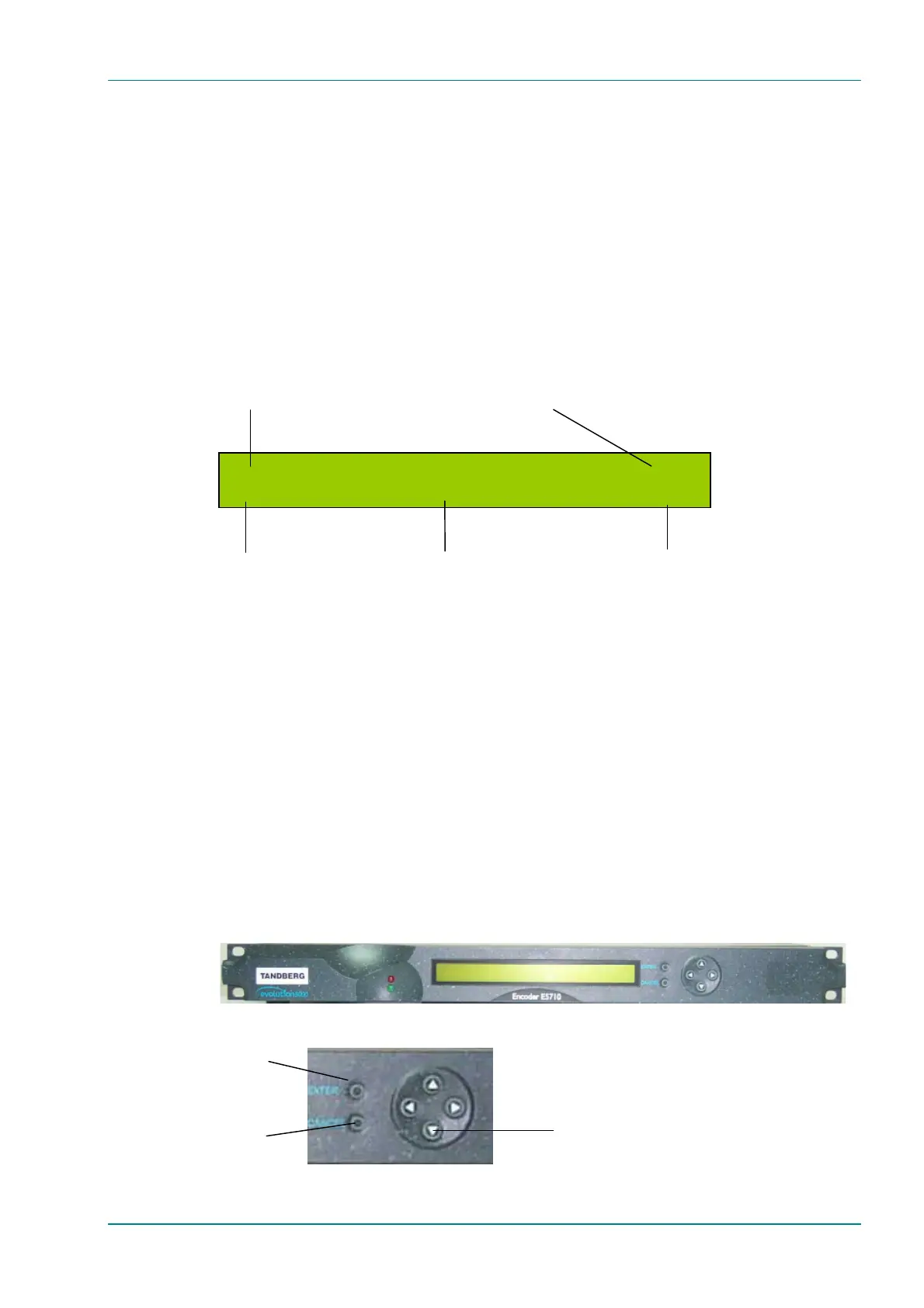
Figure 4.1: E5710 Summary Screen
4.3 Navigating the Display Screens (E5710)
4.3.1 Introduction
The menu items on the display are selected and amended by one of the
four navigation keys (shown as left, right, up and down arrows) and Enter
and Cancel buttons (see Figure 4.2). Most of the screens displayed in this
manual are for the E5720 2U Encoder and are accessed in a different way
(see Section 4.5, Navigating the Display Screens (E5720)) but the menu
options are the same for both the 1U and 2U Encoders.
The function of the navigation keys depends where you are in the menu
structure. See the following sections for details.
Figure 4.2: E5710 Navigation Keys and Buttons
ENTER
button
CANCEL
button
Navigation keys
Default Service (On Air)
204 B
tes 40.000 Mbit/s Serial Di
ital
Any of the following can be displayed:
Initialising Only shown when the Encoder is booting
On Air Outputs are on
Off Air Outputs are off
Scrambled Outputs are on and transport stream being
scrambled with selected CA standard
188 or 204 byte transport
packet output mode
Output transport stream bit-rate (at
whichever packet length has been selected)
Video source selected
Service name



 To Next Page