Operating the Equipment Locally
Page 4-8 Instruction Manual: evolution 5000 E5710 and E5720 Encoder
ST.TM.E10074.1
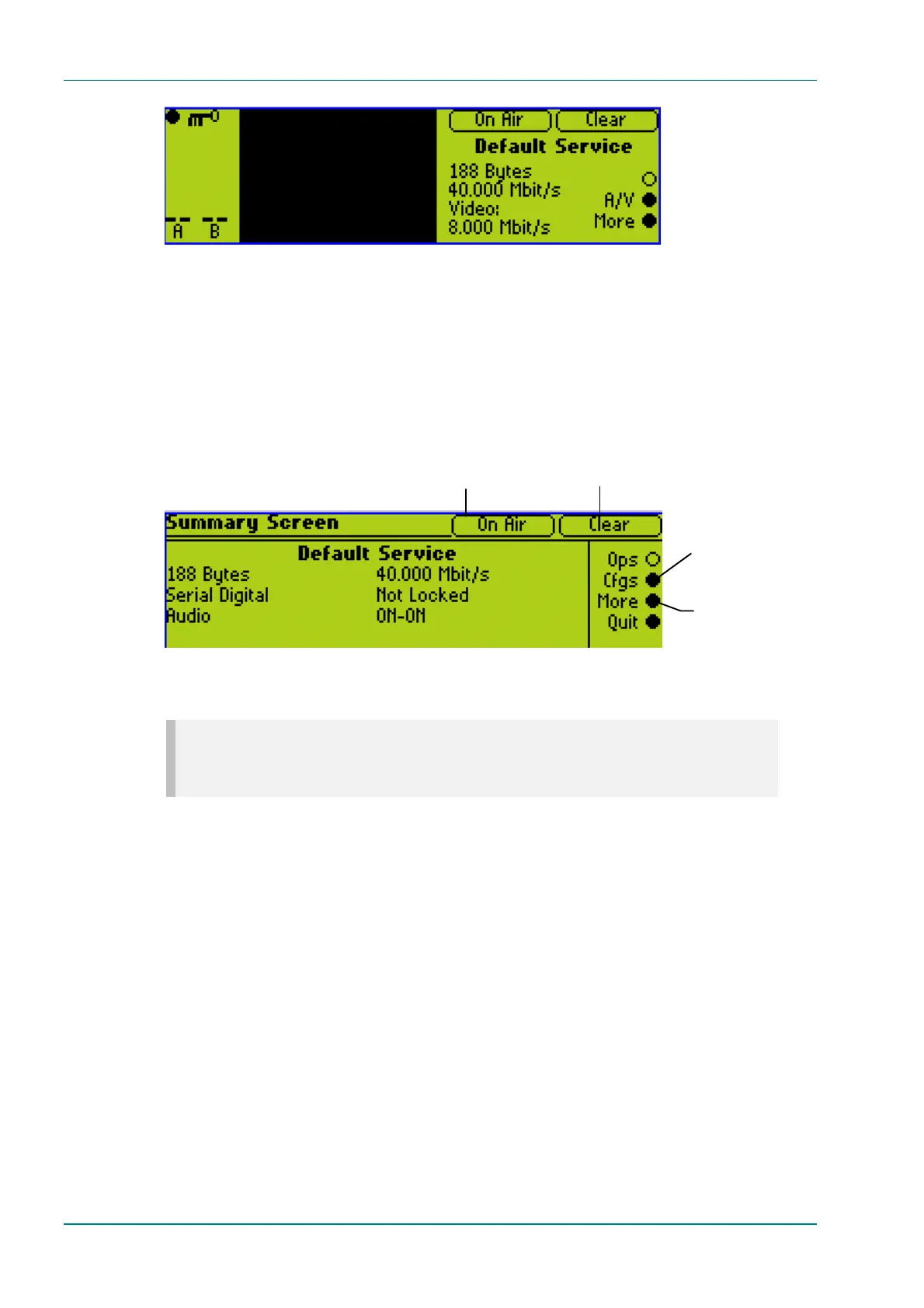
Figure 4.3: E5720 Input Monitor
Pressing the More softkey displays the Summary Screen (see
Section 4.4.2, Summary Screen).
Pressing the A/V softkey displays the A(udio)/V(ideo) Menu (see
Section 4.4.3, A(udio)/V(ideo) Menu).
4.4.2 Summary Screen
Figure 4.4: E5720 Summary Screen
NOTE…
The Configurations Menu can also be accessed through the Advanced Menu (see
Figure 4.8).
4.4.3 A(udio)/V(ideo) Menu
The A/V Menu contains some basic video and audio options. They can all be
changed with the exception of the audio input levels. These are only
indicators of the current audio input level and are status only.
Only those video input selections compatible with the currently selected
frame rate can be chosen from this menu. For example, if the current
selection is PAL-B/G/H/I (frame rate 25 Hz) then any format except PAL-M
or NTSC-M can be selected (29.97 Hz only).
Press More softkey to
access the Advanced
(Top Level) menu
This gives quick access
to the Configurations
menu
Clear or Scrambled.
Indicates whether or not the
output is scrambled.
On or Off Air.
Indicates whether or not the mux
On Air option is set to on or off.



 To Next Page