Operating the Equipment Locally
Page 4-10 Instruction Manual: evolution 5000 E5710 and E5720 Encoder
ST.TM.E10074.1
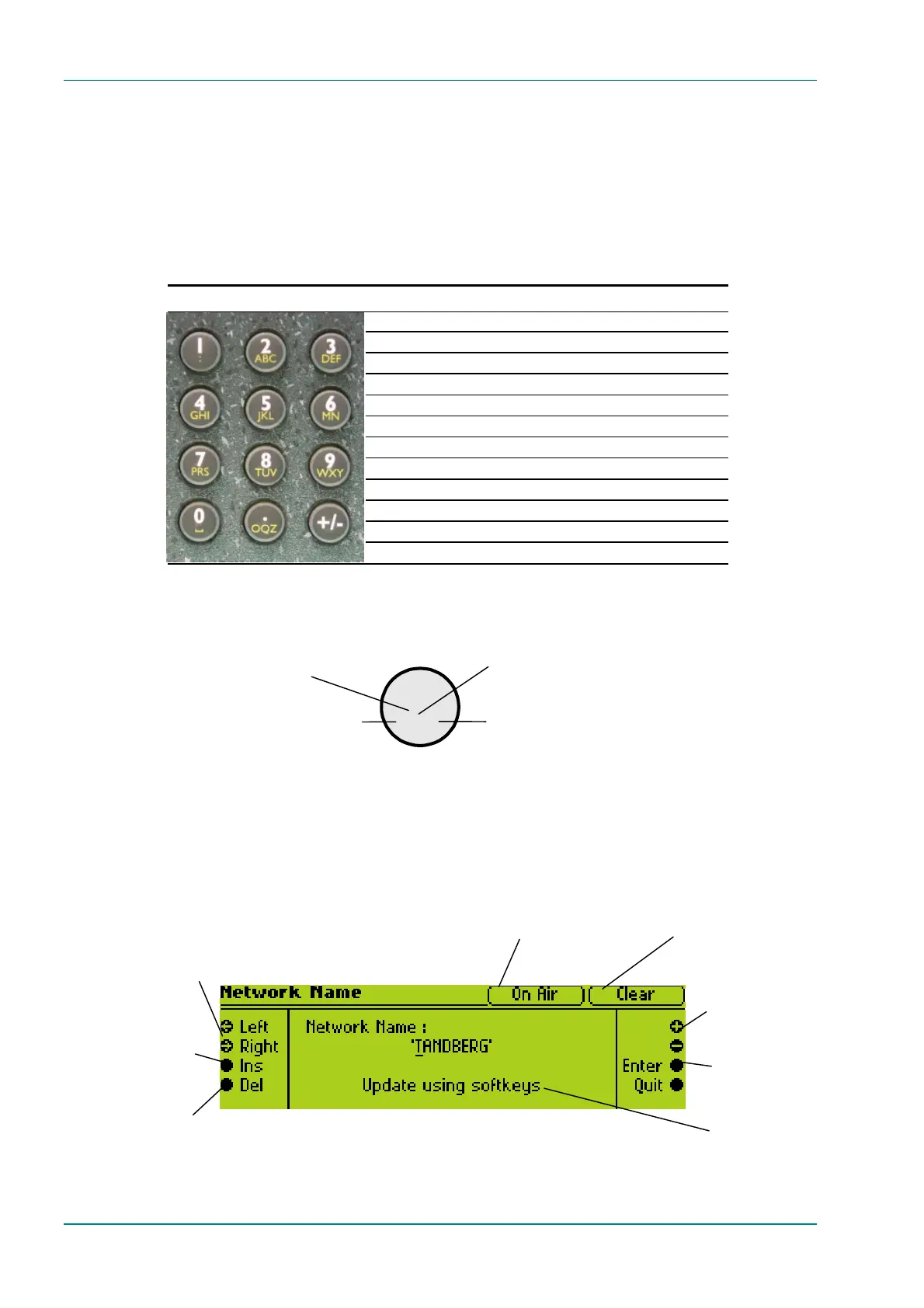
4.5.2 How to Use the Keypad
Each key on the keypad has more than one inscription. One press of a key
makes the number appear on the display screen, two quick presses makes
the first letter appear etc. All keys are cyclic, displaying their assigned
characters in sequence. In certain options only letters or numbers may be
available.
Table 4.1: Keypad Key Assignments
Keypad Button 1 Press 2 Presses 3 Presses 4 Presses
11( : )
22ABC
33DEF
44G H I
55J K L
66M N 6
77P R S
88T U V
99W X Y
0 0 Space 0 Space
. . OQZ
+ +/ - +
Figure 4.7 gives details of how to access the inscriptions.
Figure 4.7: Accessing Inscriptions on the Keypad
4.5.3 How to Use the Functions Associated with Softkeys
The following display screens show the different functions associated with
the options.
Press the softkey twice in rapid
succession for an A to appear on the
display screen
Press the softkey three times in rapid
succession to have a B appear on the display
screen
Press the softkey once to have a 2
appear on the display screen
Press the softkey four times in rapid
succession to have a C appear on the
display screen
On Air / Off Air
indicates whether the
mux On Air option is
Press + and - to
scroll through the
choices in the option.
Press Left and Right
to move the
underscore to the next
letter that you want to
change.
Softkeys mean those at
the side of the screen
and those on the
keypad.
Press Enter to accept
the option choice.
Scramble means that
scrambling is enabled.
Clear means that it is
Press Ins to insert a
space where the
underscore is.
Press Del to delete
where the
underscore is.
2
BC



 To Next Page