Installing the Equipment
Instruction Manual: evolution 5000 E5710 and E5720 Encoder Page 2-11
ST.TM.E10074.1
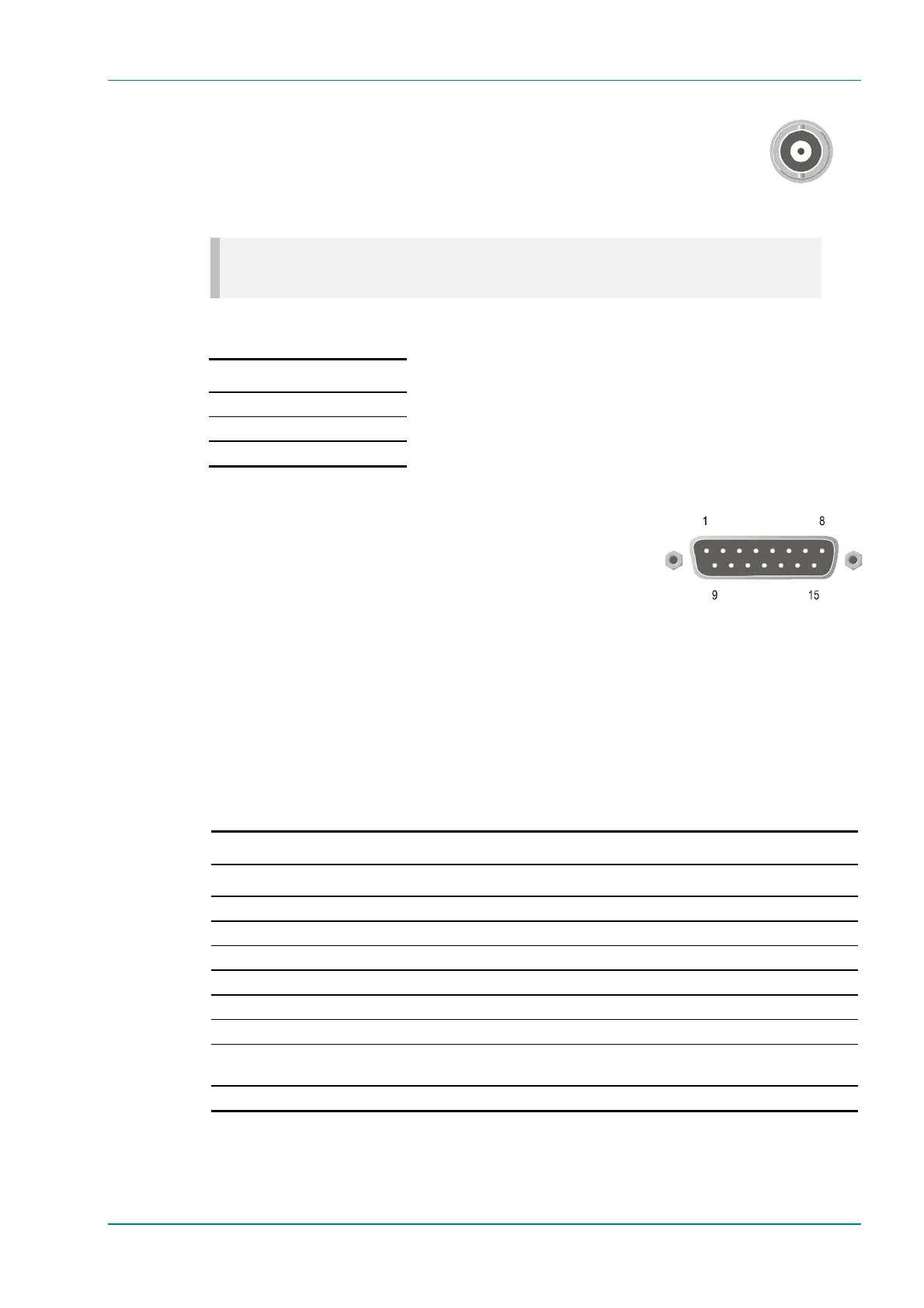
COMP VIDEO
A 75 W BNC connector provides a high quality
analogue video input to the unit. See Chapter 4,
Operating the Equipment Locally, Video Input Option
on page 4-30 for the types of video and selection
method.
NOTE…
The input is differential to prevent 50 Hz/60 Hz hum.
Table 2.4: COMP VIDEO Connector
Pin Signal
Centre Video Input
Screen Video Input Return
Impedance 75 W
2.5.6 Audio Inputs
Connect the audio cable to the AUDIO IN
connector. The 15-way, D-type male connector is
used in different ways according to the audio input
and the encoding configuration selected.
The connector provides two stereo pairs. They may be independently
configured as either analogue or digital. The left channel is used to input
digital audio.
The Encoder is supplied with a break-out cable which plugs into this
connector, and provides a more convenient means of connecting the audio
signals via five connectors. There are four XLR female connectors, with the
fifth cable being a BNC which provides an AES/EBU 75 W digital reference
output.
Table 2.5: Audio In Connector
Pin Signal Pin Signal
Analogue Digital Analogue Digital
1 Left Channel A (+) AES/EBU (A) (+) 9 Left Channel A (-) AES/EBU (A) (-)
2 Not connected 10 Right Channel A (+)
3 Right Channel A (-) 11 Not connected
4 Left Channel B (+) AES/EBU (B) (+) 12 Left Channel B (-) AES/EBU (B) (-)
5 Not connected 13 Right Channel B (+)
6 Right Channel B (-) 14 Not connected
7 AES/EBU
Reference (Signal)
15 AES/EBU
Reference (Ground)
8 Not connected



 To Next Page