Chapter 5
52
UM10350_PCNC770_Manual_0916A
Intro to PathPilot
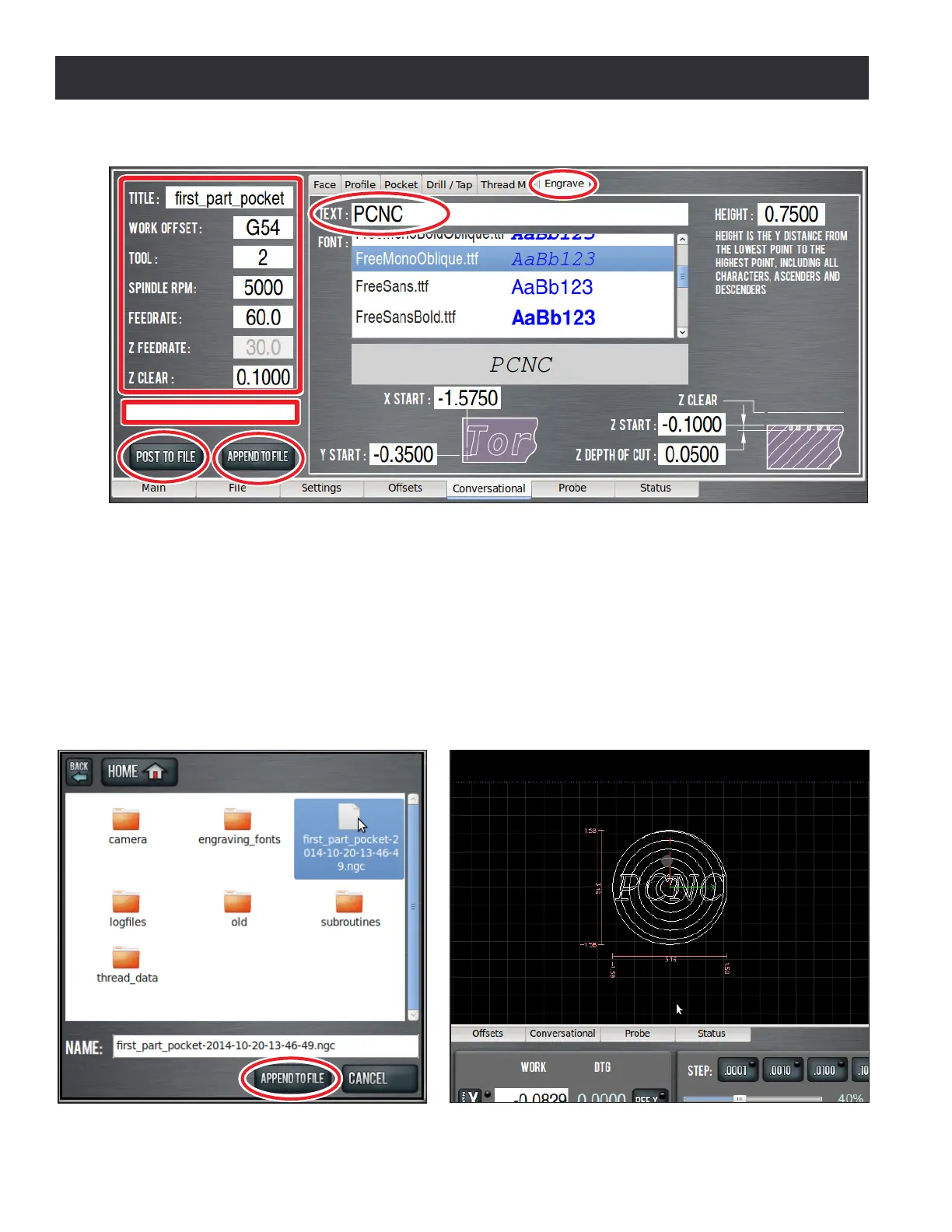
3. Click on the name of the le you created when you made the facing G-code, then click Append
to File (see Figure 5.14). The changes to your le are loaded into the control, and you should
see a tool path that looks something like Figure 5.15.
4. Run the completed program using the method descibed in Operaon 1 secon earlier in this
chapter.
NOTE: When you run this code, it will recut the pocket that you created in the rst operaon. If you wanted
to, you could have posted this code to a separate le.
Figure 5.15
Figure 5.14
Figure 5.13
Conversational DROs



 To Next Page