Chapter 6
66
UM10350_PCNC770_Manual_0916A
PathPilot Interface
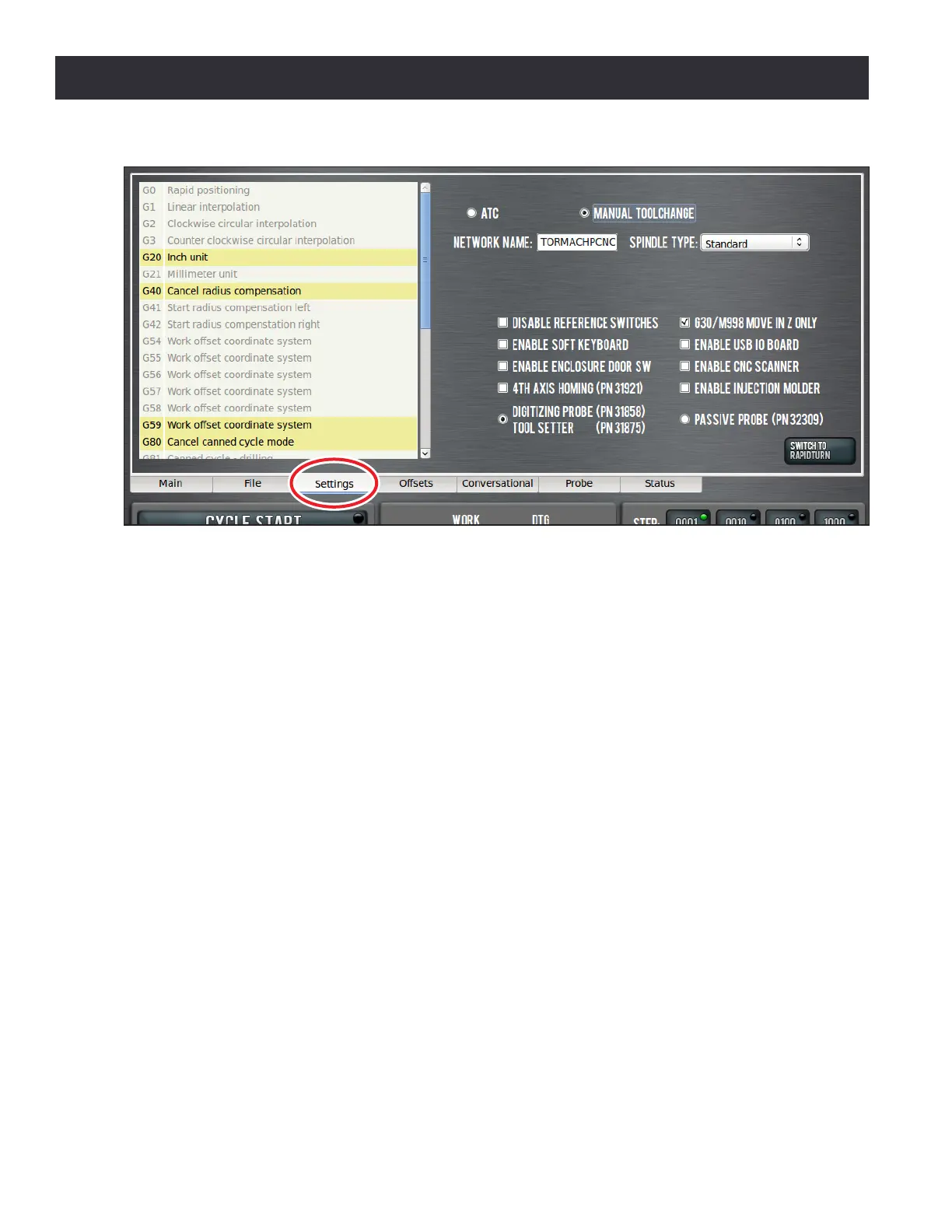
Automac Tool Changer (ATC) – If the ATC opon is selected, the PathPilot operang system
searches for an ATC aached to the mill. If the mill is equipped with an ATC, tools that have been
assigned to the tray are changed automacally when a Tx M6 command is issued via MDI or G-code
program. Note that the tool DRO and accompanying M6 G43 buon on the lower half of the screen
only change the current tool number, but will not cause an automac tool change. To request an ATC
tool change, either program M6 Tx G43 in the MDI Line or type a tool number in the Tool DRO and
press Enter. For more informaon, refer to the ATC Operator Manual.
Manual Toolchange – The manual tool change opon causes the mill to pause at the M6 command
during a G-code program execuon. This allows the operator to manually change tools (see chapter
4, Operaon, for the manual tool-change procedure). Aer changing tools, press the Cycle Start
buon to resume program execuon with the new tool. When the mill is paused waing for a
manual tool change in the middle of a G-code program, the Cycle Start LED ashes on and o and a
message is displayed with the requested tool number on the tool path screen.
Network Name – If connected to a network using either the Ethernet jack on the controller or
the oponal Wireless Network Adaptor (PN 34705), the controller appears on a network as
network-aached storage. The controller exports a Windows network share named gcode to the
Windows network with a domain name WORKGROUP. The default network name of the controller
is TORMACHPCNC. The login name for the share is WORKGROUP\operator and the password is pcnc.
The network name must be unique on your network, and it is changed by typing in the Network
Name DRO and pressing Enter. The controller must be restarted for the name change to take eect.
Refer to the documentaon that ships with the Wireless Network Adaptor for more informaon.
Spindle Type – This drop-down is used to select spindle scaling if the mill is equipped with a Speeder
Series 2 (PN 31350) opon. Select the appropriate opon for the machine.
Figure 6.15



 To Next Page