Chapter 6
67
UM10350_PCNC770_Manual_0916A
PathPilot Interface
Disable Reference Switches – This seng exists to provide a temporary workaround for a
malfunconing reference switch circuit. The Ref X, Ref Y, Ref Z, and Ref A buons now set the
machine reference posion to the mill posion at the me the buon is pressed instead of going
through the homing procedure.
NOTE: If desired, this procedure may be used in conjuncon with one or more dial indicators mounted at
the ends of mill travel to provide a more accurate method of manually referencing the mill.
G30/M998 Move in Z Only – The G30 or M998 G-code commands can be used to move the mill to
a pre-set posion. The posion is seable using the Set G30 buon on the Osets screen. A G30
or M998 command is typically programmed right before a tool change line in G-code programs so
that the spindle head clears the workpiece with sucient distance to be able to change tools. When
selected, this opon moves to the tool change posion in Z only, otherwise a coordinated XYZ move
occurs on G30 or M998.
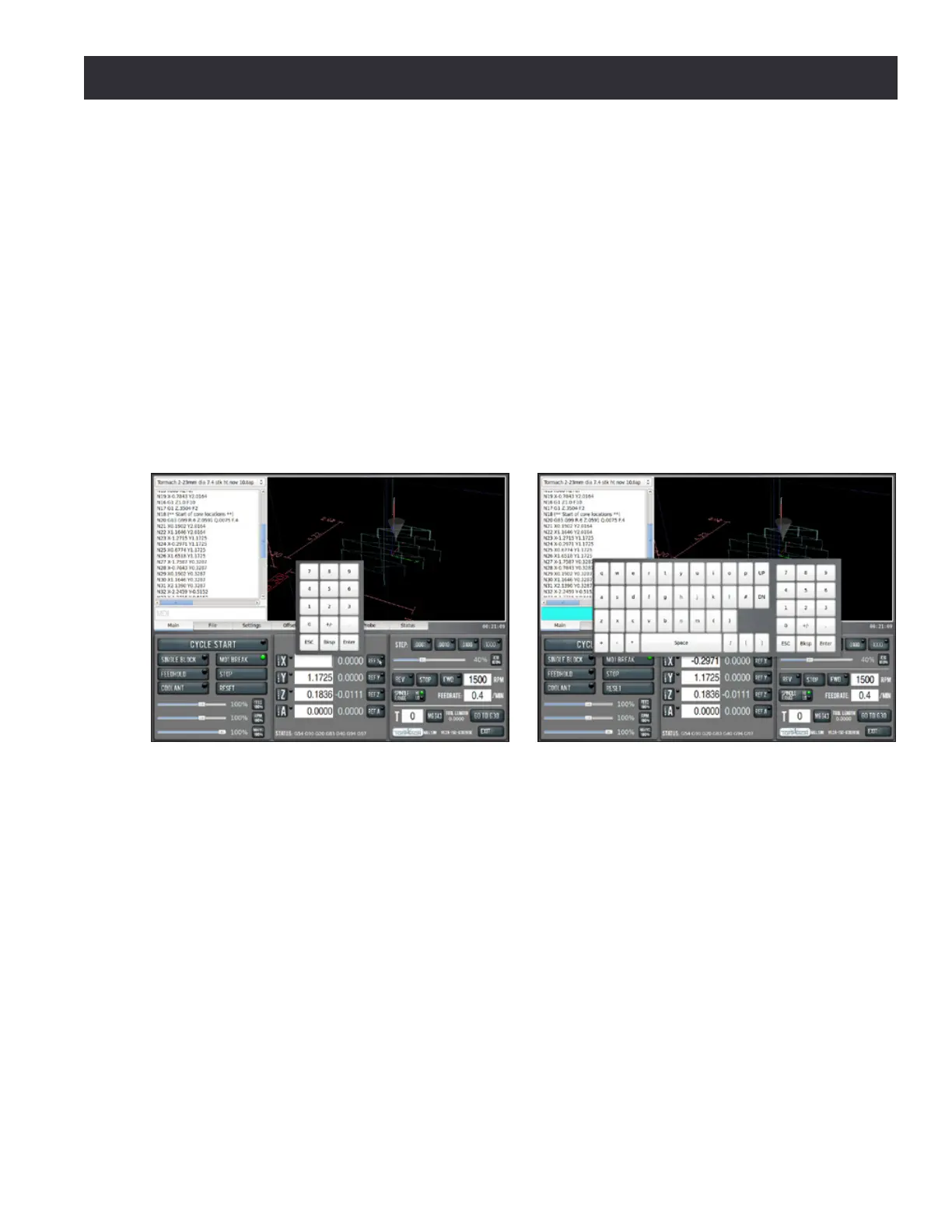
Enable So Keyboard – If the mill is equipped with an oponal Touch Screen LCD Monitor (PN
35450), this provides a so keyboard for DRO and MDI entries (for inial setup and calibraon, refer
to Touch Screen Kit documentaon). When the mouse is clicked in a DRO eld, a numeric keypad
opens on screen (see Figure 6.16). When the mouse is clicked in the MDI Line, the Save or Save As
elds, or the conversaonal tle DRO, a so QWERTY keyboard opens on screen (see Figure 6.17).
Press Enter to accept the value that has been typed. Press ESC to exit the on-screen keypad and
restore the previous value.
Probe Opons – Tormach has two probes available: a Passive Probe (PN 32310) and an industrial
grade Digizing Probe (PN 31858). Instruct PathPilot which type of probe is aached to the mill
before using the probing buons. Refer to chapter 8, Accessories, to ensure correct probe is selected
before changing this seng.
Enable USB IO Board – The USB-based IO module (PN 32616) provides an extra eight points of
non-real me IO (four digital inputs, four outputs) that can be controlled via M-codes in a G-code
program. Refer to the documentaon that comes with that product for more details.
Figure 6.16 Figure 6.17



 To Next Page