Installing the IT2200 Reader System
4-13
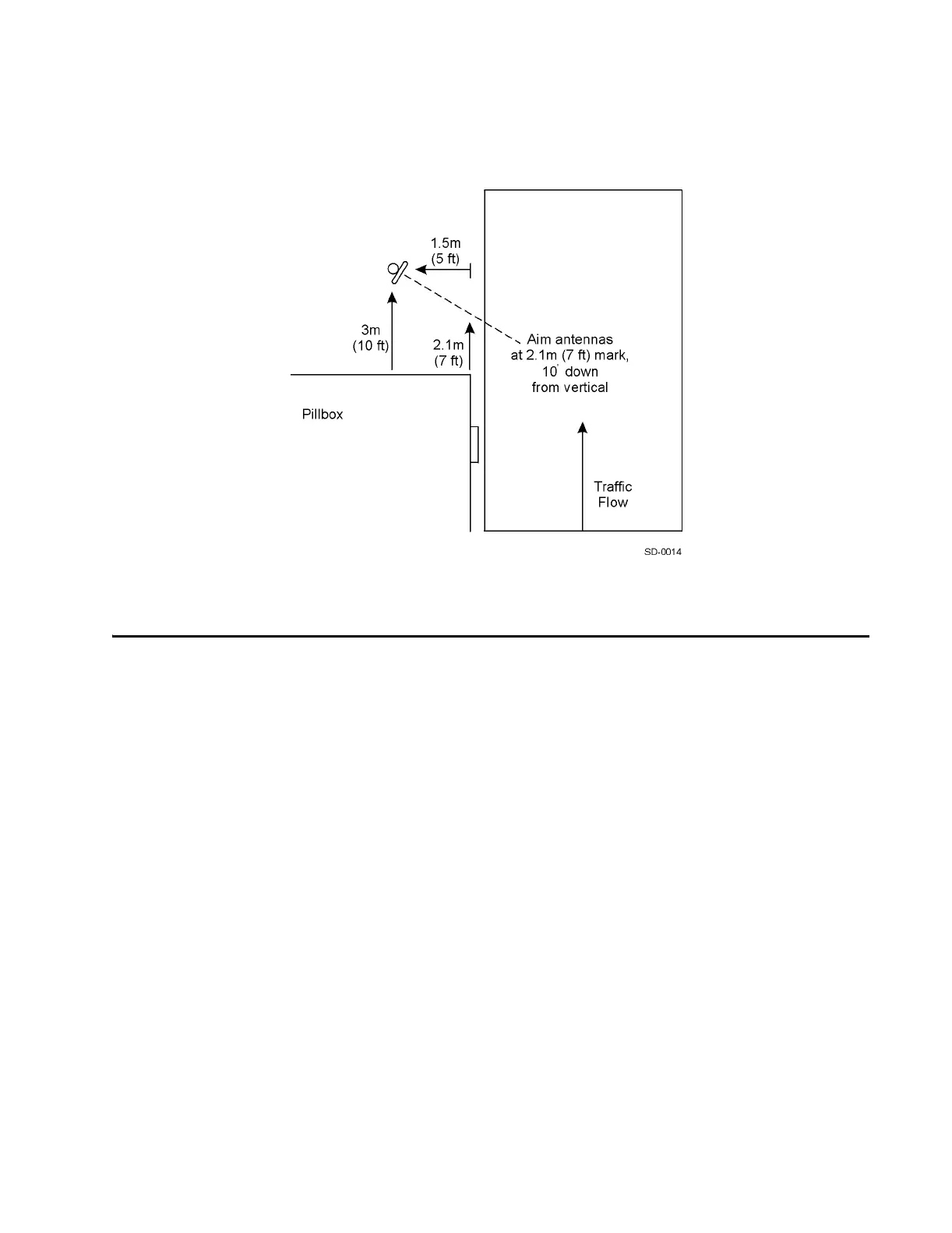
Figure 4-8 Antenna Placement for Pillbox Mount
Installing the IT2200 Reader System
This section contains instructions for installing each component of the reader system.
In addition to standard tools, you need the following equipment to install the system:
• Wrist strap for electrostatic discharge (ESD) protection
• Hydraulic lift
• Torque wrench
• Inclinometer
• Multimeter, Fluke 87 or equivalent
• Loopback connector for testing data cable. Use a DB-25 connector to make the
loopback connector. Short the pins listed in Table 4-2. Refer to Table D-13,
“LEDs,” on page 18 in Appendix D to this manual for a complete listing of
IT2611 RF Module-to-IT2020 Reader Logic Card interface connector pin-outs.



 To Next Page