UTT Technologies User Management Menu
http://www.uttglobal.com Page 97
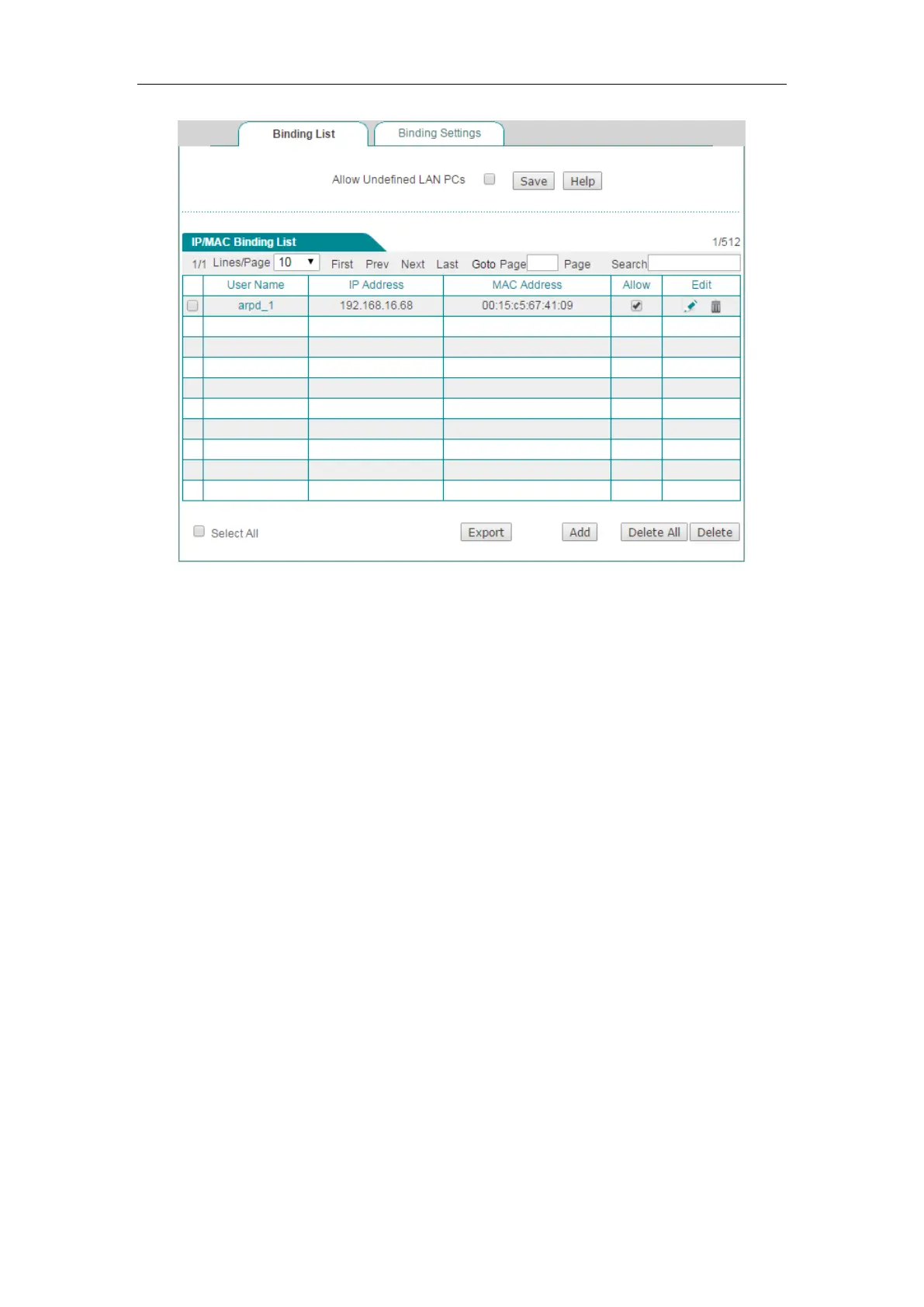
Figure 9-8 IP/MAC Binding List - Example Three
9.2.4.2 Configure an Internet Blacklist
If you want to configure an Internet blacklist, do the following:
Step 1 Go to the User Management > IP/MAC Binding page, and then click the Add
button or select the Binding Settings tab to go to the setup page.
Step 2 Specify the illegal users by creating the IP/MAC bindings. There are three
methods:
Method One: Bind each illegal user’s IP address to a MAC address which is different
from any LAN host’s in the
IP/MAC Binding List.
Method Two: Bind an IP address which is different from any LAN host’s to each illegal
user’s MAC address in the
IP/MAC Binding List.
Method Three: Add these users’ IP and MAC address pairs in the IP/MAC Binding List.
Unselect each IP/MAC binding’s
Allow check box respectively, then the matched
users can not access the Device and Internet.
Step 3 Select the Allow Undefined LAN PCs to check box to allow all the undefined
users to access the Device and Internet.
For example, if you want to block a LAN user with IP address 192.168.16.68 and MAC
address 0015c5674109 from accessing the Device and Internet, you can add the
corresponding IP/MAC binding in the
IP/MAC Binding List. And then unselect the



 To Next Page