UTT Technologies Network Sharing Menu
http://www.uttglobal.com Page 85
2) It is recommended to use NTFS file system.
8.2 FTP Server
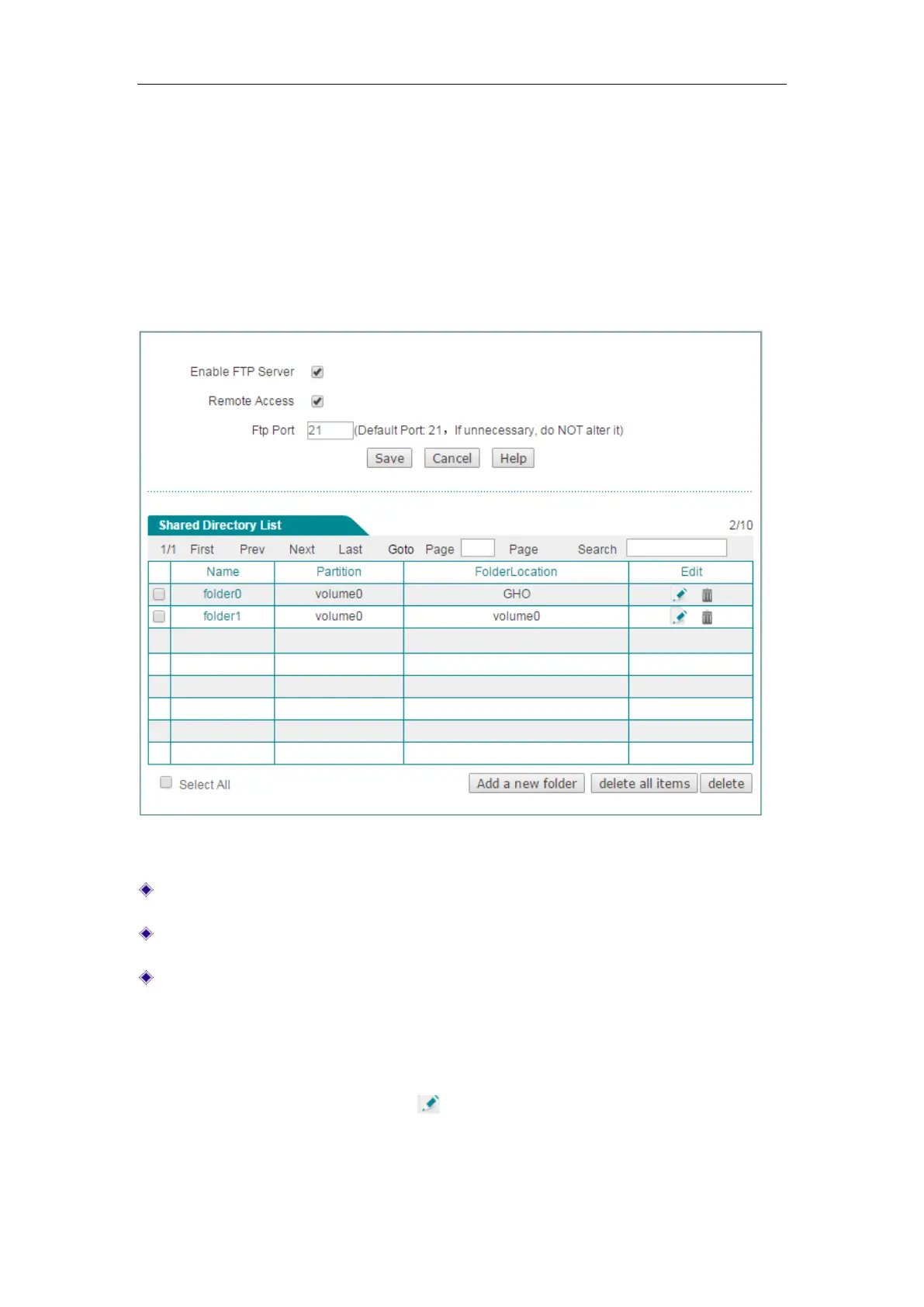
On the Network Sharing > FTP Server page, you can setup FTP server to share data
to local area users. All the sources you have shared are displayed on the Shared
Directory List.
Figure 8-2 FTP Server
Enable FTP Server: Select to enable FTP Server.
Remote Access: Select to enable remote access from WAN port.
Ftp Port: Specify the FTP server port for LAN users to access. The default value
is 21. We recommend that you do not change the default value unless absolutely
necessary.
Click the Add a new folder button or to add a new folder for data sharing or edit
the setting of the current folders.



 To Next Page