UTT Technologies Wireless 5G Menu
http://www.uttglobal.com Page 61
Chapter 6. Wireless 5G Menu
This chapter describes how to configure and use the 5GHz wireless features of the
Device. Only dual-band wireless router device support 5GHz wireless. We can access
to 5GHz wireless application by clicking
Wireless 5G menu.
6.1 Basic
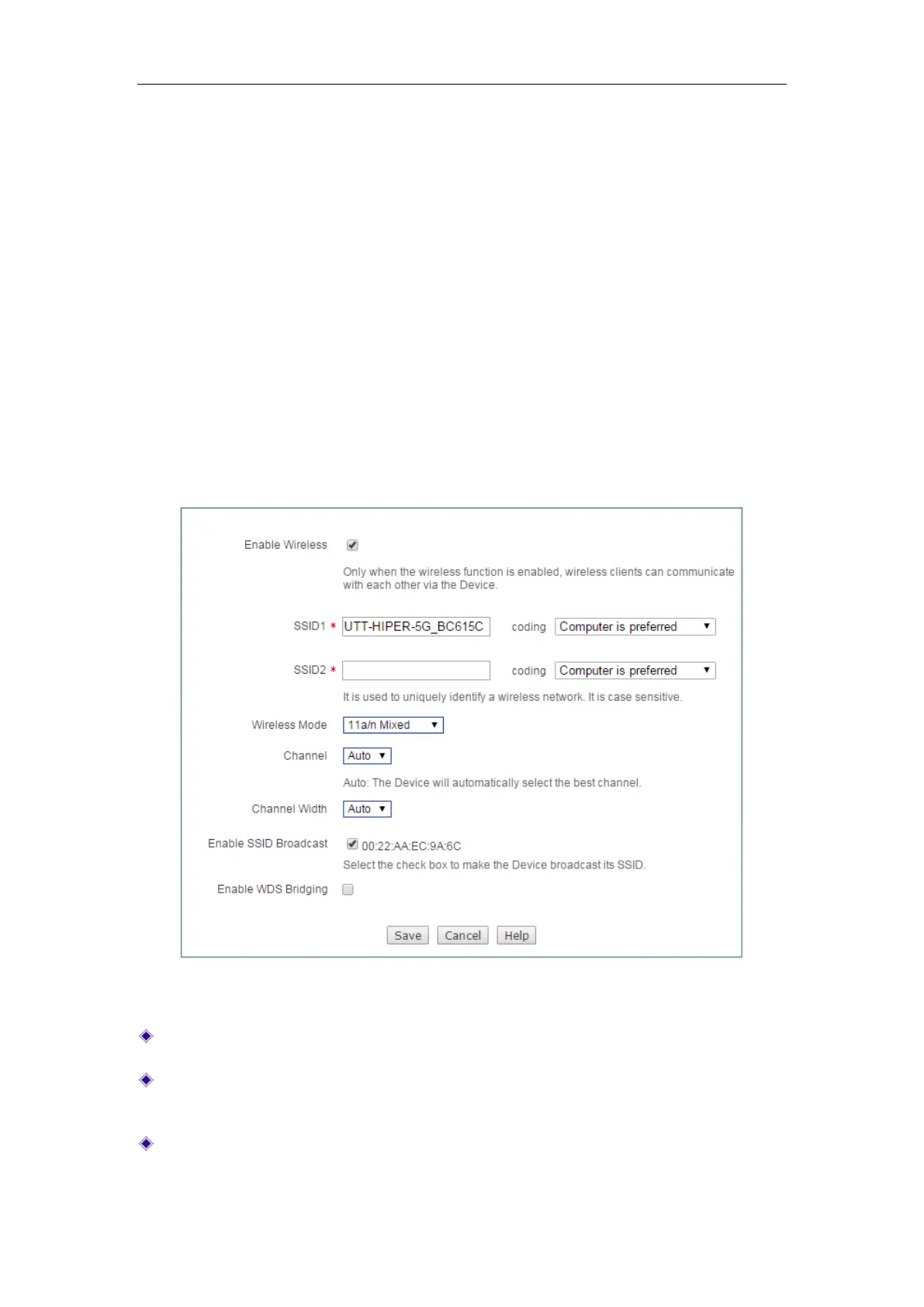
On Wireless 5G > Basic page, we can set 5GHz wireless parameters , including SSID,
wireless mode, wireless channel, channel width and so on.
Figure 6-1 5GHz wireless settings
Enable Wireless: Select to enable 5GHz Wireless network.
SSID: The SSID (Service Set Identification) is also known as the wireless network
name, which is used to uniquely identify a wireless network.
Wireless Mode: Specify the wireless modes of the Device. The options are 11a
Only, 11a/n Mixed, 11vht AC/AN/A and 11vht AC/AN.



 To Next Page