UTT Technologies Wireless Menu
http://www.uttglobal.com Page 51
Radius Server IP: Specify the IP address of the RADIUS server, which is used to
authenticate wireless clients.
Radius port: The service port number used by the Radius server for authenticating
wireless hosts. The valid range is 1 to 65535, and the default value is 1812.
Shared Secret: Specify the password used for authentication between the Device
and RADIUS server.
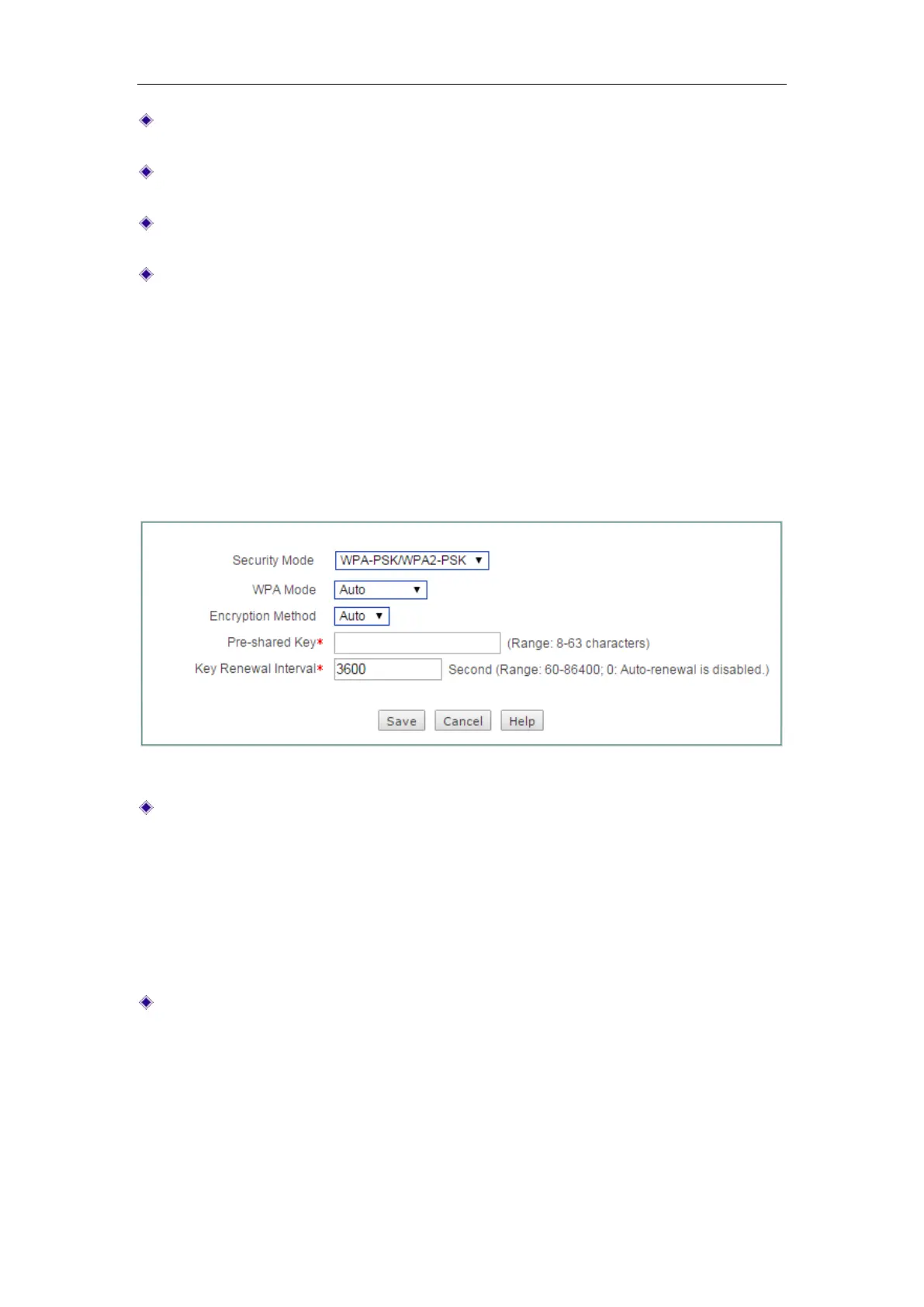
Key Renewal Interval: Specify the value of frequency (in seconds) the WPA group
key changes. Value range is 60 ~ 86400 seconds. The default value is 3600
seconds, which means no update when the value is 0.
5.2.3 WPA-PSK/WPA2-PSK
This mode intends for the wireless network that doesn’t have a RADIUS server. In this
mode, the Device uses the pre-shared key that is manually entered to generate
encryption keys.
Figure 5-7 Security mode_ WPA-PSK/WPA2-PSK
WPA Mode: Specify the WPA mode the Device will use:
Auto: If selected, the Device can automatically choose WPA-PSK or
WPA2-PSK security mode according to the requests of wireless clients.
WPA-PSK: If selected, the Device will use the security mode of WPA-PSK.
WPA2-PSK: If selected, the Device will use the security mode of WPA2-PSK.
Encryption Method: Specify the security algorithm used to encrypt wireless data,
with the options like
Auto, TKIP and AES.
Auto: If selected, the Device will automatically choose encryption algorithms
according to needs.
TKIP: If selected, the Device will use TKIP as the encryption algorithm.
AES: If selected, the Device will use TKIP as the encryption algorithm.



 To Next Page