UTT Technologies System Menu
http://www.uttglobal.com Page 190
Set Time Manually: Manually enters the current date and time (unit: Y-M-D,
H:M:S).
Synchronize with SNTP Server: After using the network time synchronization
function to set up the right NTP server, and when the Device is connected to the
Internet, it will automatically synchronize the time with the set NTP server. The
two NTP server addresses preset by the system by default are 192.43.244.18,
216.45.57.38, which generally requires no change. If you need to know more
about the NTP knowledge and the server, just visit
http://www.ntp.org
.
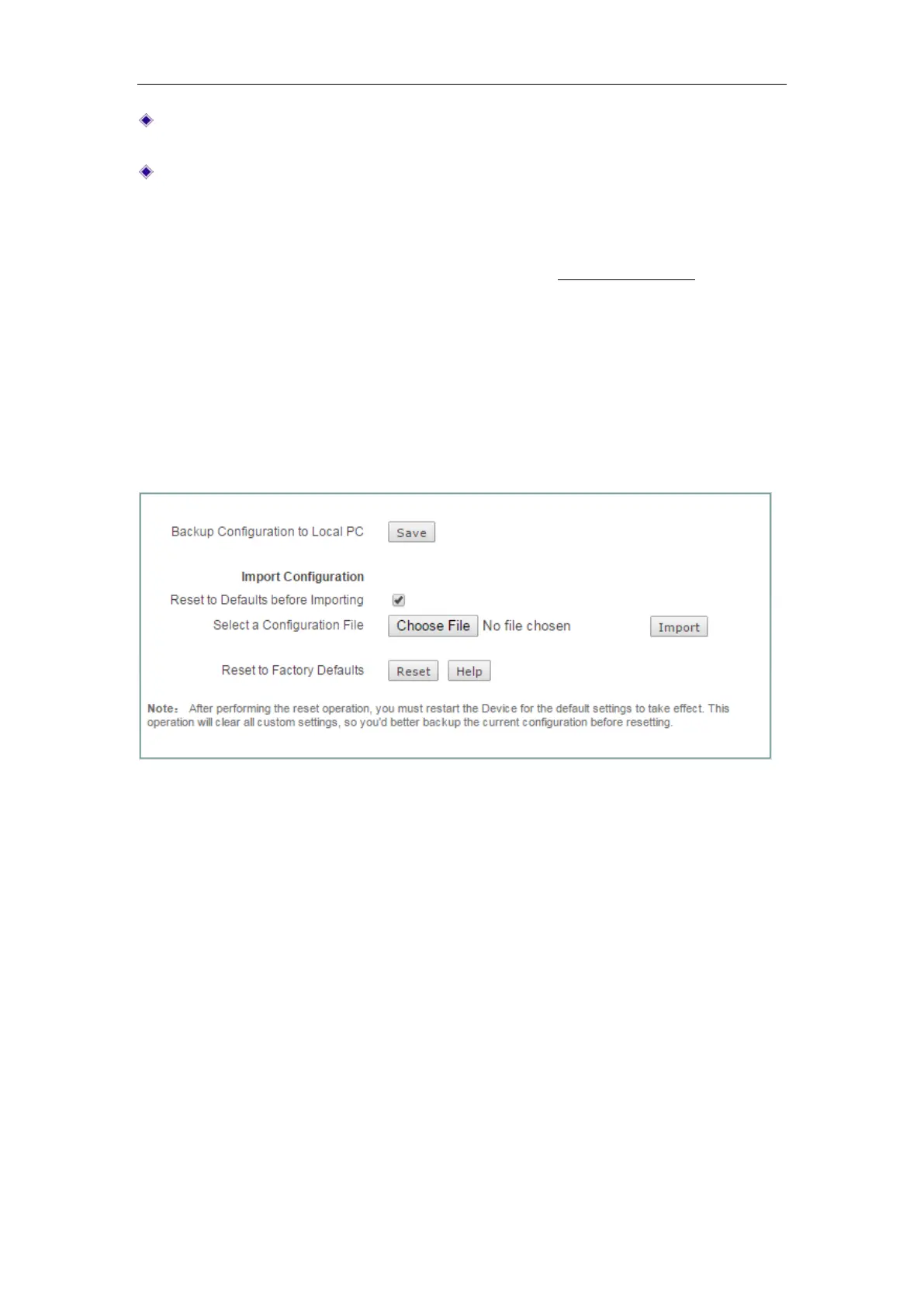
14.4 Configuration
On the Application > Configuration page, you can back up the current configuration
file to you local PC, import the configuration file to the Device, and reset the Device to
factory default settings.
Figure 14-4 Configuration
1) Backup Configuration File
In Application > Configuration page, click the Save button to export and save the
Device’s current configuration to an XML file on your local computer.
2) Import Configuration File
To restore a previously saved configuration file on your local PC, click Choose File to
locate and select the configuration file, and then click
Import to import the
configuration file. If you select the
Reset to Defaults before Importing check box, it will
reset the Device to factory default settings before importing the configuration file.
3) Reset to Factory Defaults
To reset the Device to factory default settings, click the Reset button. The Device will
restart automatically.



 To Next Page