UTT Technologies Advanced Menu
http://www.uttglobal.com Page 76
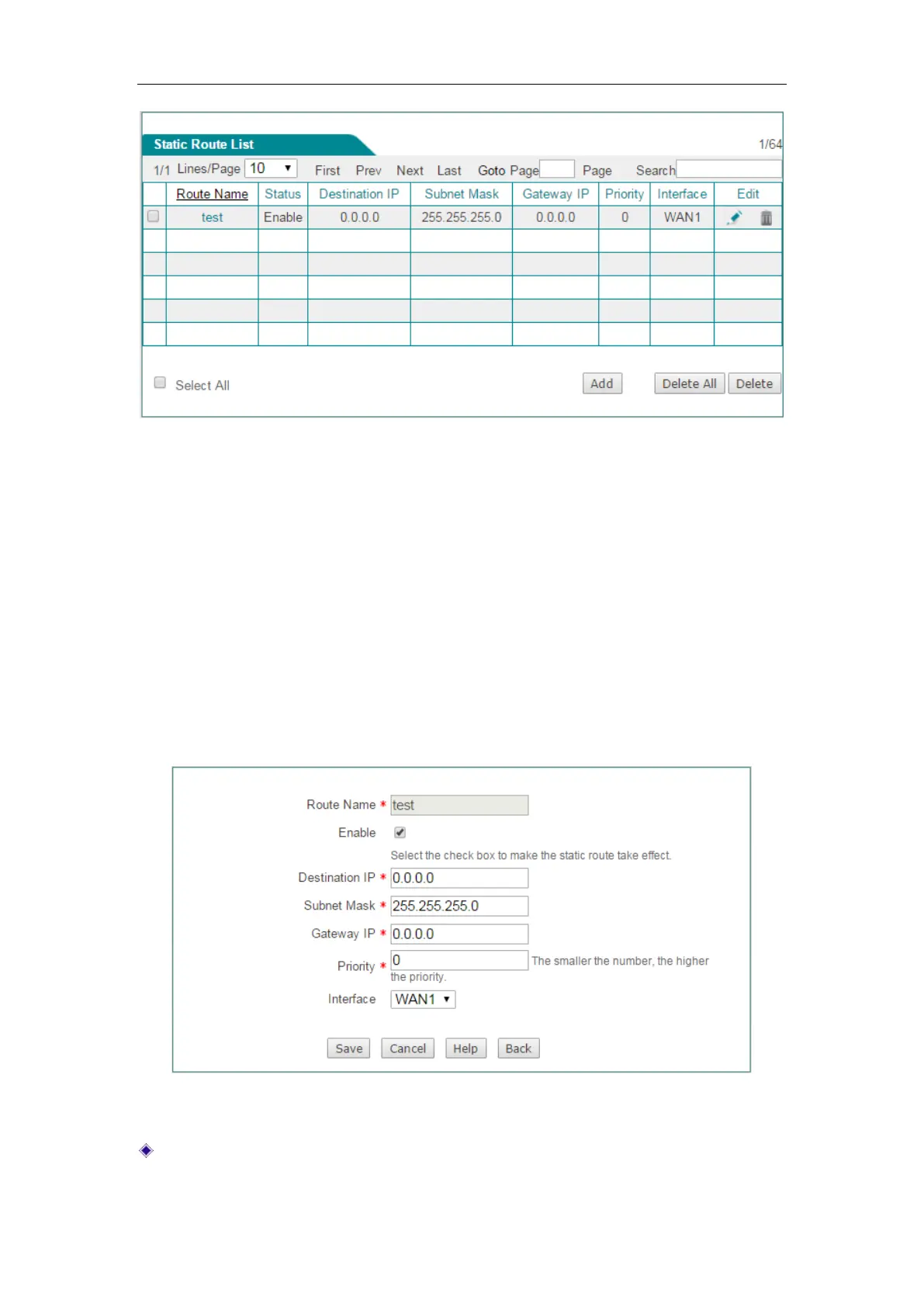
Figure 7-13 Static Route List
Add Static Route: Click the Add button, then setup it, lastly click the Save
button.
Edit Static Route: Click its Edit hyperlink, the related information will be
displayed on the setup page. Then modify it, and click the
Save button.
Delete Static Route(s): Select the leftmost check boxes of them, and then
click the
Delete button.
7.2.2 Static Route settings
Figure 7-14 Static Route setting
Route Name: Specify the name of this static route entry.



 To Next Page