UTT Technologies Firewall Menu
http://www.uttglobal.com Page 145
12.2.1.4.3 Keyword Filtering
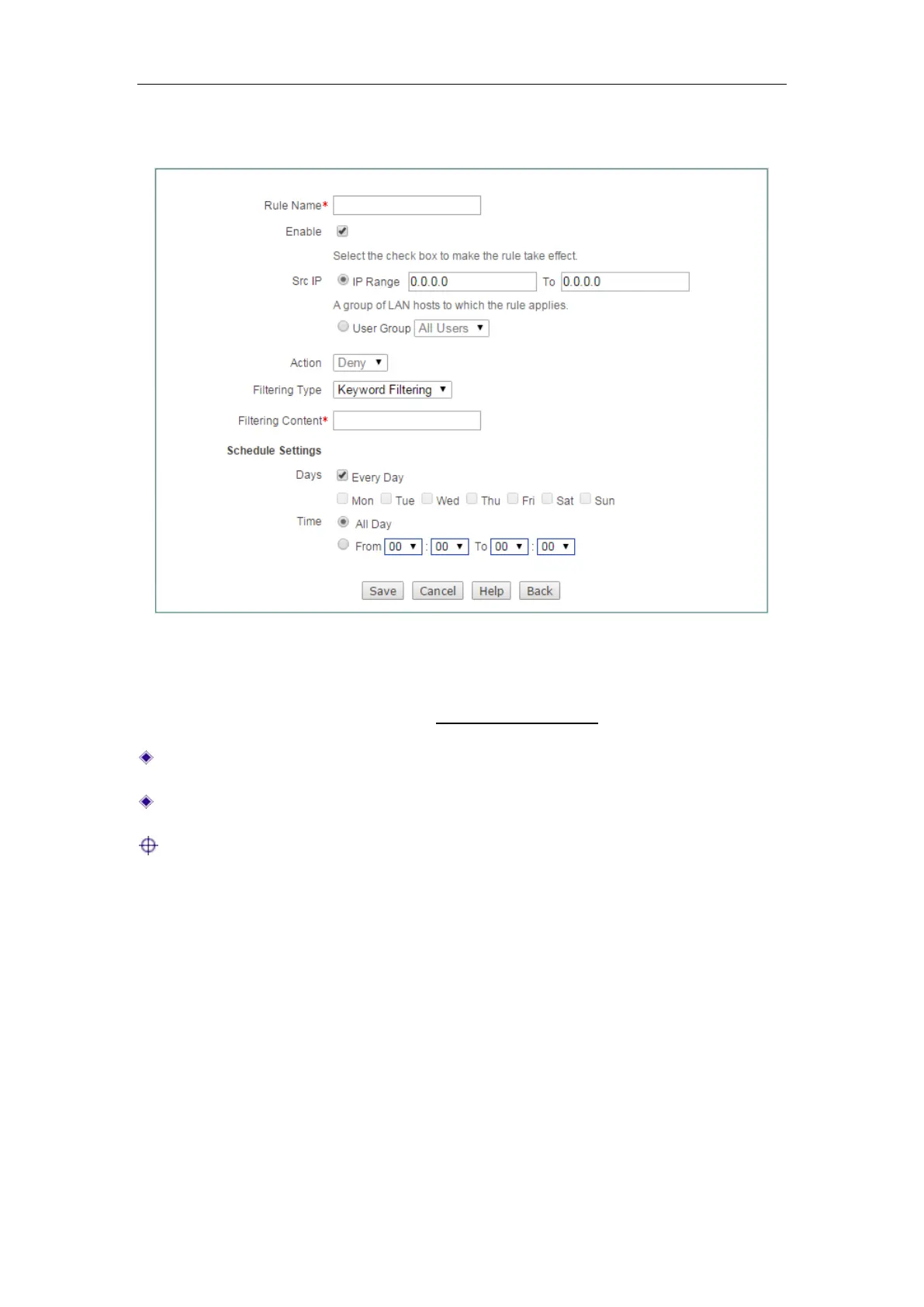
Figure 12-6 Access Control Rule Settings_Keyword Filtering
The setting of Rule Name, Enable, Src IP, Action, Schedule Settings is the same with
IP Filtering, please refer to the section:
12.2.1.4.1 IP Filtering.
Filtering Type: Here please select Keyword Filtering.
Filtering Content: Specify the keywords you want the access control rule applies.
Note:
1) For Keyword Filtering, there is only Deny action you can choose.
2) The filtering content couldn’t contain < > , % ‘ \ “ & ; and blank space.



 To Next Page