UTT Technologies Firewall Menu
http://www.uttglobal.com Page 142
12.2.1.4.1 IP Filtering
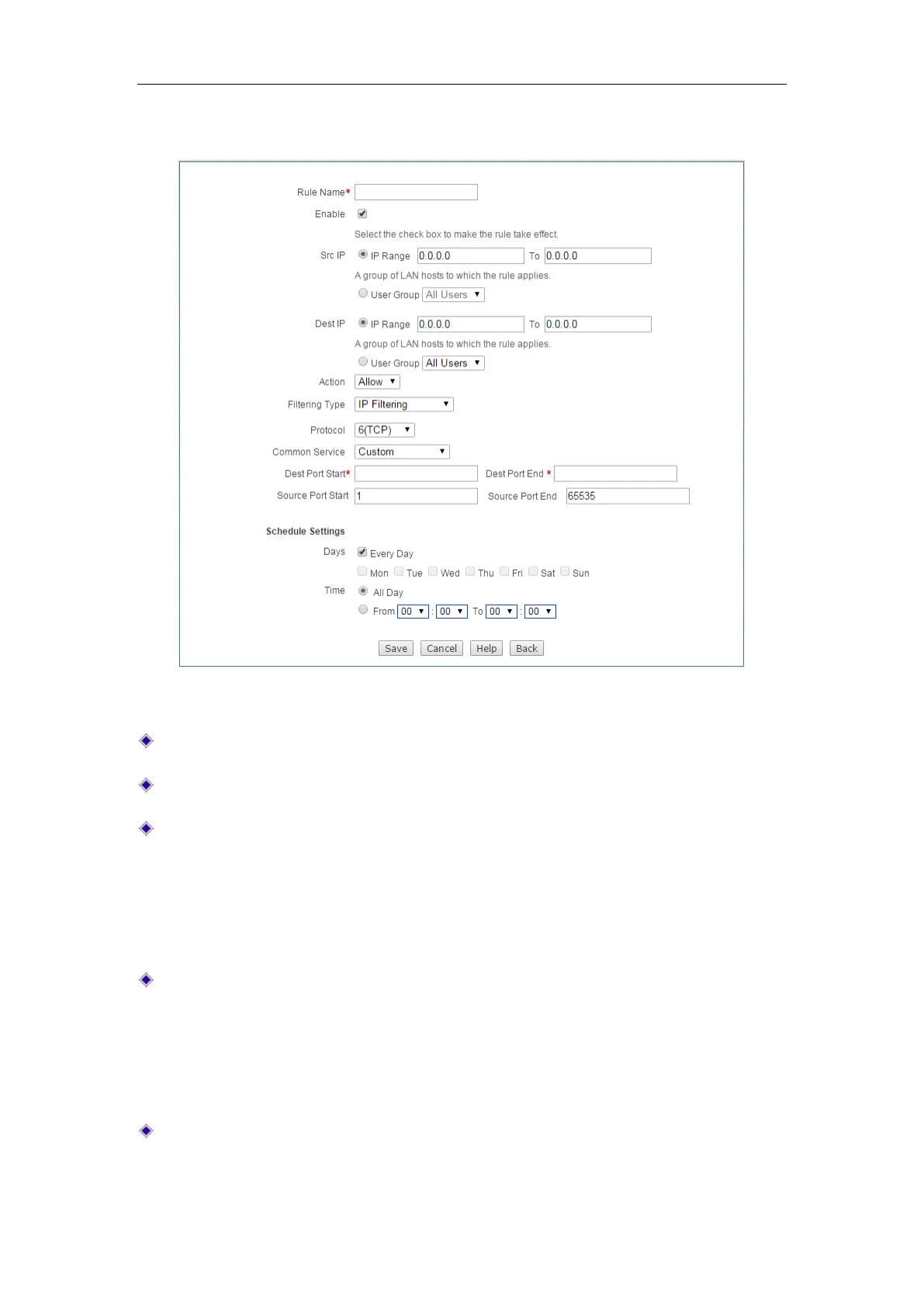
Figure 12-4 Access Control Rule Settings_IP Filtering
Rule Name: Specify the name of this rule.
Enable: Select to enable Access Control.
Src IP: Specify the source IP addresses of the packets to which the access
control rule applies. There are two options:
IP Range: Specify the start and the end addresses.
User Group: Select it to choose an address group.
Dest IP: Specify the destination IP addresses of the packets to which the access
control rule applies. There are two options:
IP Range: Specify the start and end addresses.
User Group: Select it to choose an address group.
Action: It determines the action of the access control rule. There are two available
options:



 To Next Page