UTT Technologies Wireless Menu
http://www.uttglobal.com Page 47
the data exchange process. For details, please refer to the section:
5.2.3
WPA-PSK/WPA2-PSK.
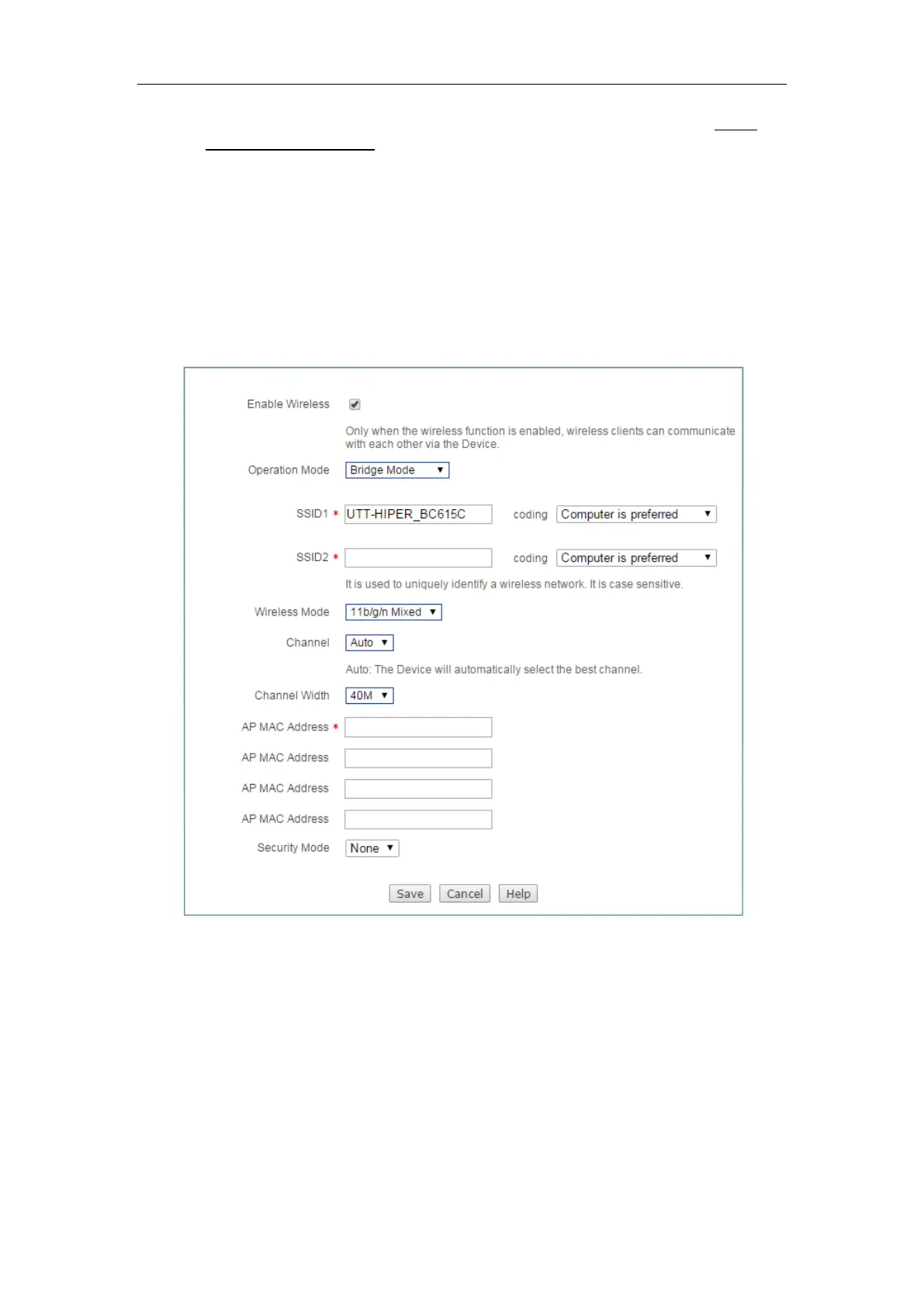
5.1.3 Bridge Mode
The Device in Bridge Mode is connected to two or more wired networks, and the
device will no longer send wireless signals to other clients. The Device in Bridge mode
could exchange data with the devices in Bridge Mode, Repeater Mode, Lazy Mode.
The meaning of related configuration parameters is the same as the Repeater Mode.
Figure 5-3 Bridge Mode
5.1.4 Lazy Mode
The Device in Lazy Mode can exchange data with single clients and network devices
in the Repeater Mode and Bridge Mode. The meaning of related configuration
parameters is the same as AP Mode and Repeater Mode.



 To Next Page