UTT Technologies Wireless Menu
http://www.uttglobal.com Page 50
For 128-bit encryption, enter 26 hex characters or 13 ASCII characters.
Key Type: Select the size of each key, and it also allows you to disable or enable
each key. The options are
Disabled, 64-bit and 128-bit. By default, Disabled is
selected, which means the key is of no effect.
5.2.2 WPA/WPA2
Wi-Fi Protected Access (WPA ) and Wi-Fi Protected Access II (WPA2) are two security
protocols and security certification programs to secure wireless computer networks. In
WPA/WPA2 mode, the Device uses an external RADIUS server to authenticate
wireless clients.
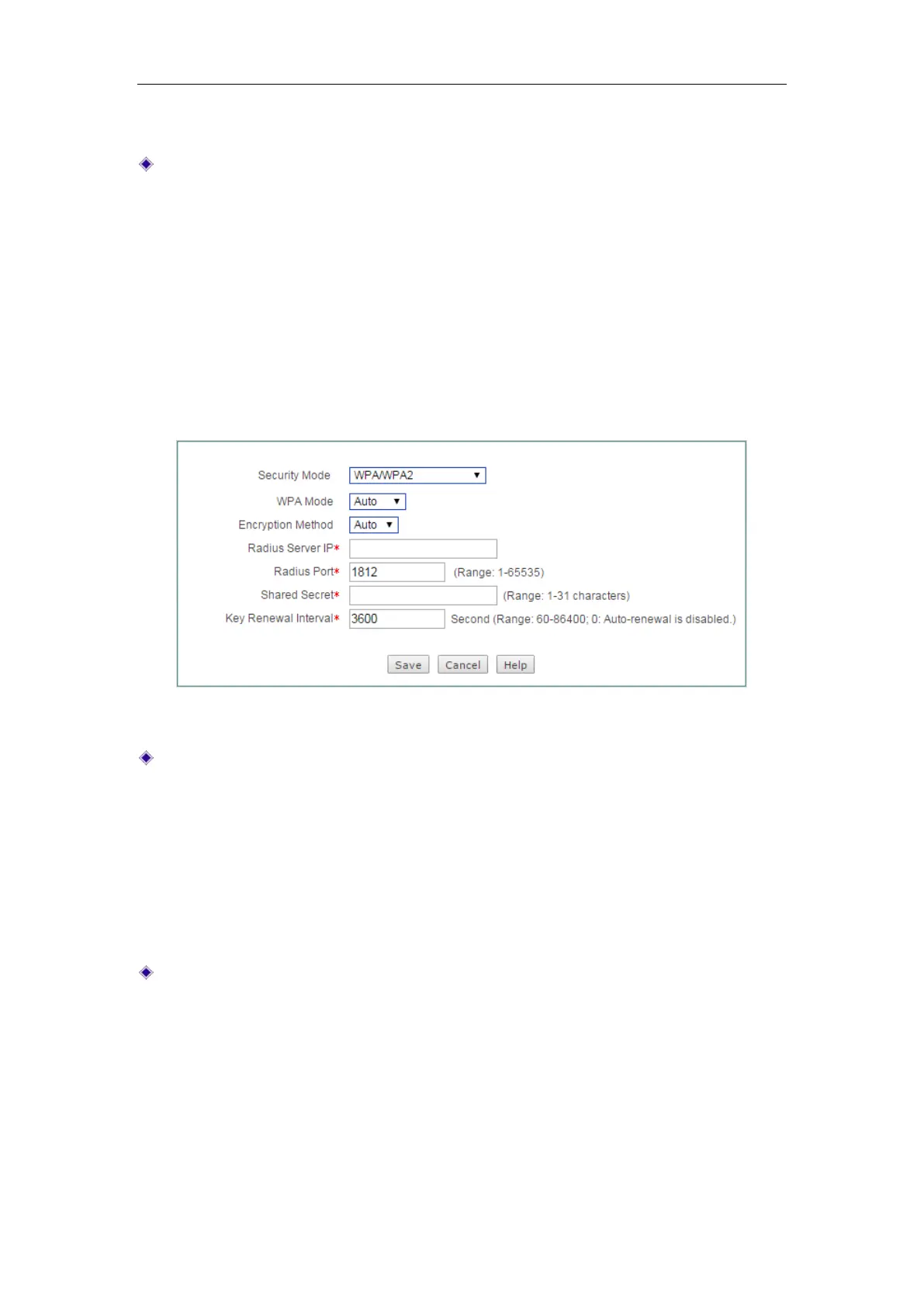
Figure 5-6 Security mode_ WPA/WPA2
WPA Mode: Select the WPA mode you want to use. The options are Auto, WPA
and WPA2:
Auto: If selected, the Device can automatically choose WPA or WPA2 security
mode according to the requests of wireless clients.
WPA: If selected, the Device will use the security mode of WPA.
WPA2: If selected, the Device will use the security mode of WPA2.
Encryption Method: Select the encryption method you want to use. The options
are
Auto, TKIP and AES.
Auto: If selected, the Device automatically chooses encryption method for
each wireless client.
TKIP: If selected, the Device will use TKIP for data encryption.
AES: If selected, the Device will use AES for data encryption.



 To Next Page