UTT Technologies Network Menu
http://www.uttglobal.com Page 29
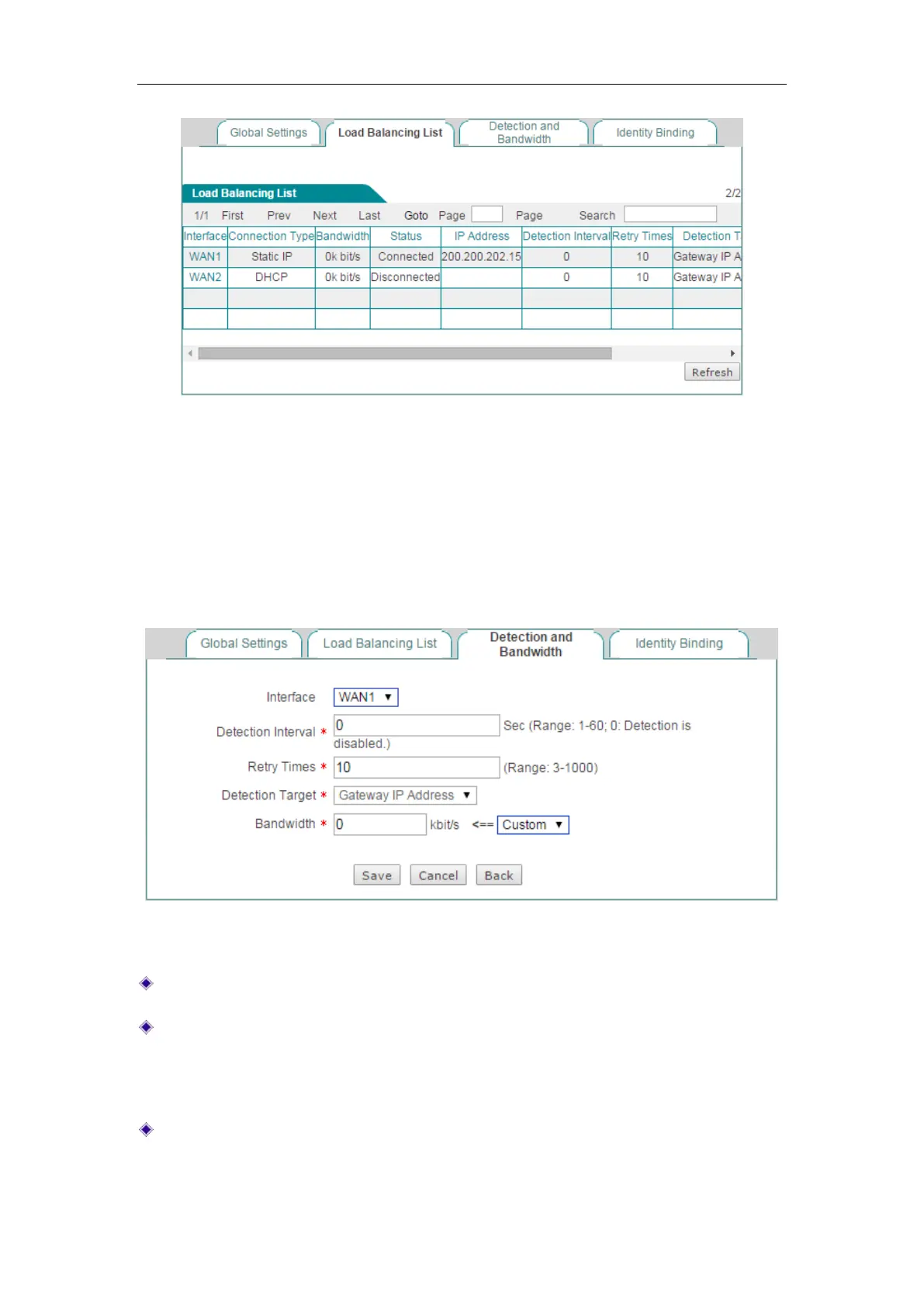
Figure 4-10 Load Balancing List
4.2.4 Detection and Bandwidth
In the Network > Load Balancing > Detection and Bandwidth page, you can configure
the connection detection related parameters for each Internet connection respectively.
Figure 4-11 Detection and Bandwidth Settings
Interface: Select the physical interface you want to set load balancing.
Detection Interval: Specify the time interval at which the Device periodically sends
detection packets, one packet at a time. The value should be between 1 and 60
seconds, or 0. 0 means that connection detection is disabled on the selected
Internet connection.
Retry Times: Specify the number of retries per detection period.



 To Next Page