UTT Technologies User Management Menu
http://www.uttglobal.com Page 110
9.4.1 Global Settings
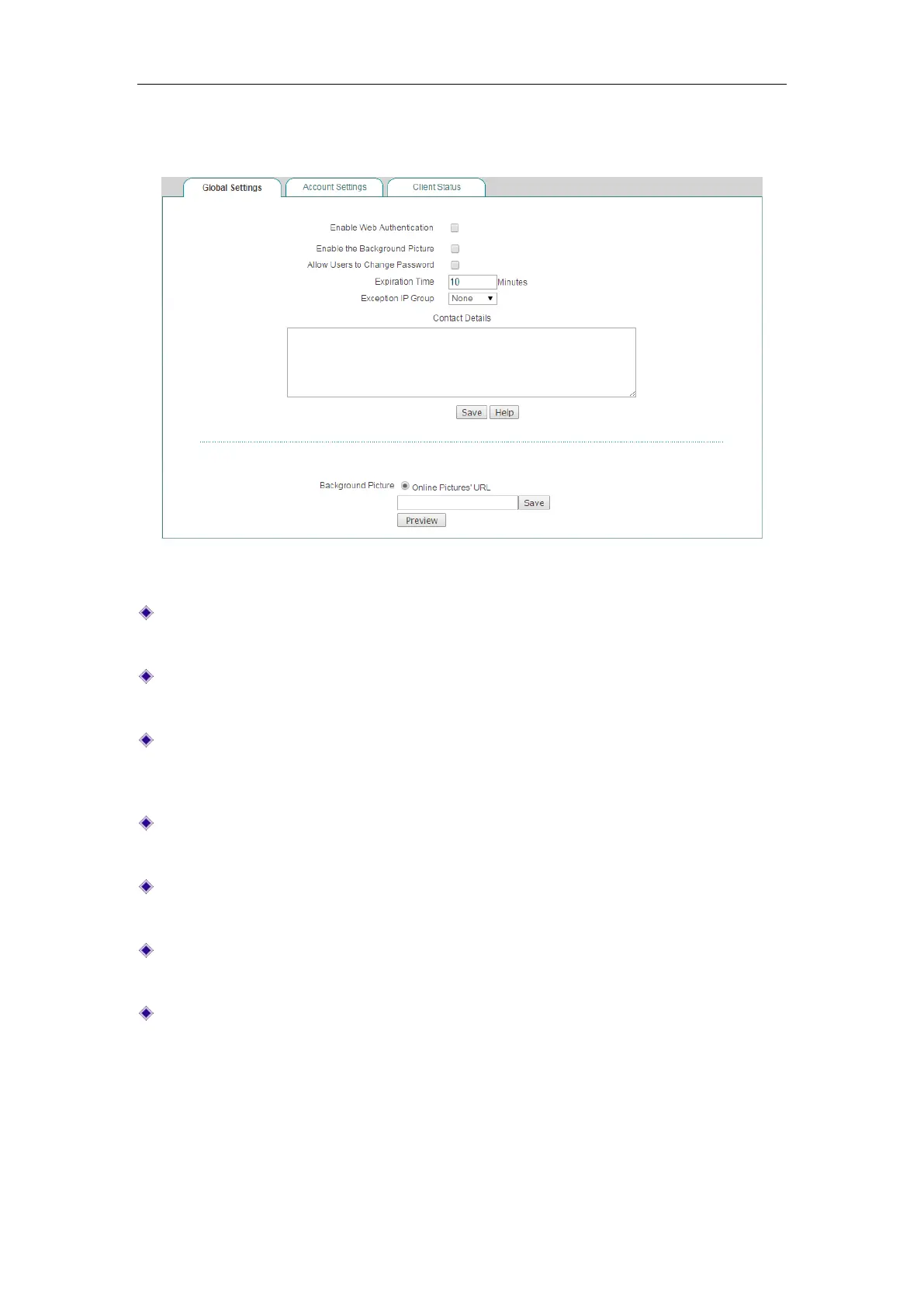
Figure 9-21 Global Settings
Enable Web Authentication: If selected, non-PPPoE dial-in users cannot access
the Internet through the Device unless they are authenticated successfully.
Enable the Background Picture: Select to enable setting a background picture on
the web authentication page.
Allow Users to Change Password: Select to enable users to change password
themselves. You can set the user group on
User Management > User Group
page.
Expiration Time: Specify how long the user will be logged off if there is no traffic
after the user logging in.
Exception IP Group: Select the user groups that don’t need web authentication
also can access the Internet.
Contact Details: Enter the contact information you want to put on the below web
authentication page.
Background Picture: Paste the background picture’s URL into the text box and
click the
Save button to save the settings. You can click the Preview button to
preview the web authentication page.



 To Next Page