UTT Technologies QoS Menu
http://www.uttglobal.com Page 133
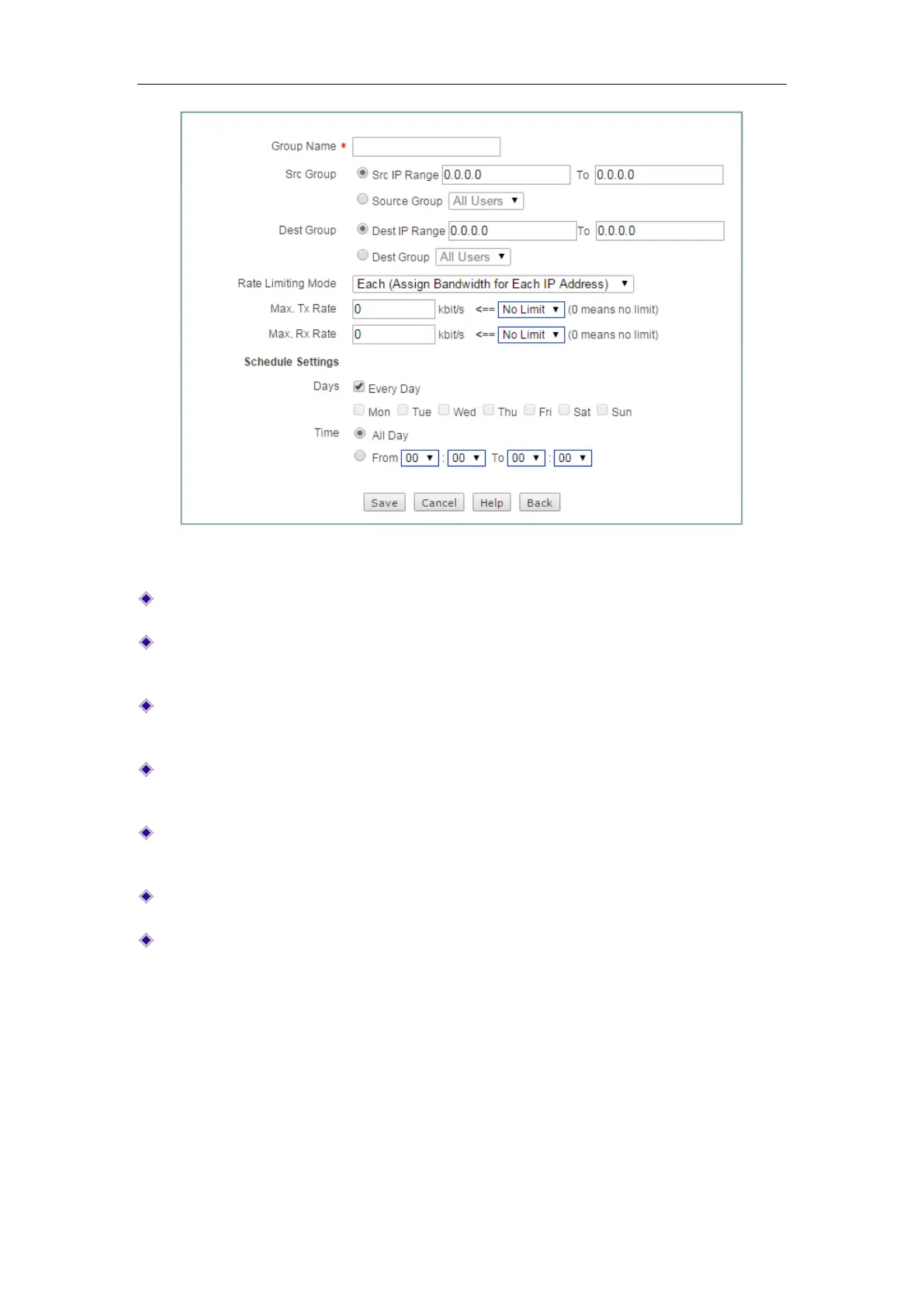
Figure 11-2 Fixed Rate Limiting Setup
Group Name: Specify group name.
Src Group: Specify the range of IP addresses in the local network to which the
fixed rate limiting rule applies.
Dest Group: Specify the range of destination IP addresses to which the fixed rate
limiting rule applies.
Rate Limiting Mode - Each: The specified Max. Tx/Rx rate is assigned to each IP
address that matches the rule.
Rate Limiting Mode - Share: The specified Max. Tx/Rx rate is shared by all IP
addresses that match the rule.
Max. Tx/Rx Rate: Specify the maximum upload rate and download rate.
Schedule Settings: Apply a schedule to the fixed rate limiting rule to specify when
it is in effect.
11.2 Flexible Bandwidth
On the QoS > Flexible Bandwidth page, you can enable game boost and set
uplink/downlink bandwidth. When the network is busy, the game will get the
uplink/downlink bandwidth you set, which ensure the game running smoothly.



 To Next Page