UTT Technologies Network Menu
http://www.uttglobal.com Page 28
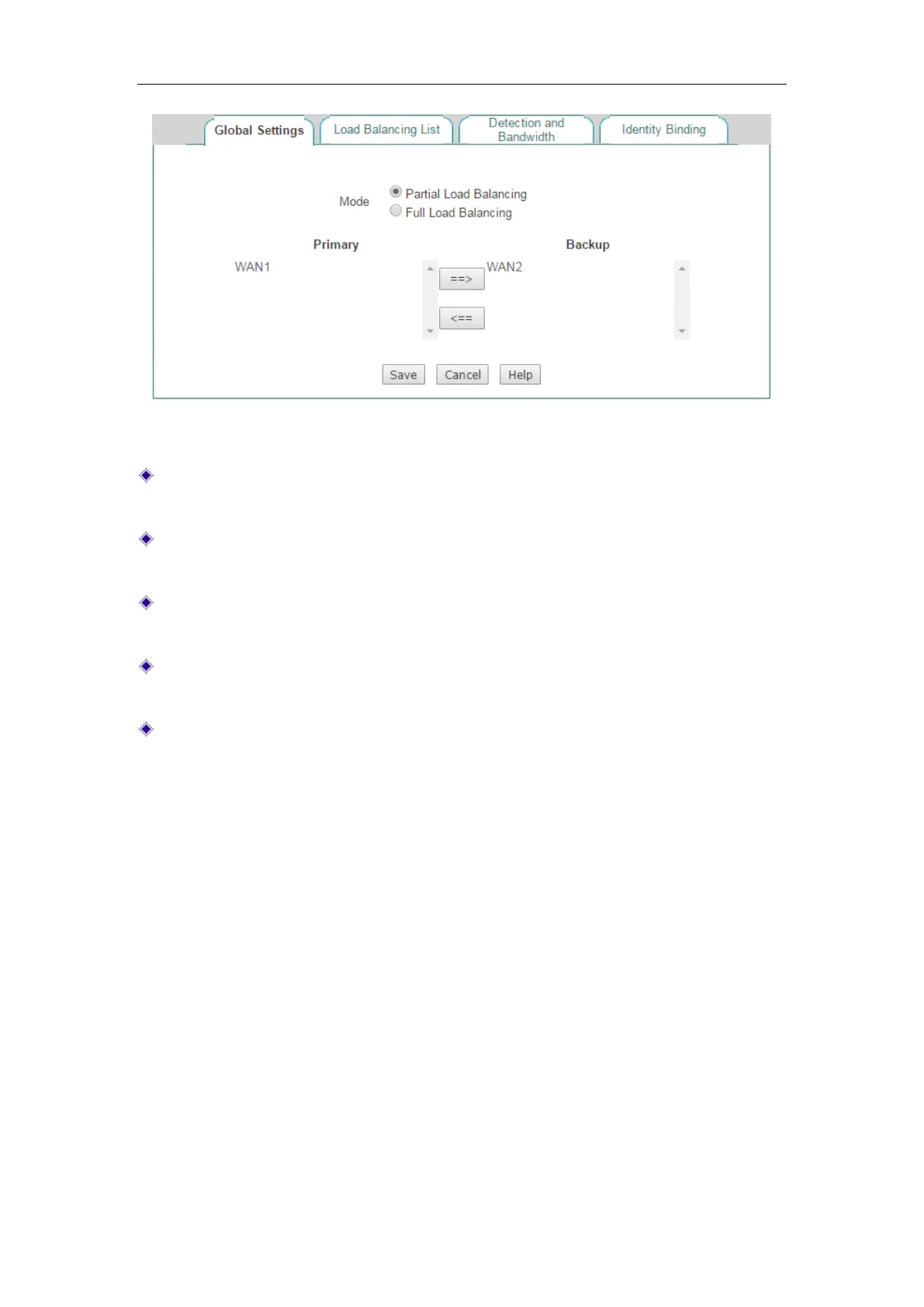
Figure 4-9 Partial Load Balancing
Mode: Specify the mode of load balancing. Here please select Partial Load
Balancing.
Primary: Specify the primary connection group. An Internet connection in the
Primary list box is a primary connection.
Backup: Specify the backup connection group. An Internet connection in the
Backup list box is a backup connection.
==>: Select one or more Internet connections in the Primary list box, and then
click
==> to move the selected connection(s) to the Backup list box.
<==: Select one or more Internet connections in the Backup list box, and then
click
<== to move the selected connection(s) to the Primary list box.
4.2.3 Load Balancing List
When you have configured load balancing parameters for one or more Internet
connections, you can view the related configuration and status information in the
Load
Balancing List.
If you want to modify the detection related parameters, click its
Edit hyperlink, the
related information will be displayed in the
Detection and Bandwidth page. Then
configure or modify it, and click the
Save button.



 To Next Page