UTT Technologies Network Sharing Menu
http://www.uttglobal.com Page 86
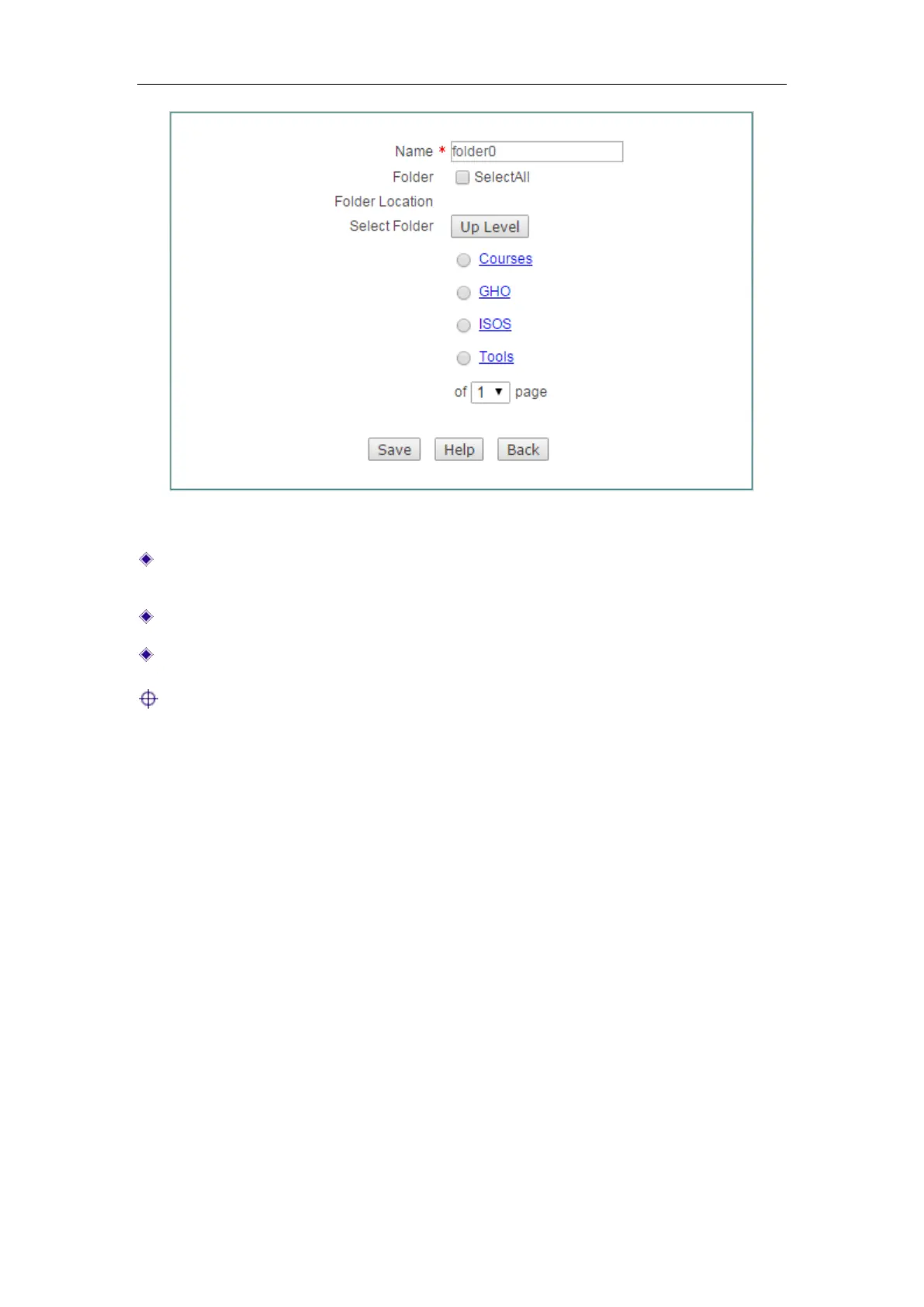
Figure 8-3 FTP Server Settings
Name: Specify the name of the folder which will be displayed on the Shared
Directory List.
Folder: Select to share all folders.
Select Folder: Select one of the paths to share.
Notes:
1) All the changes you have made will take effect after a restart.
2) There are two ways to access FTP Server:
For local users: Double-click 'My Computer', enter ftp://xxx.xxx.xxx.xxx:21
(xxx.xxx.xxx.xxx stands for the IP address of the LAN port) in the address bar to open
the shared resources folder. Such as: when the IP address of the LAN port is
192.168.1.1, you could enter ftp://192.168.1.1:21.
For remote users: First, you should ensure that the Remote Access check box on
Figure 8- 2 have been selected. Double-click 'My Computer', enter ftp: \\xxx. xxx. xxx.
xxx :21 (xxx.xxx.xxx.xxx stands for the IP address of the WAN port) in the address bar
to open the shared resources folder. Such as: when the IP address of the WAN port is
172.32.90.1, you could enter
ftp:// 172.32.90.1:21.
8.3 Shared Account
You need to add an account for users to access the FTP server before enabling
network sharing.



 To Next Page