UTT Technologies Network Sharing Menu
http://www.uttglobal.com Page 87
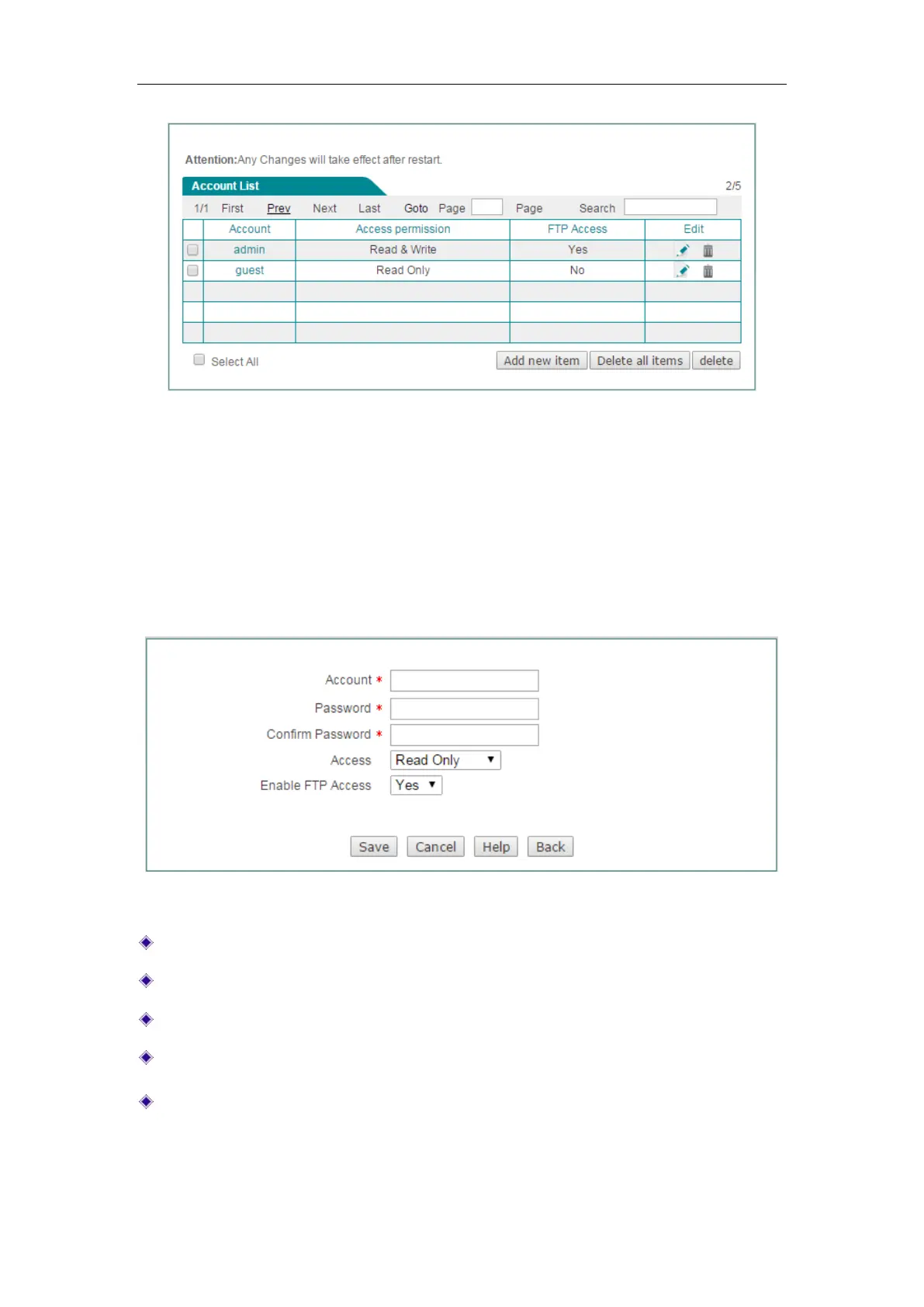
Figure 8-4 Shared Account
Please setup the username and password for the user account before enabling
network sharing. The two default account is
admin and guest. The account of admin
has the right to write and read data, and who also can upload the changes on the
volume to the server through IE. The account of guest only has the right to read data.
Click the
Add new item button on the Figure 8-4 to add a new account. You should
specify the username and the password for all account.
Figure 8-5 Shared Account Settings
Account: Specify the unique name of the account.
Password: Specify the password of the account.
Confirm Password: Enter the password again.
Access: Grant this account the right to read or read and write.
Enable FTP Access: Select Yes to allow this account to access FTP server,
select
No to forbid this account to access FTP server.



 To Next Page