UTT Technologies QoS Menu
http://www.uttglobal.com Page 134
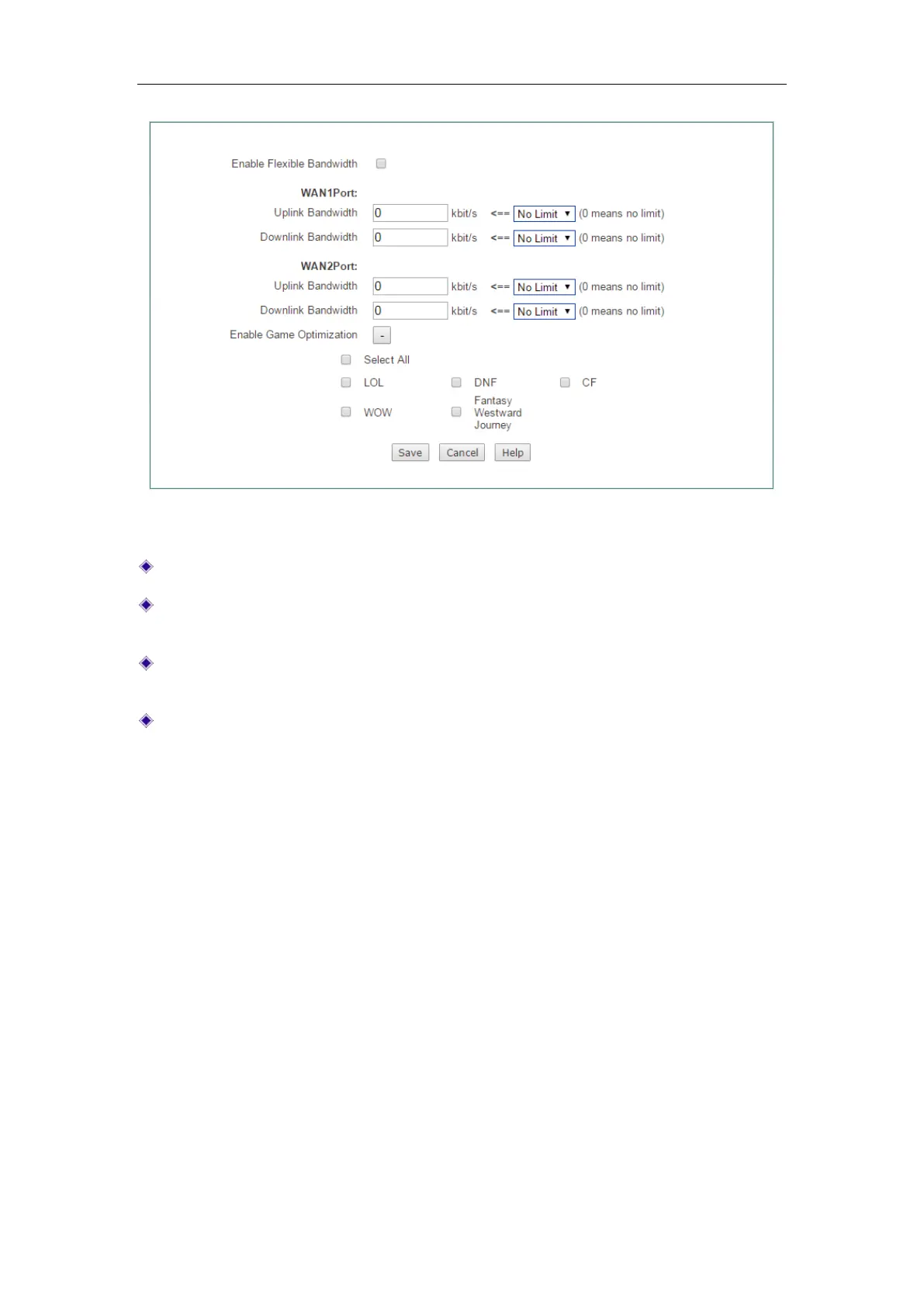
Figure 11-3 Flexible Bandwidth
Enable Game Boost: Select to enable game boost.
Uplink Bandwidth: Specify the upload speed of Internet connection. 0 means
unlimited rate.
Downlink Bandwidth: Specify the download speed of Internet connection. 0 means
unlimited rate.
Game Settings: Select the game you want to boost.
11.3 P2P Rate Limit
P2P software usually occupies too much bandwidth, which leads to the network very
busy. You can limit the speed of P2P users by setting its maximum upload and
download speed. On the
QoS > P2P Rate Limit page, you can enable this function.



 To Next Page