UTT Technologies Start Menu
http://www.uttglobal.com Page 15
20M: If selected, the wireless clients accessed by using the 802.11g standard
will use the channel bandwidth of 20M.
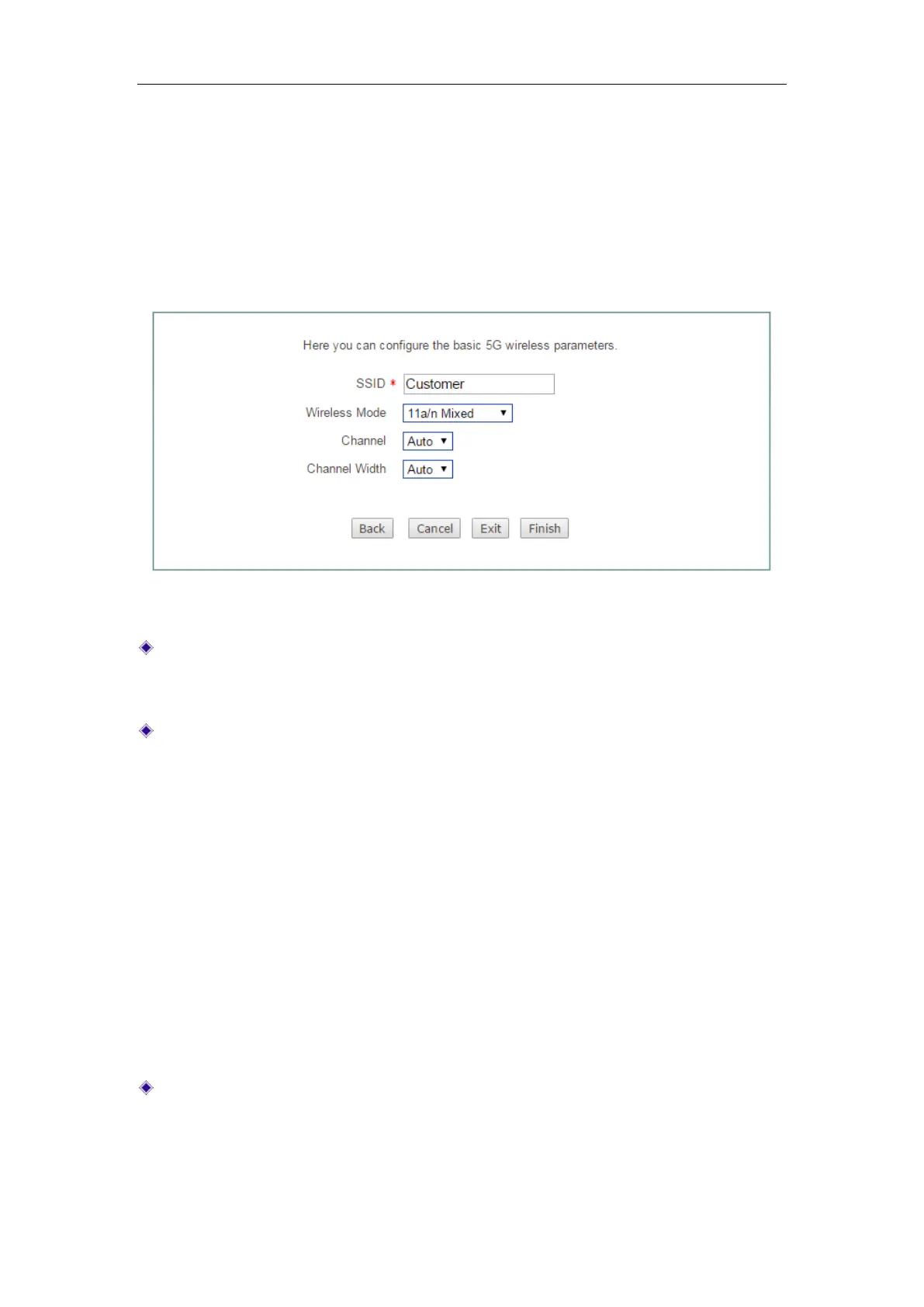
3.1.4 Setup Wizard - 5G Wireless
In this page, you can configure 5GHz wireless settings of the Device.
Figure 3-5 Setup Wizard_5G Wireless Settings
SSID: The SSID (Service Set Identification) is also known as the wireless network
name, which is used to uniquely identify a wireless network. It must be between 1
and 32 characters long, and it is case sensitive.
Wireless Mode: Specify the wireless modes of the Device. The options are 11a
Only, 11a/n Mixed, 11vht AC/AN/A and 11vht AC/AN.
11a Only: If selected, the wireless clients in compliance with the IEEE
802.11a standard can be connected to the Device.
11a/n Mixed: If selected, the wireless clients in compliance with the IEEE
802.11a and 802.11n standard can be connected to the Device.
11vht AC/AN/A: Very High Throughput IEEE 802.11ac and 802.11a Standard.
If selected, the wireless clients in compliance with the IEEE 802.11ac and
802.11a standard can be connected to the Device.
11vht AC/AN: Very High Throughput IEEE 802.11ac Standard. If selected,
the wireless clients in compliance with the IEEE 802.11ac standard can be
connected to the Device.
Channel: Select the frequency bands in which the wireless network works; it
provides automatic options, which means that the Device can automatically select
the optimal frequency band. The wireless devices in the same frequency band will
interfere with each other. If there are multiple wireless devices around the Device,



 To Next Page