UTT Technologies Firewall Menu
http://www.uttglobal.com Page 143
Allow: If selected, the Device will allow the packets that match the rule to
pass, that is, the Device will forward these packets.
Deny: If selected, the Device will deny the packets that match the rule to pass,
that is, the Device will drop these packets.
Filtering Type: here please select IP Filtering.
Protocol: The protocol type of access control, with five options: 1(ICMP), 6(TCP),
17(UDP), 51(AH), and all (All).
Common Service: Provides the common service port of TCP protocol and UDP
protocol. You also can choose
Custom from the drop-down list to set Dest Port
and Source Port for yourself.
Dest Port: Specify a range of destination ports to which the access control rule
applies.
Source Port: Specify a range of source ports to which the access control rule
applies.
Schedule Settings: Specify a schedule to restrict when the access control rule
take effect. The default value is
Every Day and All Day, which means the access
control rule take effect always. Note that after the selected schedule has expired,
the rule will be in effect always.
Note: The default addresses is 0.0.0.0 to 0.0.0.0 which means access control is
effective for all users. There is no limitation for the destination.
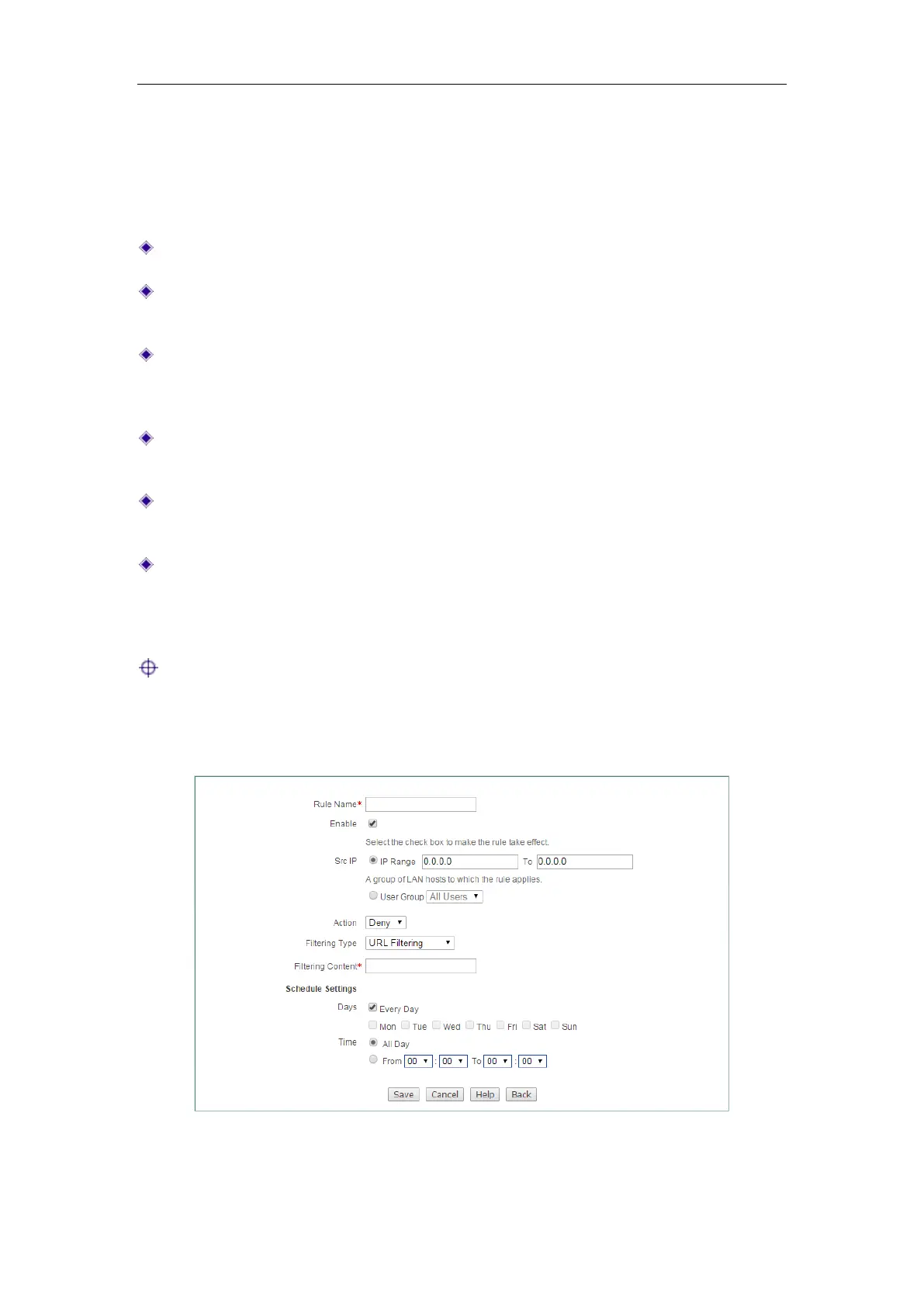
12.2.1.4.2 URL Filtering
Figure 12-5 Access Control Rule Settings_URL Filtering



 To Next Page