UTT Technologies Advanced Menu
http://www.uttglobal.com Page 79
7.3.2 Policy Routing settings
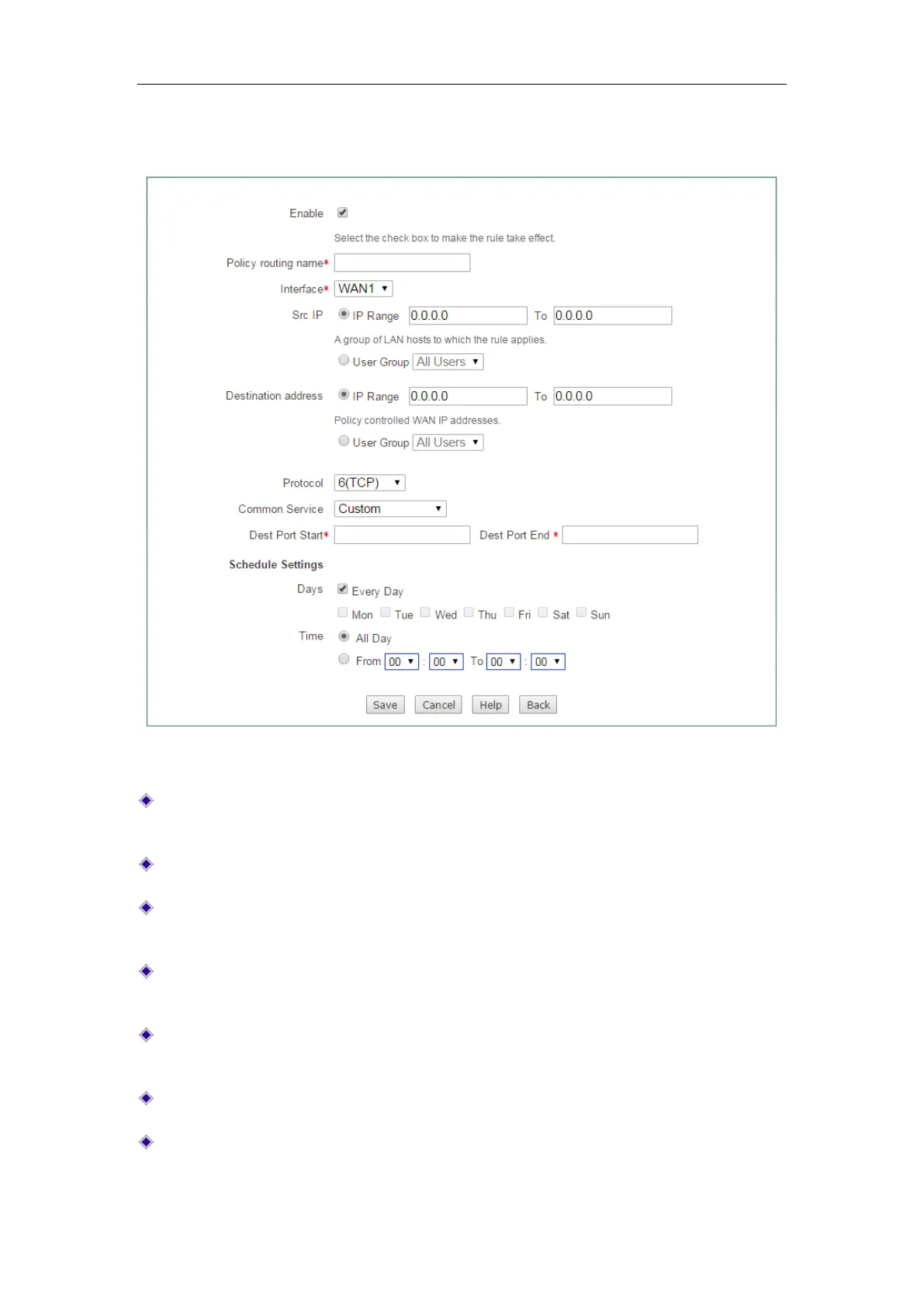
Figure 7-16 Policy Routing settings
Enable: Select to enable the Policy Routing entry. Only you have selected this
check box, the Policy Routing entries will take effect.
Policy routing name: Specify the name of this Policy Routing entry.
Interface: Specify an outbound interface through which the packets matching the
Policy Routing entry are forwarded.
Src IP: Specify the source IP addresses of the packets to which the Policy
Routing entry applies.
Destination address: Specify the destination IP addresses of the packets to which
the Policy Routing entry applies.
Protocol: Select a protocol type from the drop-down list.
Common Service: Select a commonly used service from the drop-down list.



 To Next Page