UTT Technologies User Management Menu
http://www.uttglobal.com Page 100
9.3.2.2 PPP Session Stage
In the PPP session stage, the server and client perform standard PPP negotiation to
establish a PPP connection. After the PPP connection is established successfully, the
original datagram is encapsulated in PPP frames, and PPP frames are encapsulated
in PPPoE session frames, which have the Ethernet type 0x8864. Then these Ethernet
frames are sent to the peer. In a PPPoE session frame, the session ID must be the
value assigned in the Discovery stage, and cannot be changed in this session.
9.3.2.3 PPPoE Session Termination
After a session is established, either the server or client may send a PADT (PPPoE
Active Discovery Terminate) packet at any time to indicate the session has been
terminated. The PADT packet’s SESSION-ID must be set to indicate which session is
to be terminated. Once received a PADT, no further PPP packets (even normal PPP
termination packets) are allowed to be sent using the specified session. A PPP peer
should use the PPP protocol itself to terminate a PPPoE session, but can use the
PADT packet to terminate the PPPoE session if PPP cannot be used.
9.3.3 PPPoE Server Settings
The Device support PPPoE server to allow LAN hosts acting as the PPPoE clients to
dial up to the Device.
The Device provides rich PPPoE server features, which include PPPoE global
settings, PPPoE account settings, PPPoE User Status, Export PPPoE Accounts,
Import PPPoE Accounts and so on.
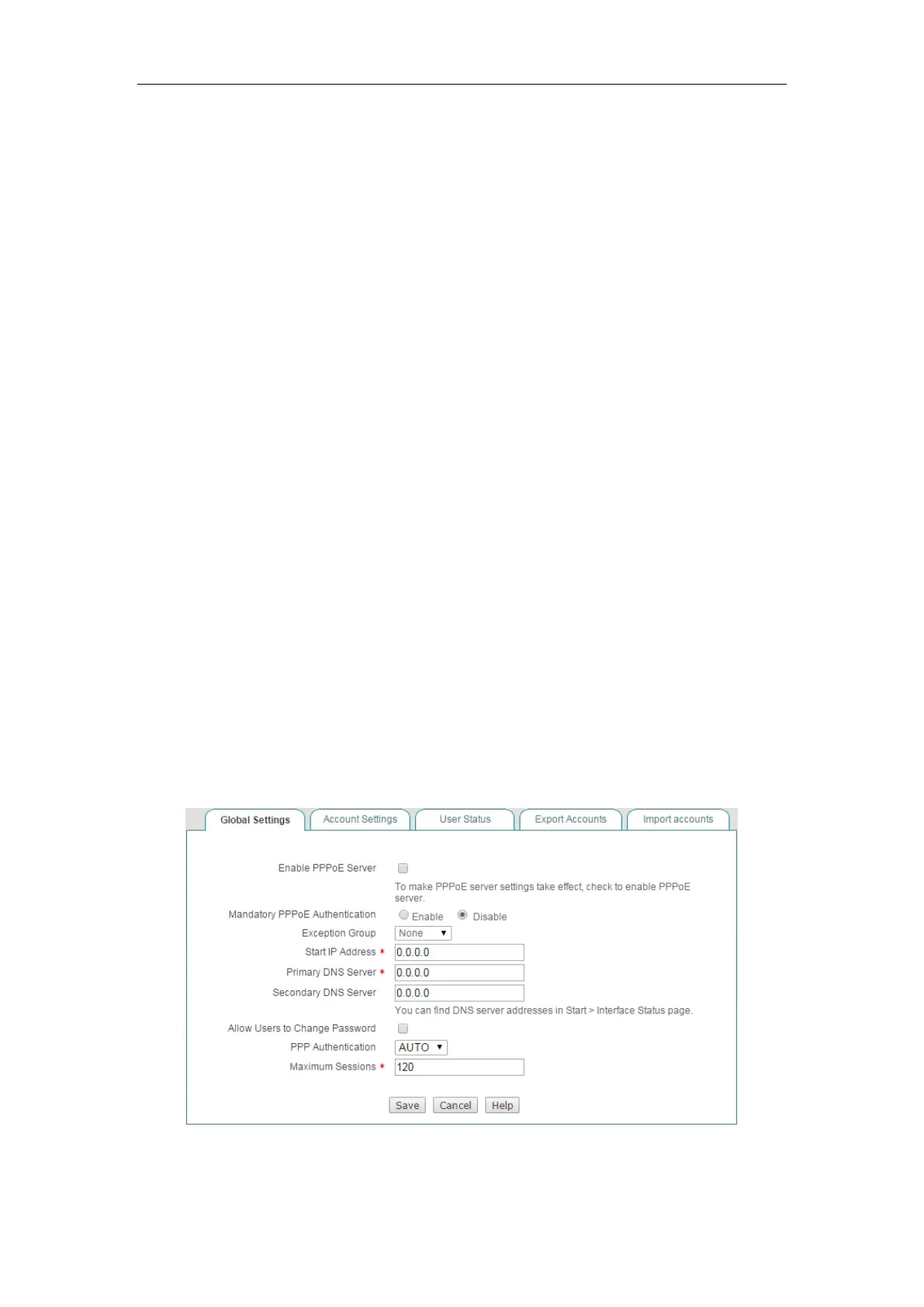
9.3.3.1 Global Settings
Figure 9-11 PPPoE Server Global Settings



 To Next Page