UTT Technologies VPN Menu
http://www.uttglobal.com Page 181
Enable Anti-replay: If selected, the Device can detect and reject replayed packets
(i.e., old or duplicate packets) to protect itself against replay attacks.
Enable DPD: If selected, the Device will periodically send DPD heartbeat
messages at the specified time interval (set by the
Heartbeat Interval) to the
remote IPSec device to verify its availability.
Heartbeat Interval: Specify a time interval (in seconds) at which the Device will
periodically send DPD heartbeat messages to the remote IPSec device to verify
its availability.
Enable NAT-traversal: If selected, two IPSec devices could establish an IPSec
tunnel traverse one or more NAT devices.
Port: Specify the number of UPD port for NAT traversal. The default value is
4500.
Keepalive Frequency: Specify a time interval (in seconds) at which the Device will
periodically send keepalive packets to the NAT device to keep the NAT mapping
active, so that the NAT mapping doesn’t change until the IKE SA and IPSec SAs
expire. This parameter will only take effect when NAT-traversal is enabled.
13.3.7 Example of IPSec
13.3.7.1 Bidirectional
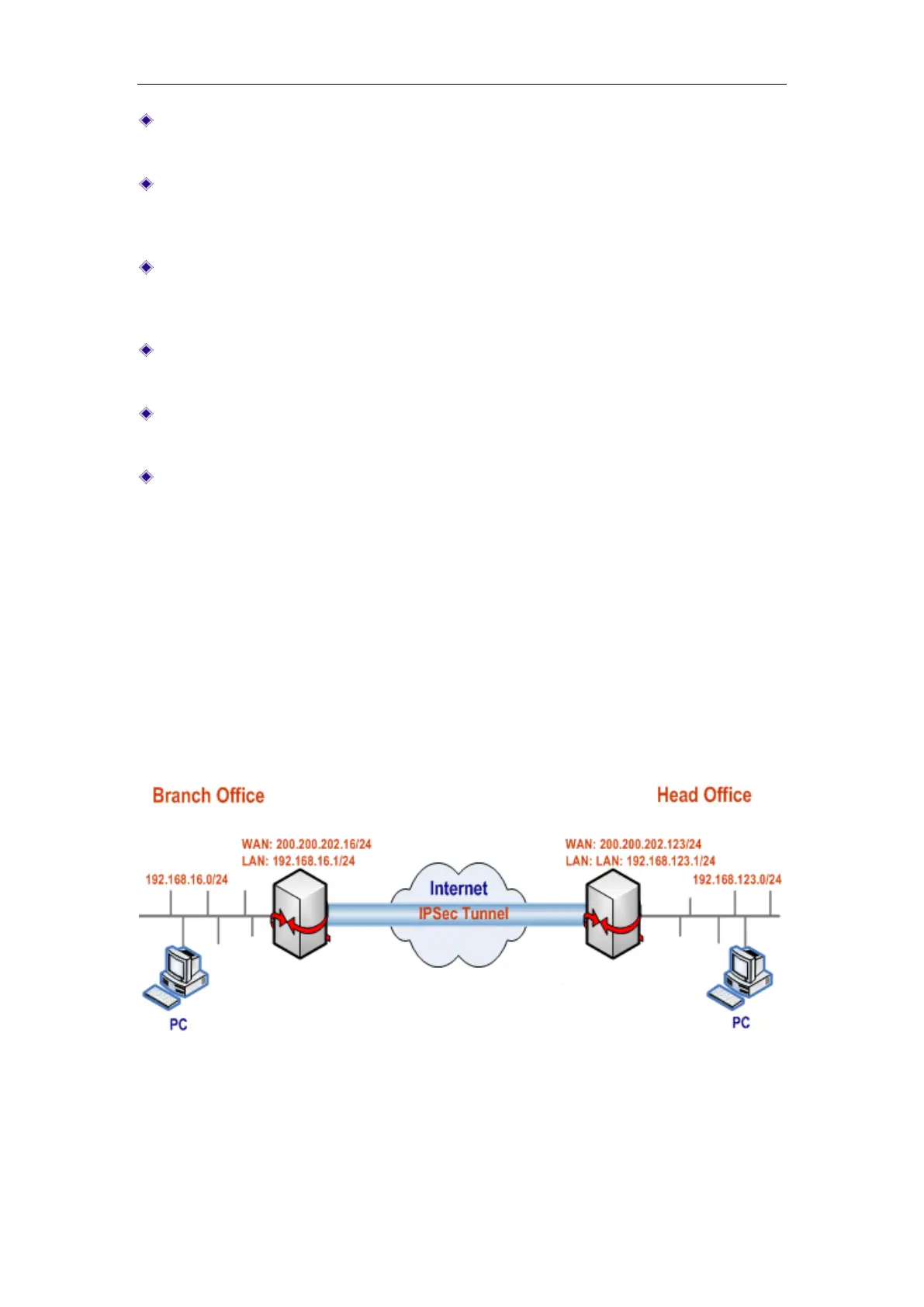
If both IPSec endpoints have static IP addresses, you can choose Bidirectional as the
connection type.
Figure 13-17 Network Topology – Bidirectional
In this scenario, we deploy two UTT enterprise wireless routers at a company: one is
located at the head office, and the other is located at the branch office. Now we want
to establish an IPSec tunnel between them, and use the following proposals (i.e.,
encryption and authentication algorithms): the phase 1 proposals are left at their



 To Next Page