UTT Technologies Start Menu
http://www.uttglobal.com Page 16
please select a frequency band different from that of other wireless devices when
setting the channel.
Channel Width: The channel bandwidth occupied by the wireless data
transmission. It provides automatic options, which means that the Device can
automatically select the optimal channel bandwidth.
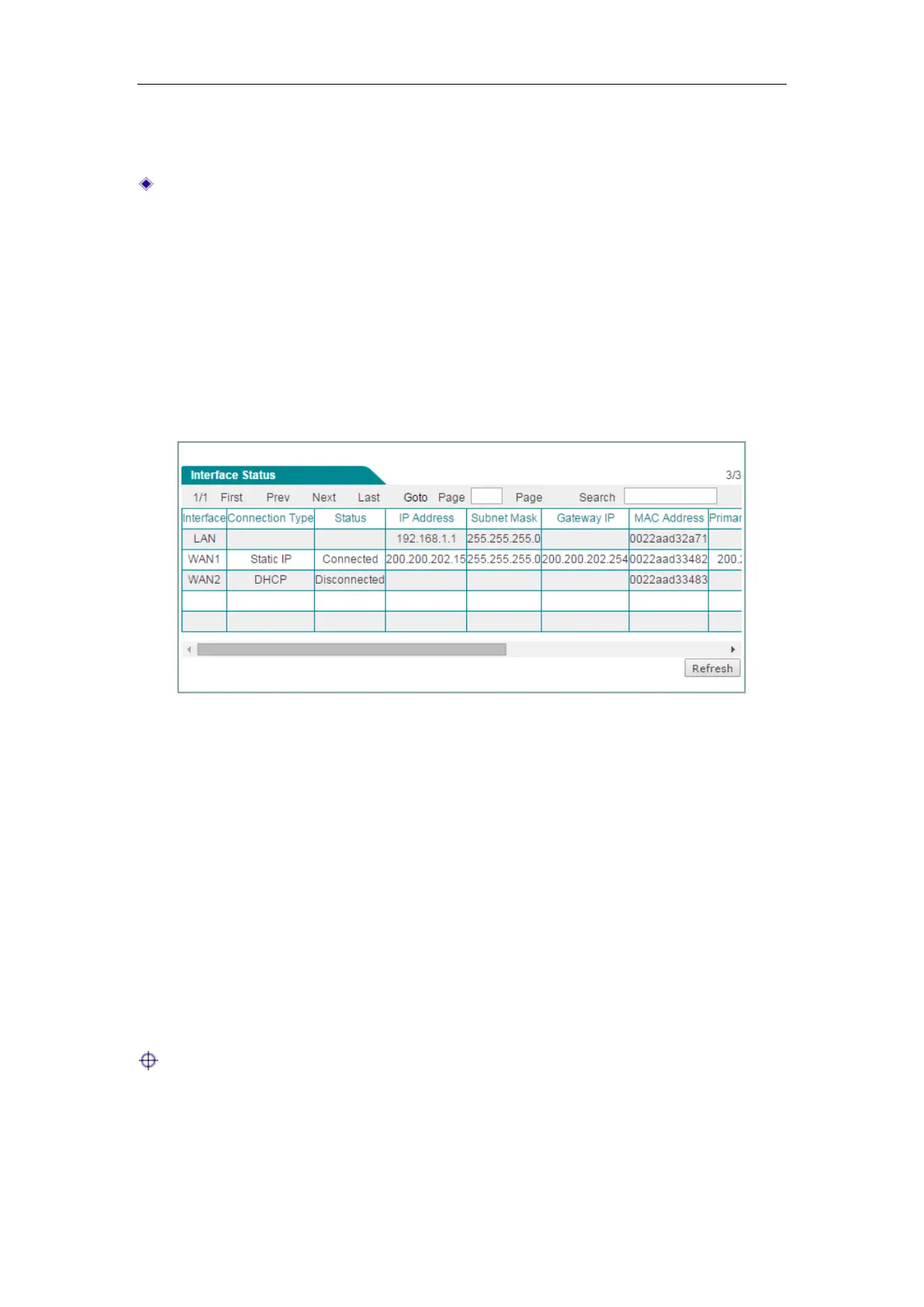
3.2 Interface Status
On the Start > Interface Status page, you can view the current status of all physical
interface, including the type of interface, connection type, status, IP address, duration
and so on.
Figure 3-6 Interface Status
3.3 Interface Traffic
The interface rate chart dynamically displays the real-time RX/TX rate, average
RX/TX rate, maximum RX/TX rate and total RX/TX traffic of each physical interface. If
you want to view the rate chart of an interface, click the corresponding interface name
hyperlink.
In the interface rate chart, the abscissa (x-axis) shows the time axis, and the ordinate
(y-axis) shows the real-time RX/TX rate axis. Furthermore, you can adjust some
parameters of the chart if needed, such as the time interval during which the real-time
rates are calculated and displayed, and the displayed colors.
Note: The rate chart can only show the rate and traffic information in the last ten
minutes. Each time you launch this page, the rate chart refreshes.



 To Next Page