UTT Technologies Network Menu
http://www.uttglobal.com Page 36
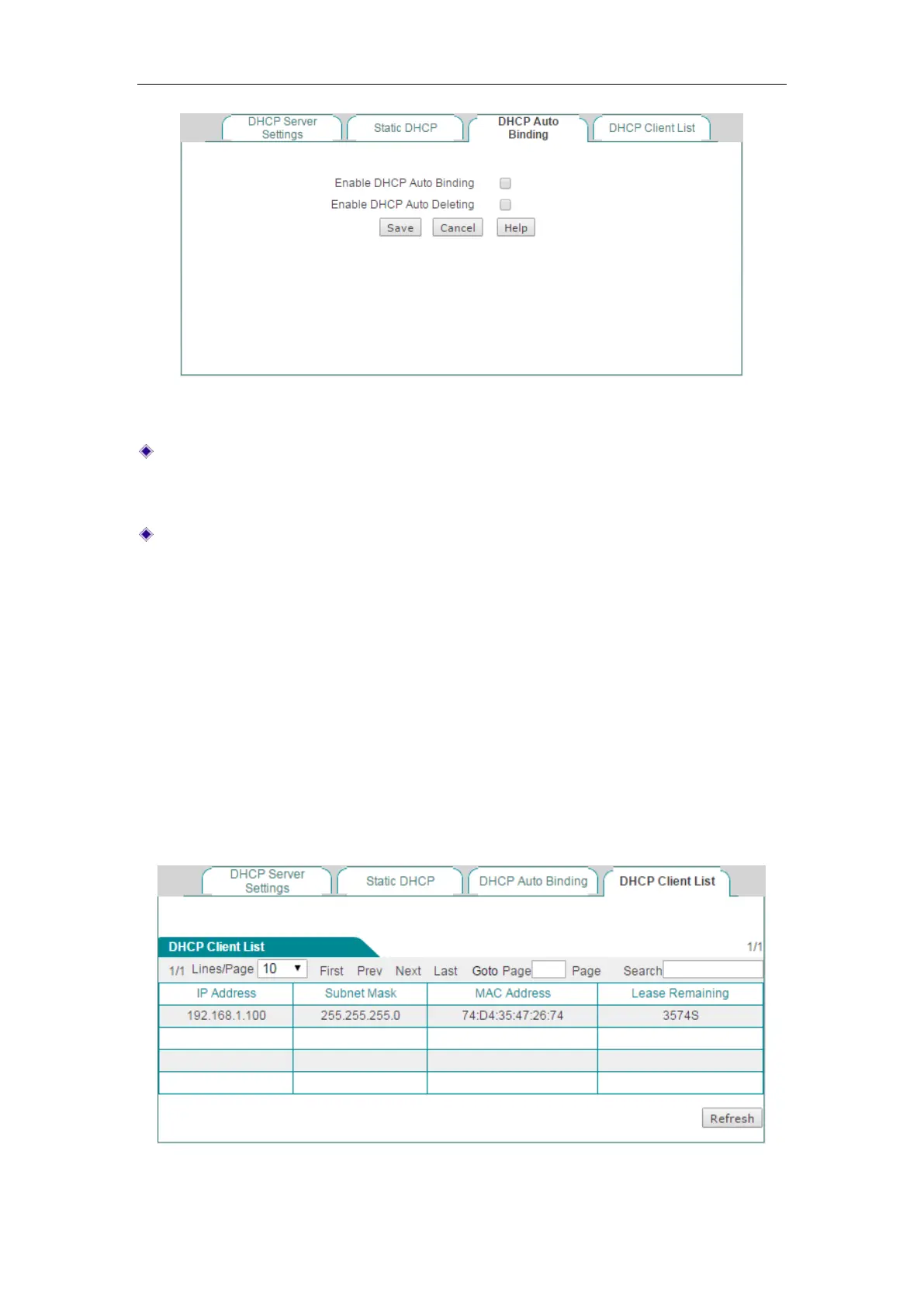
Figure 4-17 DHCP Auto Binding
Enable DHCP Auto Binding: If selected, once a LAN host obtains an IP address
from the Device that acts as a DHCP server, the Device will immediately bind the
host’s IP and MAC address as a static DHCP entry.
Enable DHCP Auto Deleting: If selected, the Device will automatically delete the
static DHCP entry when the corresponding host releases the IP address
initiatively or its lease time expires.
4.4.4 DHCP Client List
When acting as a DHCP client, the Device can dynamically obtain an IP address and
other TCP/IP configuration parameters from a DHCP server. The information of those
DHCP clients who have obtained an IP address and other TCP/IP configuration
parameters will be display in the
DHCP Client List. Such as in the following figure, the
DHCP server assigns the IP address of 192.168.1.100 in the address pool to the
network computers whose MAC address is 74:D4:35:47:26:74, and the rest of the
time for the computer to lease this IP address is 3,574 seconds.
Figure 4-18 DHCP Client List



 To Next Page