UTT Technologies Network Menu
http://www.uttglobal.com Page 40
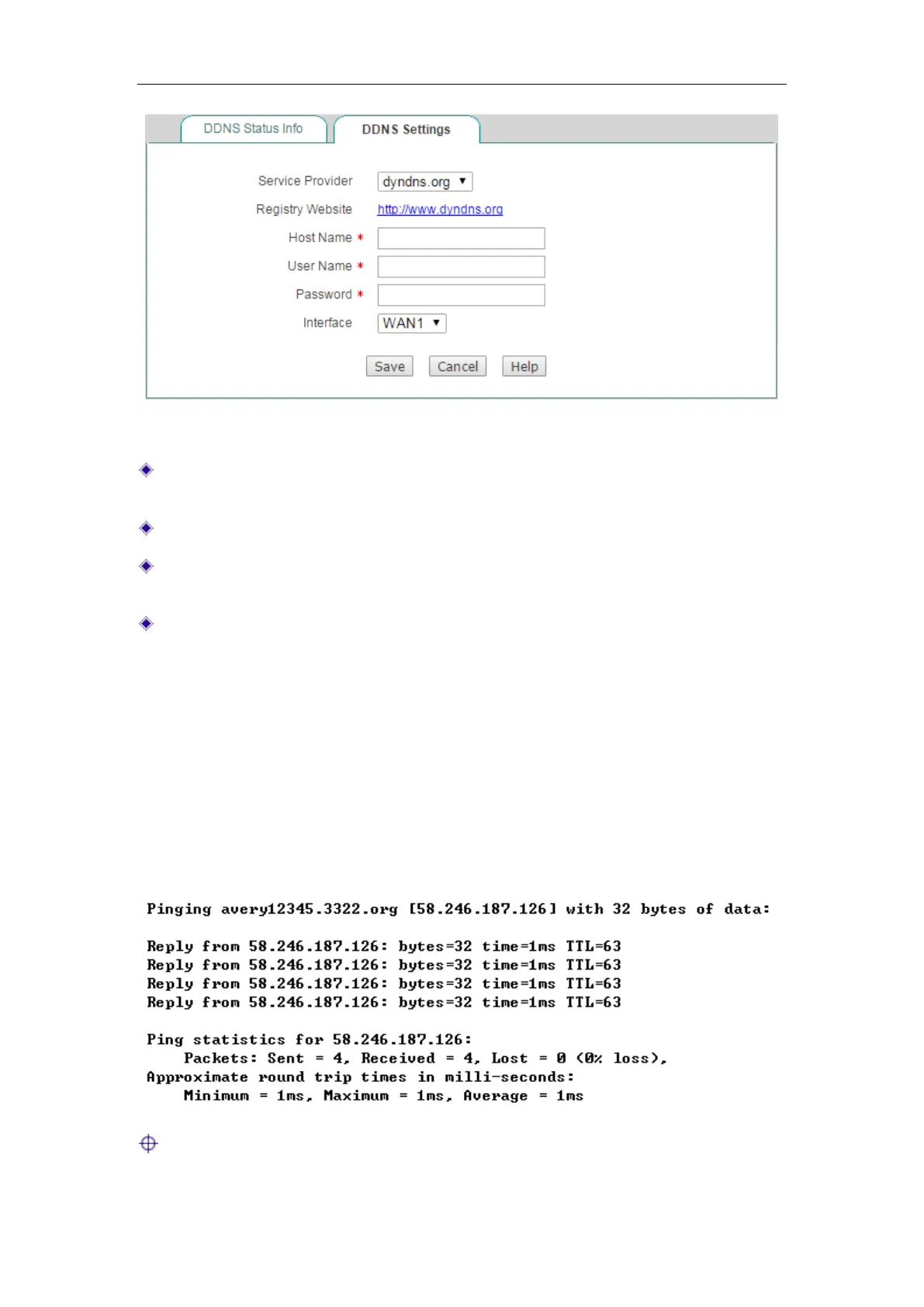
Figure 4-24 DDNS_dyndns.org
Service Provider: Select the DDNS service provider who offers services to the
Device. Here please select
dyndns.org.
Host Name: Specify the host name of the Device.
User Name: Enter the username of the account. It should be the same with the
username that you entered when registering the DDNS account.
Password: Enter the key that you got when registering the DDNS account.
4.5.3 DDNS Verification
To verify whether DDNS is updated successfully, you can use the ping command at
the command prompt on the PC (for example
ping avery12345.3322.org).
If the displayed page is similar to the screenshot below, the domain name is resolved
to an IP address successfully (58.246.187.126 in this example), that is, DDNS is
updated successfully.
Note:



 To Next Page