UTT Technologies App Control Menu
http://www.uttglobal.com Page 128
Notification Content: Specify the content of the notice message.
Effective Date Range: Specify the effective date range of the notification.
Recurring Time Range: Specify the days and times during which the
notification will be sent.
Note: Only modifying the content of notification title and notification content and
then clicking the
Save button will not take effect.
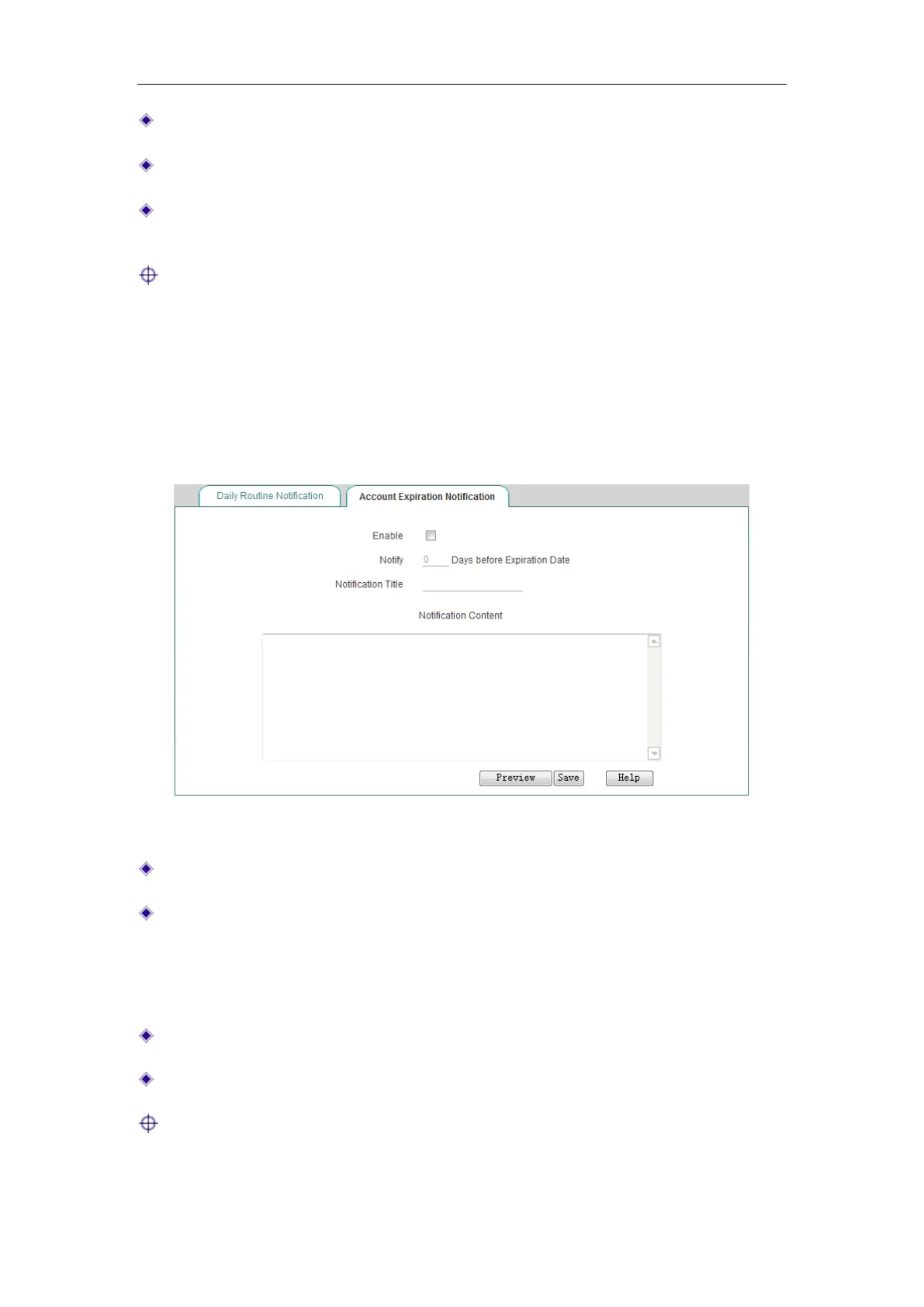
10.6.2 Account Expiration Notification
When using account expiration notice, the Device will automatically push the notice
message to the LAN users before the PPPoE account expires.
Figure 10-13 Account Expiration Notification
Enable: Select the check box to enable account expiration notification feature.
Notify “X” Days before Expiration Date: Specify the number of days before the
account expiration date so that the notification will be sent to the users from that
day onwards. Each time a PPPoE user or Web authentication user connects to
the Device, the notification appears the first time the user attempts to access a
web page.
Notification Title: Specify the title of the notification.
Notification Content: Specify the content of the notification.
Note: After a PPPoE or web authentication user account expires, the user the
user can still dial in and connect to the Device, but cannot access the Internet



 To Next Page