UTT Technologies Network Menu
http://www.uttglobal.com Page 23
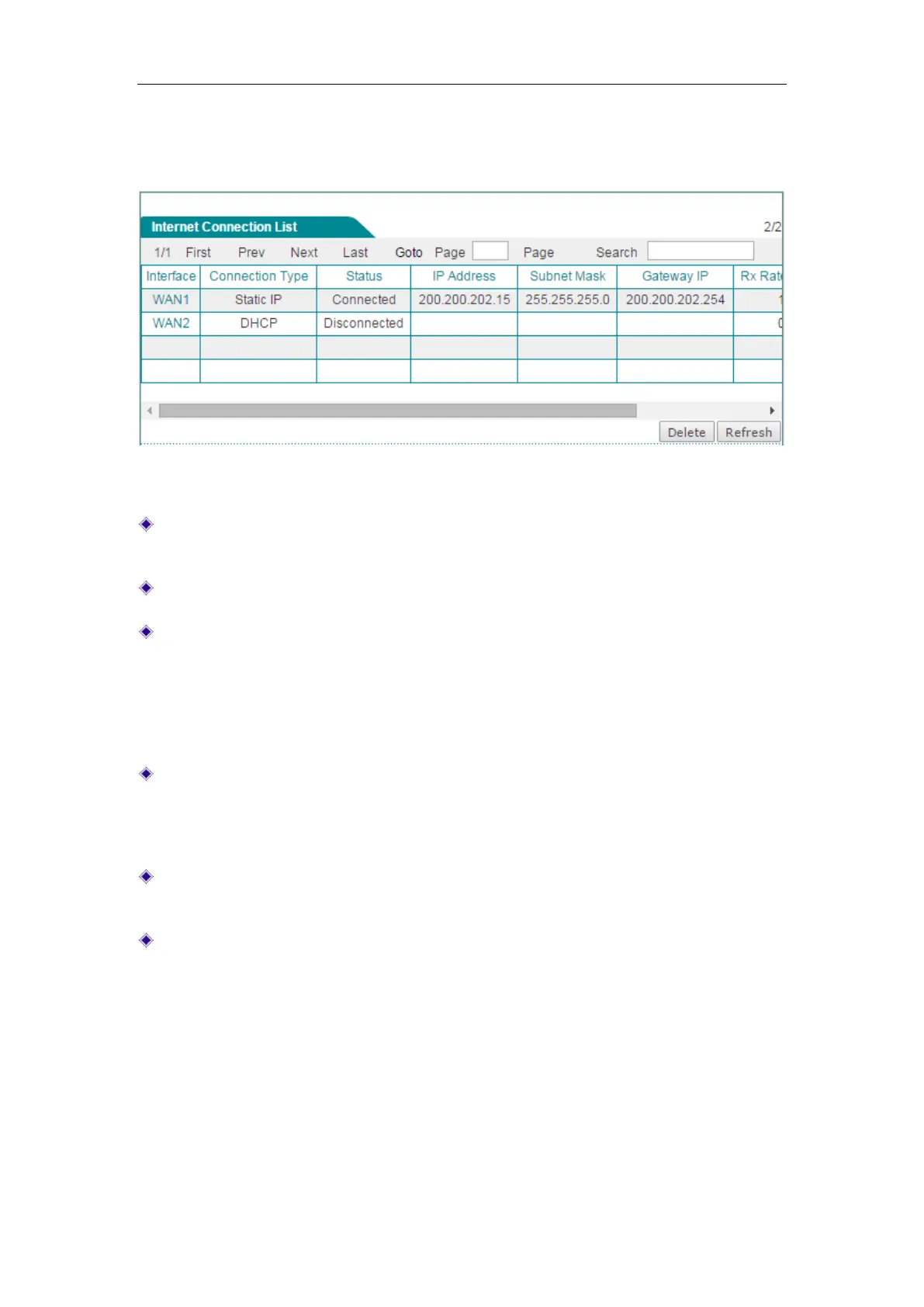
Internet Connection List. Click Refresh button to view the current status of the
connection.
Figure 4-5 Internet Connection List
Interface: Displays the name of the physical interface to which the connection is
bound.
Connection Type: Displays the type of the Internet connection.
Status: Displays the current status of the Internet connection. If the connection is
successful, it displays Connected, else it displays Disconnected. When the status
is connected in PPPoE mode, it will also display the elapsed time (day: hour:
minute: second) since connected. And when the status is connected in DHCP
mode, it will also display the time left before the lease expires (day: hour: minute:
second) for current IP address, which is assigned by your ISP’s DHCP server.
IP Address, Subnet Mask and Gateway IP: When the connection type is PPPoE
or DHCP, it displays the IP Address, Subnet Mask and Gateway IP provided by
ISP. When the connection type is
Static IP, it displays the IP Address, Subnet
Mask and Gateway IP you set.
Rx Rate(bps): Displays the current download rate of the connection between the
refresh interval.
Tx Rate(bps): Displays the current upload rate of the connection between the
refresh interval.
4.1.5 Edit the Connection
If you want to edit the connection, do the following:
Step 1 In the Internet Connection List, click the WAN interface hyperlink, the
related information will be displayed in the setup fields.



 To Next Page