UTT Technologies Network Menu
http://www.uttglobal.com Page 24
Step 2 Modify the connection settings.
Step 3 Click the Save button to save the settings.
4.1.6 Delete the Connection
If you want to delete the connection, do the following:
Step 1 In the Internet Connection List, click the related WAN hyperlink, the related
information will be displayed in the setup fields.
Step 2 Click the Delete button below the Internet Connection List.
Step 3 In the pop-up window, click the OK button to delete the connection.
Note: The default WAN1 connection can’t be deleted but edited.
4.1.7 Dial or Hang up a PPPoE connection
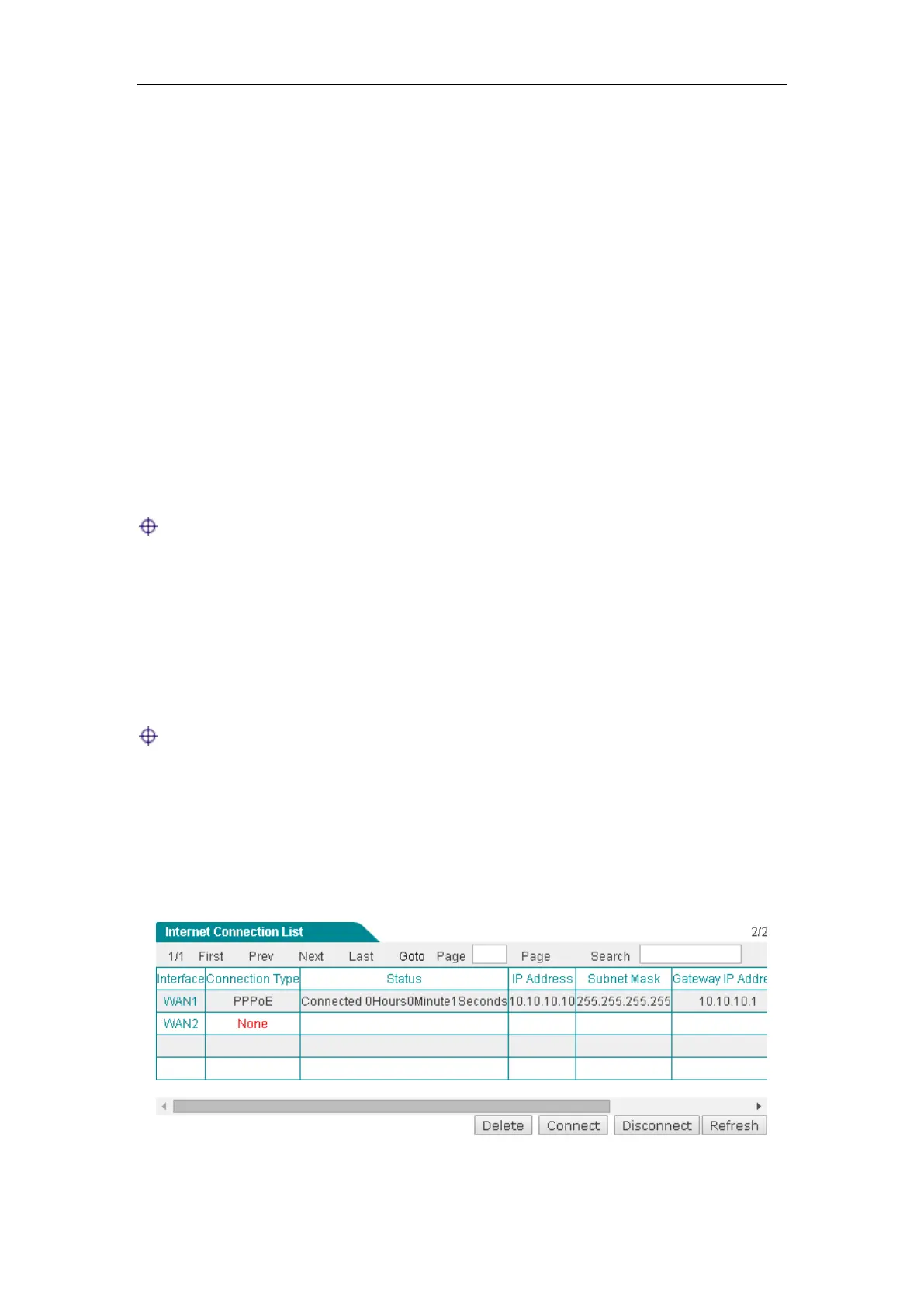
If the connection type is PPPoE, when you click the WAN1 hyperlink, the Connect,
Disconnect and Refresh buttons will be shown on the Internet Connection List.
Note:
1) If you have chosen Manual as Dial Type for PPPoE connection, you need to click
the
Connect button to dial-up the Internet connection and click the Disconnect
button to hang it up.
2) Click the Refresh button to view the current status of the connection.
Figure 4-6 Internet Connection List_PPPoE Connection



 To Next Page