UTT Technologies Wireless Menu
http://www.uttglobal.com Page 49
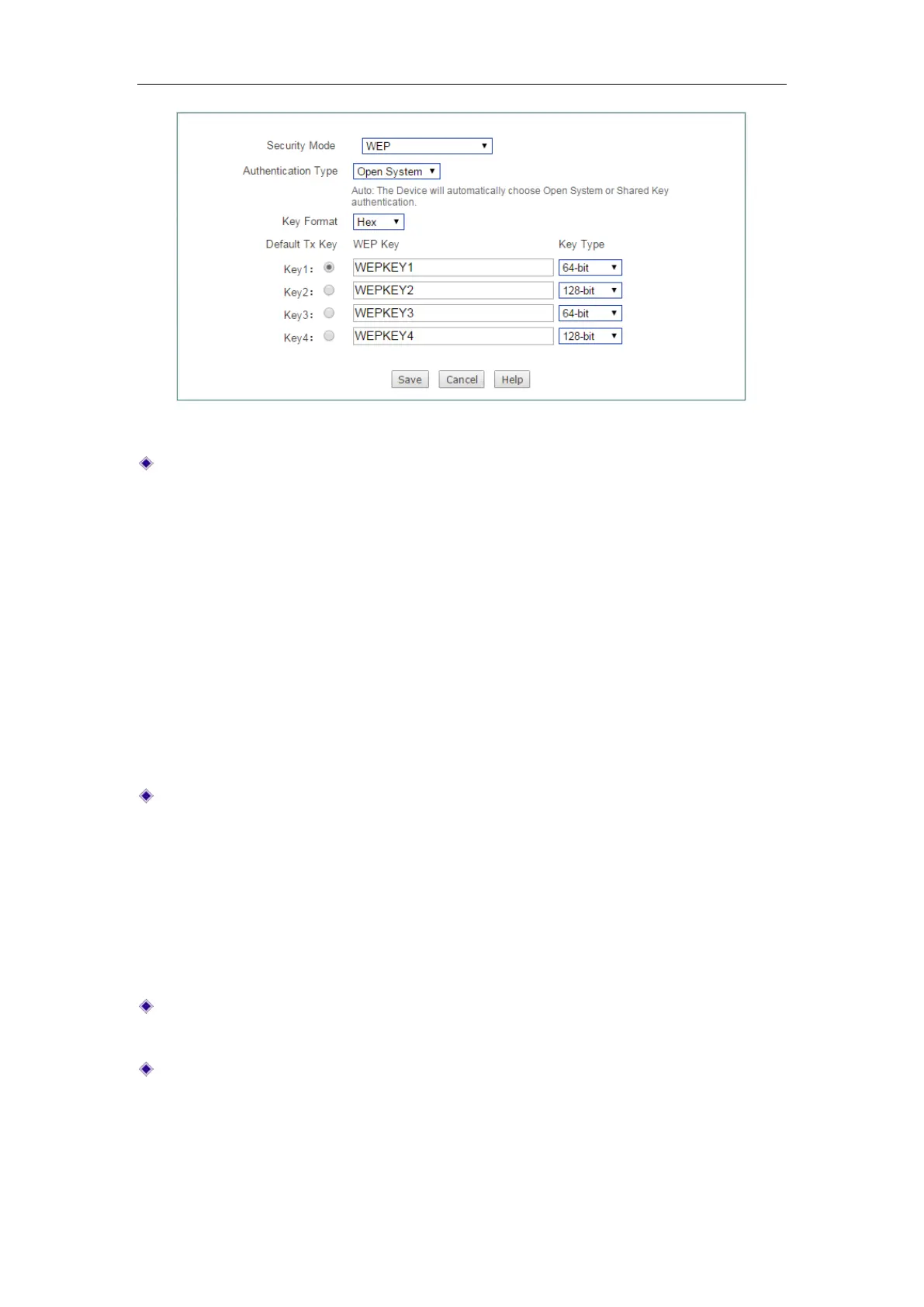
Figure 5-5 Security mode_WEP
Authentication Type: Select the authentication type under WEP security mode.
The Device must authenticate a wireless client before the client can join the
wireless network. There are three options:
Auto, Open System and Shared Key.
Auto: Select to allow the Device automatically choose Open System or
Shared key mode according to the requests of wireless clients.
Open System: At this point, the wireless client host can pass the
authentication and be associated with the wireless devices on the premise of
providing no authentication key; but a correct key must be provided if data
transmission is to be made.
Shared key: At this point, the wireless client host must provide the correct key
to pass the authentication; otherwise, it cannot be associated with the
wireless devices, and cannot perform data transmission.
Key Format: Select the format for entering the WEP keys. The options are Hex
and
ASCII.
Hex: Select it to enter the WEP keys in hexadecimal format. Hexadecimal
digits are a set of characters that includes numbers 0 through 9 and letters A
through F (or a through f). Hex WEP keys are case insensitive.
ASCII: Select it to enter the WEP keys in ASCII format. ASCII WEP keys are
case sensitive.
Default Tx Key: Select one of the WEP keys as the default transmitting key to
transmit data. All keys can be used to receive data.
WEP Key: Enter a key in one of the WEP Key boxes. You can enter up to four
WEP keys. You should enter a key according to the
Key Format and Key Type
selected.
For 64-bit encryption, enter 10 hex characters or 5 ASCII characters.



 To Next Page