UTT Technologies Firewall Menu
http://www.uttglobal.com Page 141
12.2.1.3 Access Control Rule List
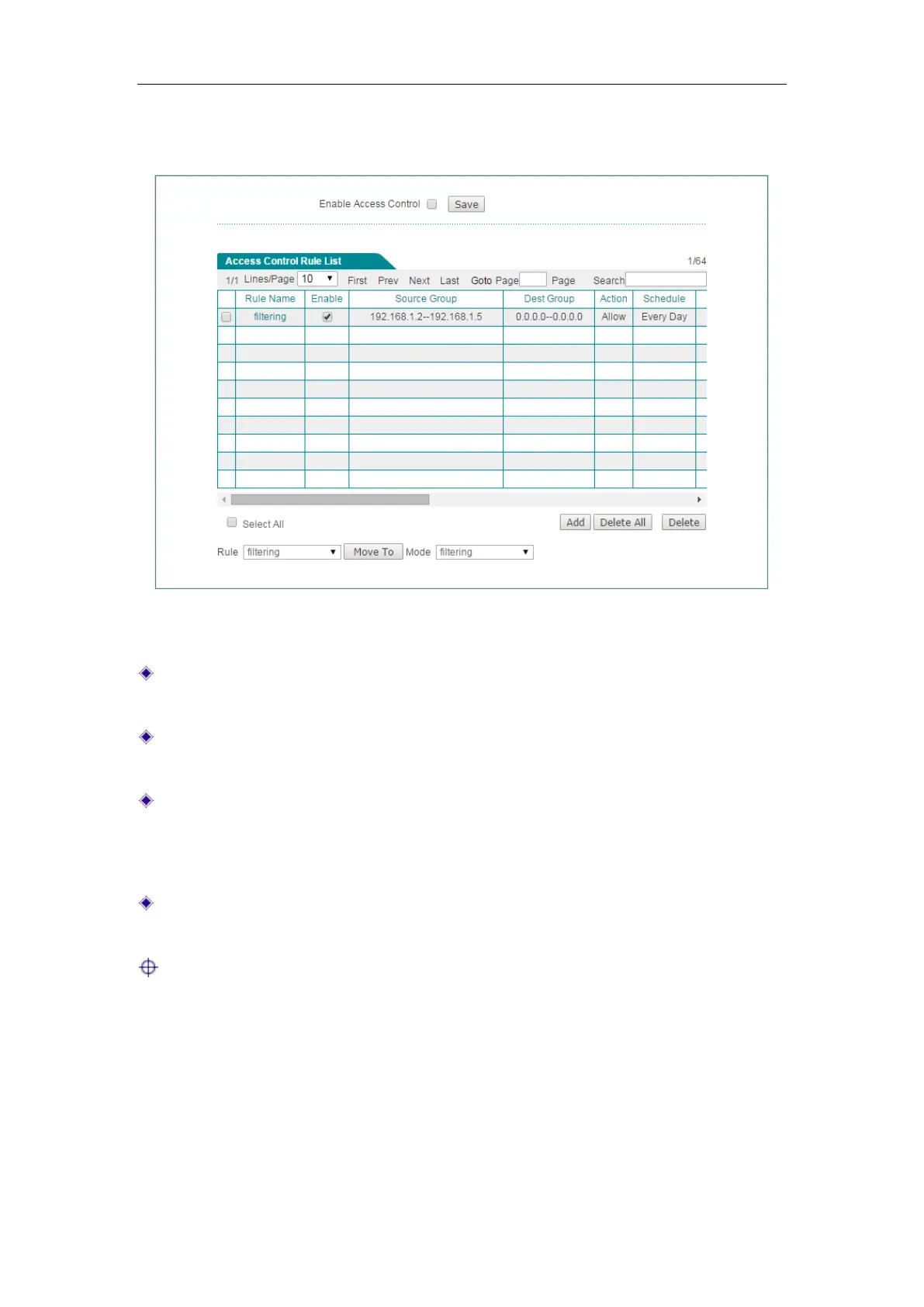
Figure 12-3 Access Control List
Add an Access Control Rule: Click the Add button to go to the setup page, and
then configure it, lastly click the
Save button.
Edit an Access Control Rule: Click its Edit hyperlink, the related information will
be displayed on the setup page. Then modify it, and click the
Save button.
Move an Access Control Rule: The Device allows you to move an access control
rule to above another rule in the list, the operation is as follows: Select the ID of a
rule that you want to move from the
Rule drop-down list, and another rule’s ID
from the
Mode drop-down list, lastly click the Move To button.
Delete Access Control Rule(s): Select the leftmost check boxes of rules, and then
click the
Delete button.
Note: The execution order of access control rule list you added is from up to
down.
12.2.1.4 Access Control Rule Settings
We will introduce every parameter’s meaning for four filtering type (IP Filtering, URL
Filtering, Keyword Filtering, DNS Filtering).



 To Next Page