UTT Technologies Firewall Menu
http://www.uttglobal.com Page 146
12.2.1.4.4 DNS Filtering
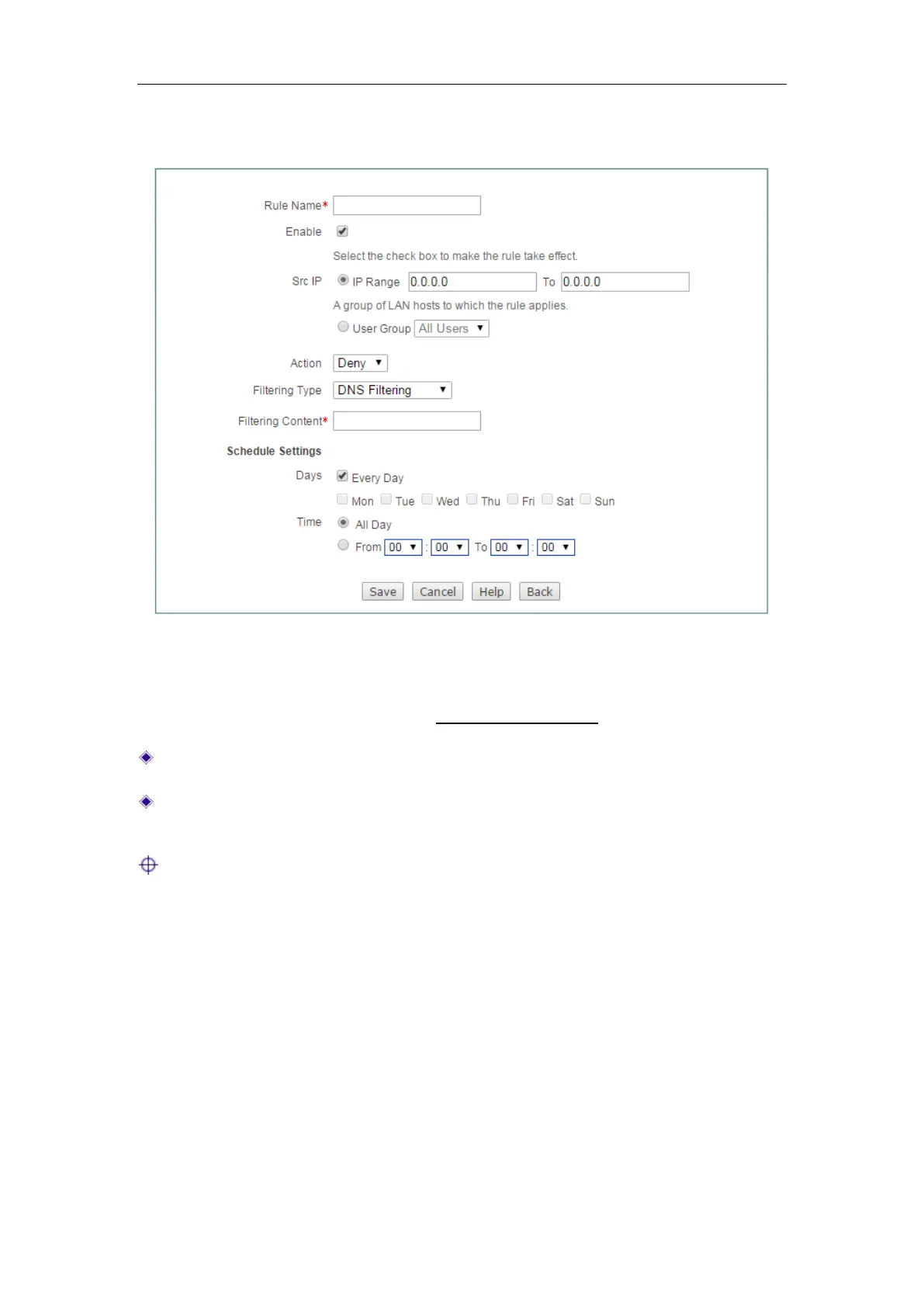
Figure 12-7 Access Control Rule Settings_DNS Filtering
The setting of Rule Name, Enable, Src IP, Action, Schedule Settings is the same with
IP Filtering, please refer to the section:
12.2.1.4.1 IP Filtering.
Filtering Type: Here please select DNS Filtering.
Filtering Content: Specify the Domain’s full name you want access control rule
applies.
Note: Wildcard asterisk * is suitable for DNS Filter. For example, when inputting
*.163.* on the Filtering Content, and choose Deny on the Action drop-down check
box, users will not access the URL which contains
.163. of all the web pages.
12.2.1.5 Examples for Access Control
12.2.1.5.1 Example One
Requirements
In this example, a business allows the IP address between 192.168.1.9
to192.168.1.20 accesses to Internet at working time (From Monday to Friday
9:00~18:00).



 To Next Page