UTT Technologies User Management Menu
http://www.uttglobal.com Page 108
Step 1 Go to the PPPoE > PPPoE Account > PPPoE Account Settings page.
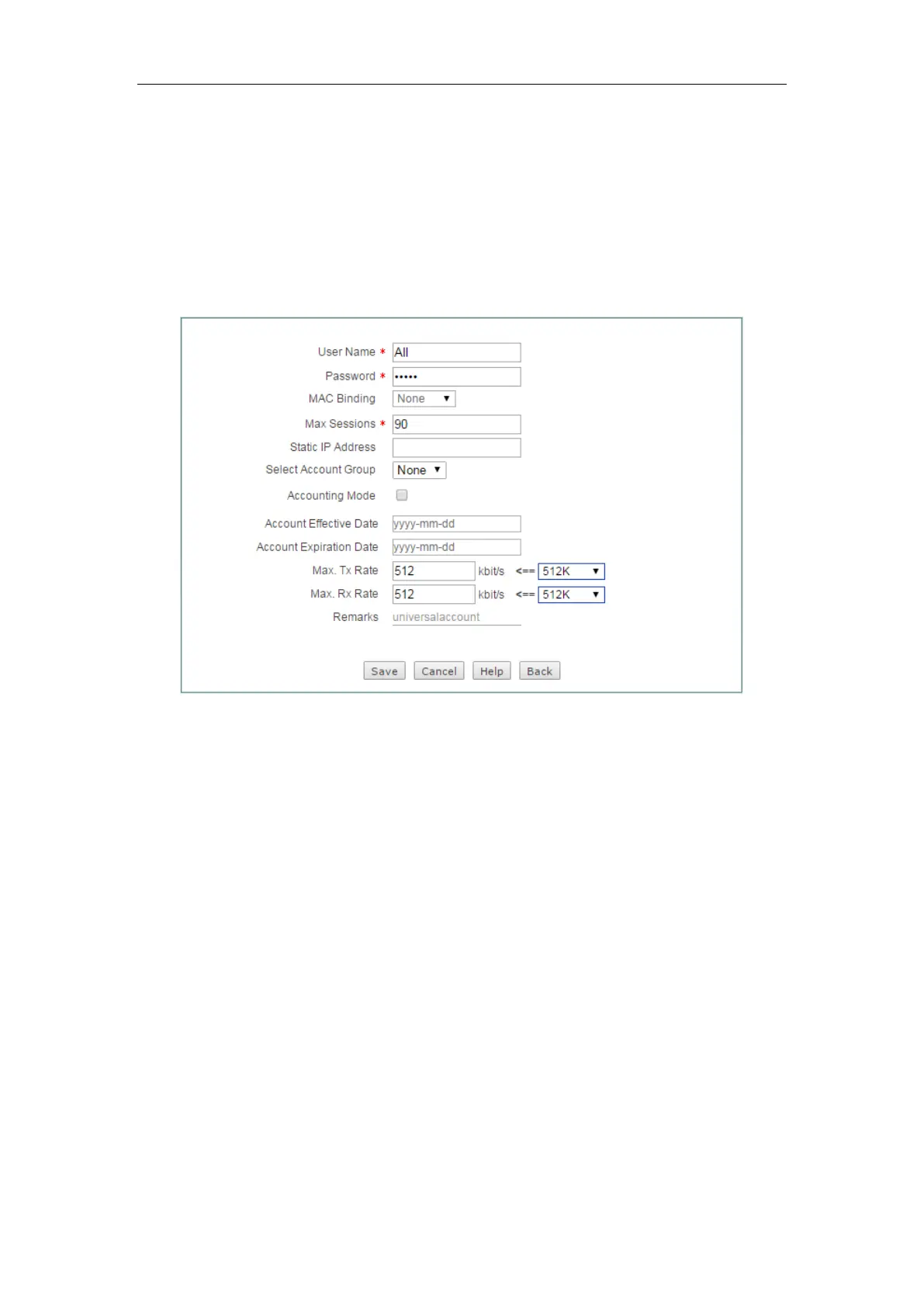
Step 2 Creating the universal PPPoE Account whose username is All. See the
following figure, enter
All in the User Name, enter test in the Password,
enter the
universal account in the Remarks, enter 512 in the Tx Bandwidth
and Rx Bandwidth, and enter 90 in the Max. Sessions text box. Leave the
default values for the other parameters. Then click the
Save button to save
the settings.
Figure 9-19 Configuring the Universal PPPoE Account - Example
Step 3 Creating the advanced PPPoE Account whose username is Advanced. See
the following figure, enter
Advanced in the User Name, enter test2 in the
Password, enter the advanced account in the Remarks, and enter
0021859b4544 in the MAC Address, enter 1 in the Max. Sessions text box,
enter
10.0.0.50 in the Static IP Address. Leave the default values for the
other parameters. Then click the
Save button to save the settings.



 To Next Page