UTT Technologies Hardware Installation
http://www.uttglobal.com Page 7
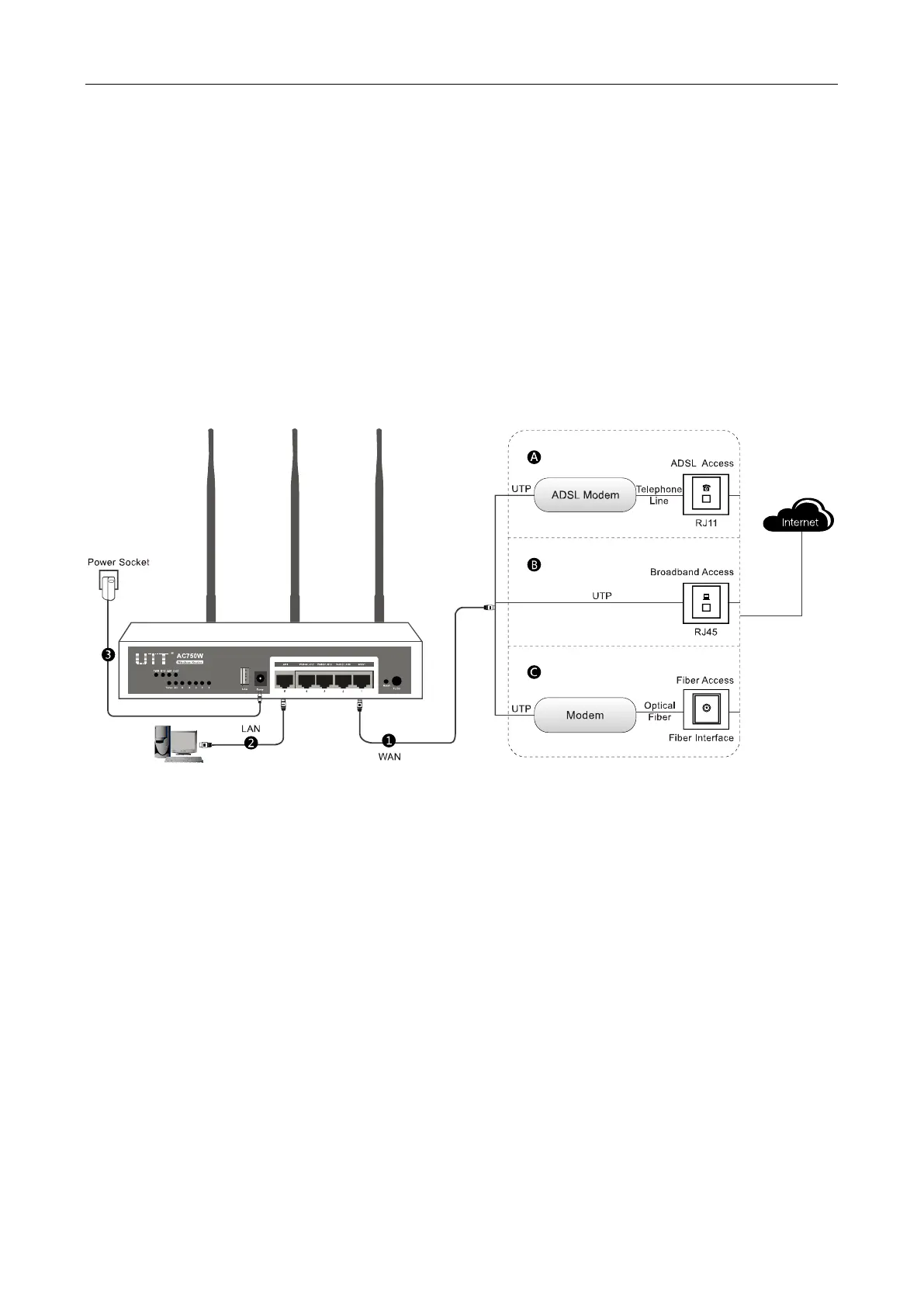
After that, please install the Device according to the following steps (Here we use UTT AC750GW
as an example). Don’t forget to pull out the power plug and keep your hands dry.
1) Power off your PC(s), Cable/DSL modem, and the Device.
2) Connect the Cable/DSL modem to the Device’s WAN port.
3) Connect one end of an Ethernet cable to one of the LAN ports on the Device, and the other end
to a network port on a PC, hub, switch or wireless access point. Repeat this step to connect
more PCs or other network devices to the Device.
4) Connect the power cord to the power port of the Device. Then plug the other end of the power
cord to a grounded AC power outlet.
5) Power on your network devices, PCs, Switches, Hubs, and so on.
Figure 1-2 Connecting the Device



 To Next Page