UTT Technologies QoS Menu
http://www.uttglobal.com Page 136
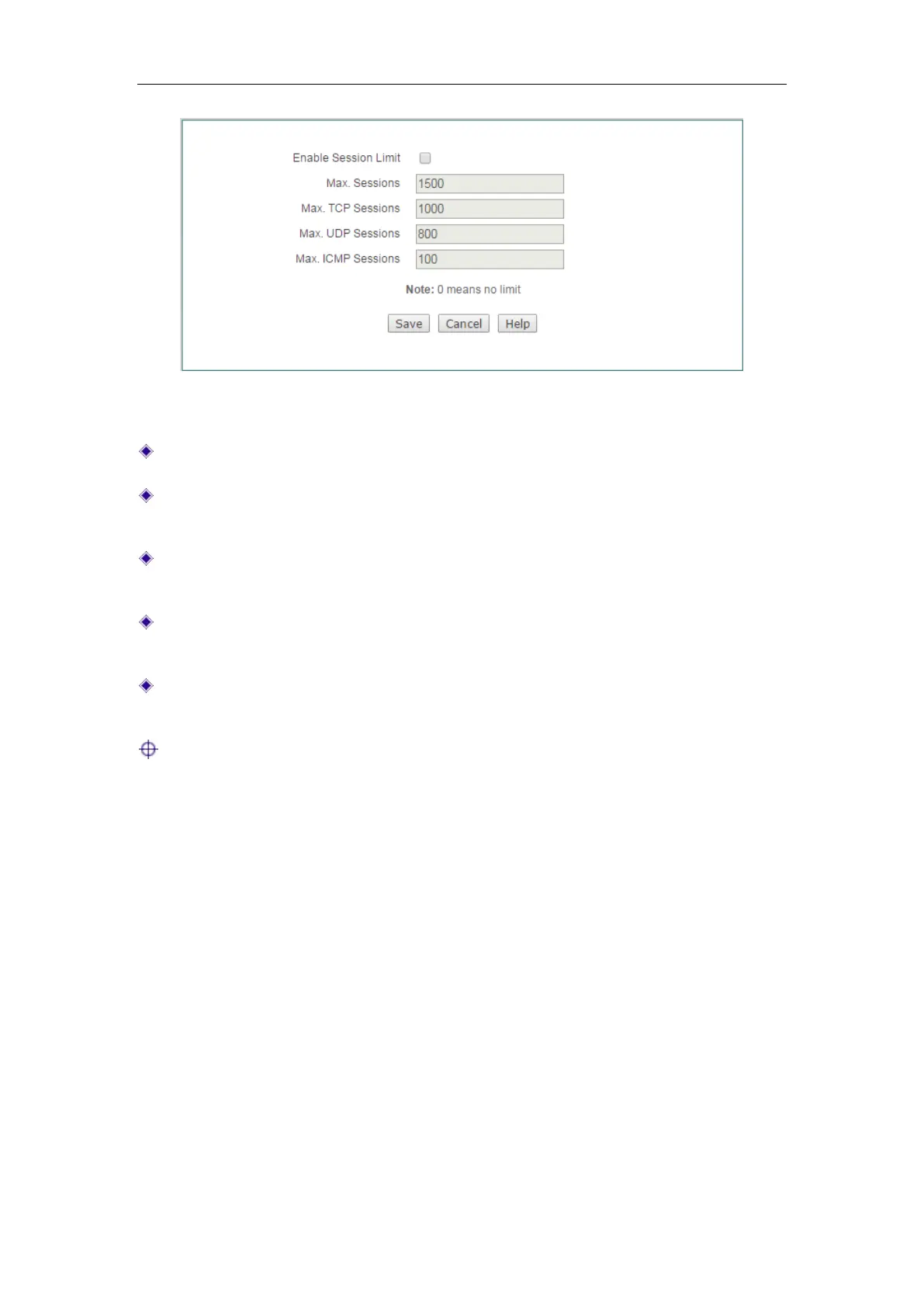
Figure 11-5 Session Limiting
Enable Session Limit: Select to enable session limiting.
Max. Sessions: Specify the maximum number of concurrent sessions per
restricted host. 0 means no restriction.
Max. TCP Sessions: Specify the maximum number of concurrent TCP sessions
per restricted host. 0 means no restriction.
Max. UDP Sessions: Specify the maximum number of concurrent UDP sessions
per restricted host. 0 means no restriction.
Max. ICMP Sessions: Specify the maximum number of concurrent ICMP sessions
per restricted host. 0 means no restriction.
Notes:
1) If some applications (such as online games) performance is degraded due to the
maximum sessions limiting, you can increase the
Max. Sessions and Max. TCP
sessions (or Max. UDP sessions) properly. Note that if they are too large, it will
lower or lose the Device’s ability to prevent DDoS attacks.
2) In most cases, to ensure that the LAN users surf the Internet normally, the
maximum NAT sessions cannot be too small. It is suggested that both the
Max.
Sessions and Max. TCP sessions should be larger than or equal to 100, the Max.
UDP sessions should be larger than or equal to 50, and Max. ICMP sessions
should be larger than or equal to 10.



 To Next Page