UTT Technologies VPN Menu
http://www.uttglobal.com Page 166
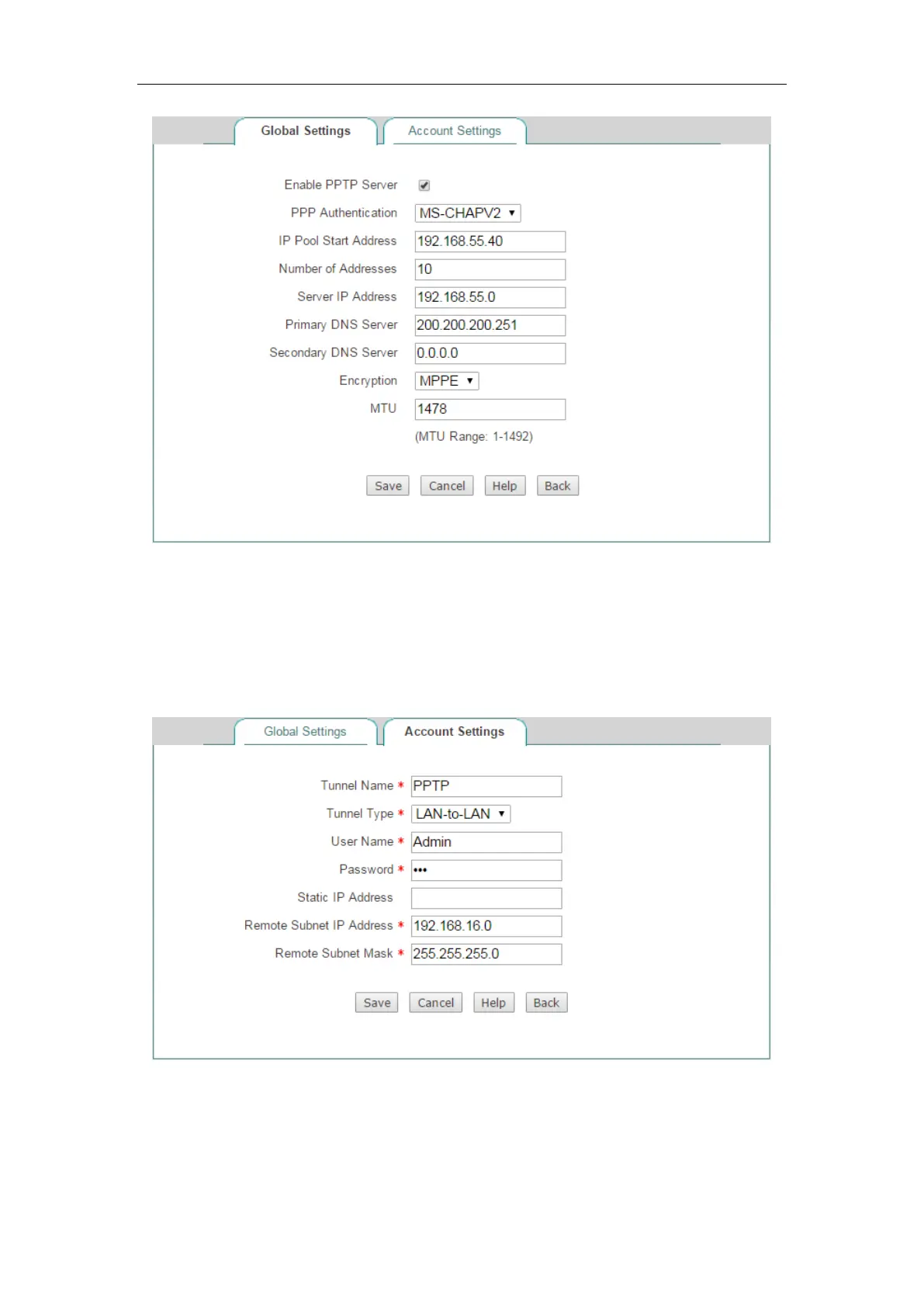
Figure 13-8 PPTP Server Settings
(1) Creating a LAN-to-LAN PPTP Server Account for the Branch Office
Click the Account Settings tab and make settings as the following figure, lastly, click
the
Save button.
Figure 13-9 PPTP Server Settings_LAN-to-LAN
(2) Creating a Mobile User Server Account for Mobile Users



 To Next Page