UTT Technologies VPN Menu
http://www.uttglobal.com Page 176
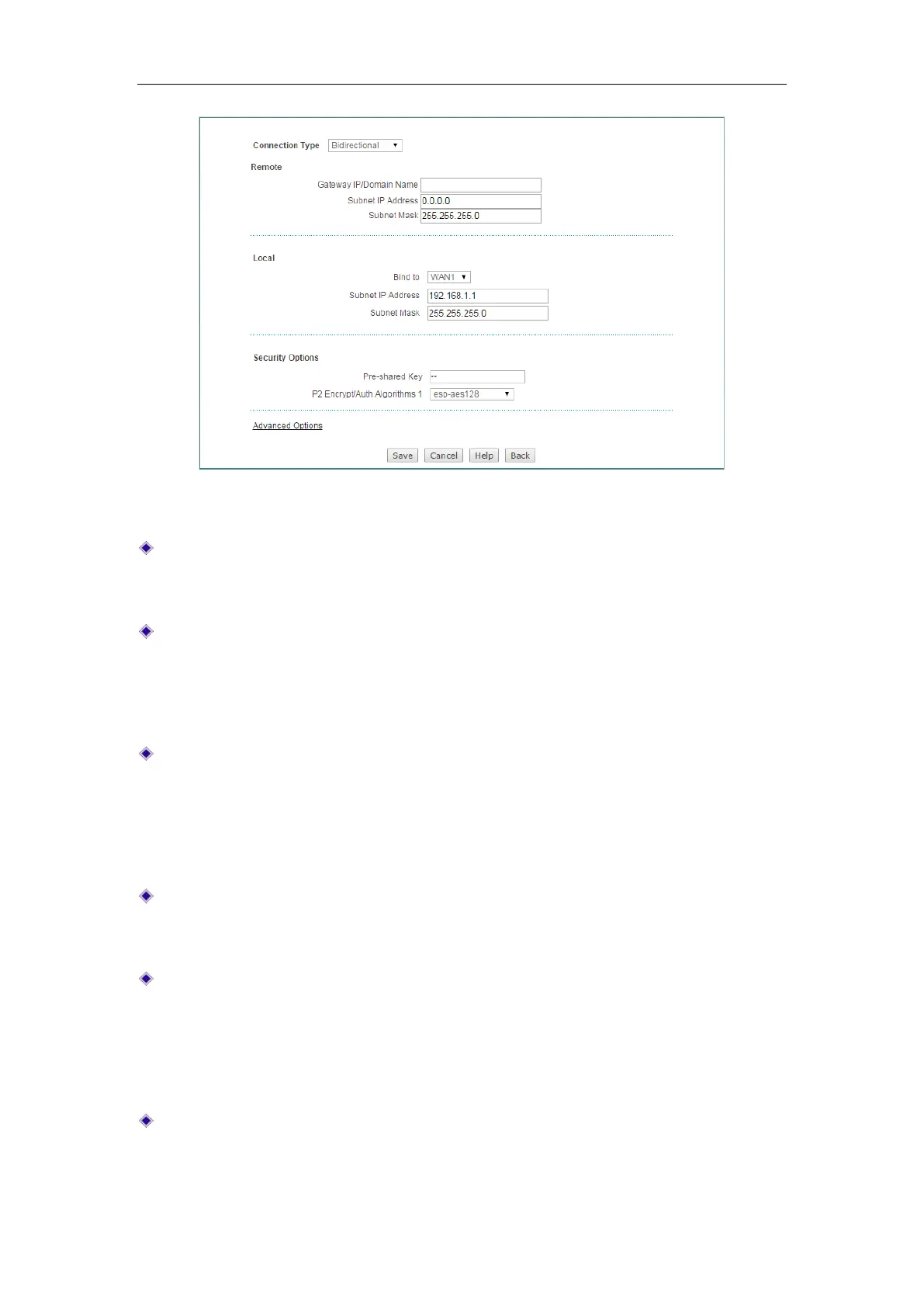
Figure 13-13 IPSec Settings_Bidirectional
Connection Type: Specify the role of the Device in the IPSec tunnel
establishment. The available options are
Bidirectional, Originate-Only and
Answer-Only. Here please select Bidirectional.
Gateway IP/Domain Name (Remote): Specify the IP address or domain name of
the Device at the other end of the IPSec tunnel. Note: If you enter a domain name,
you should configure at least one DNS server on the Device. Then the Device will
periodically resolve the domain name, and renegotiate the IPSec tunnel if the
remote IPSec device’s IP address changes.
Subnet IP Address and Subnet Mask (Remote): Specify the remote subnet or
host that can be accessed from the local side of the IPSec tunnel. If you want to
define a subnet, please enter any IP address belonging to that subnet in the
Subnet IP text box and its mask in the Subnet Mask text box; if you want to define
a host, please enter the IP address of that host in the
Subnet IP text box and
255.255.255.255 in the
Subnet Mask text box.
Bind to (Local): Specify an interface to which the IPSec tunnel is bound. The
IPSec module will check any inbound and outbound packets through this
interface to decide if the packets require IPSec processing.
Subnet IP Address and Subnet Mask (Remote): Specify the local subnet or host
that can be accessed from the remote side of the IPSec tunnel. If you want to
define a subnet, please enter any IP address belonging to that subnet in the
Subnet IP text box and its mask in the Subnet Mask text box; if you want to define
a host, please enter the IP address of that host in the
Subnet IP text box and
255.255.255.255 in the
Subnet Mask text box.
Pre-shared Key: Specify a preshared key for IKE negotiation. It should be no
more than 128 characters long. Note that you must enter the same preshared key
at the remote IPSec device.



 To Next Page