UTT Technologies VPN Menu
http://www.uttglobal.com Page 178
but the identity authentication for the remote IPSec endpoint is optional.
ID Type (Remote): Specify the type of remote ID. The available options are
Domain Name, Email Address, IP Address and Other. In this connection type, it is
an optional parameter. If you want the remote IPSec device to be authenticated,
please select one type and then specify
ID Value (Remote).
ID Value (Remote): Specify the identity of the remote IPSec device. In this
connection type, it is an optional parameter. Please enter an ID value according
to the selected
ID Type (Remote).
ID Type (Local): Specify the type of local ID. The available options are Domain
Name, Email Address, IP Address and Other. In this connection type, it is a
required parameter. You must select one type and then specify
ID Value (Local)
to allow the remote IPSec device to authenticate the local Device.
ID Value (Local): Specify the identity of the local Device. In this connection type, it
is a required parameter. Please enter an ID value according to the selected
ID
Type (Local).
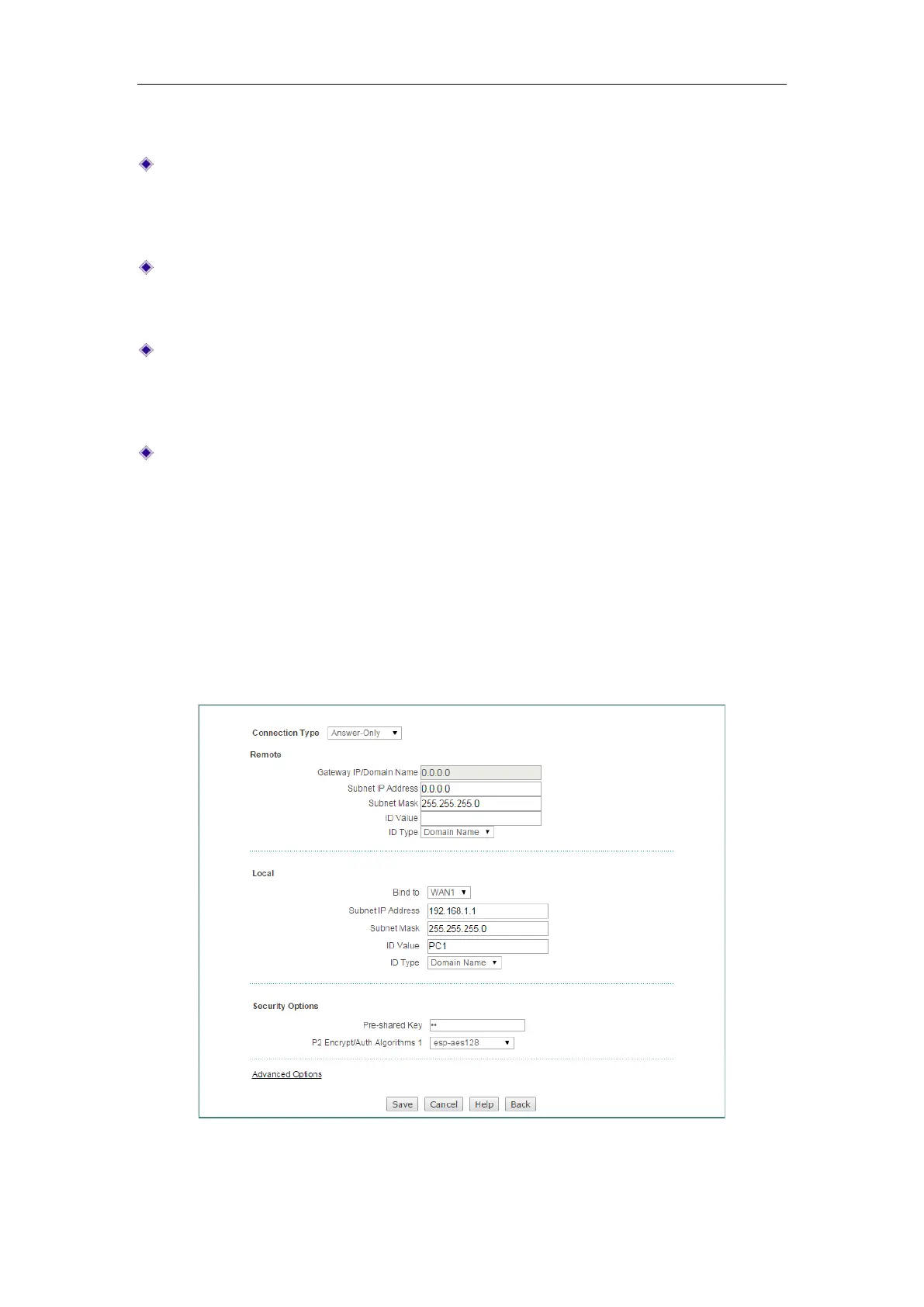
(3) Answer-Only
If the local Device has a static IP address, and the remote endpoint (another
enterprise wireless router or compatible VPN appliance) has a dynamically assigned
IP address, you can choose
Answer-Only as the connection type. In this case, the
local Device can only act as a responder, and both IPSec endpoints should use
aggressive mode for phase 1 IKE negotiation.
Figure 13-15 IPSec Settings_Answer-Only


 To Next Page
 Loading...
